robots.txt monitoring — Catch risky changes before Google does

  • Automatically checks your robots.txt every 3 hours for added, modified, or removed rules.
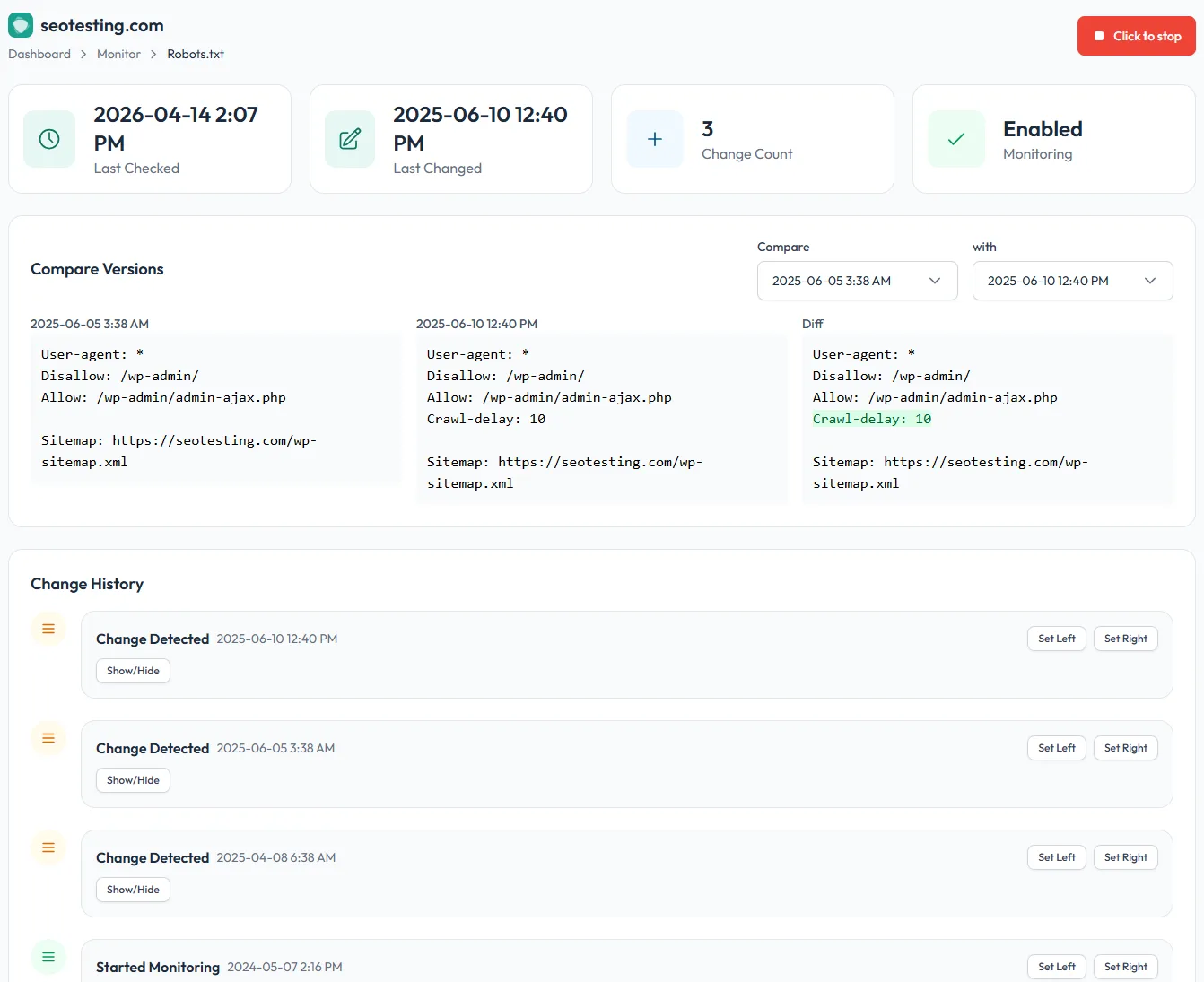
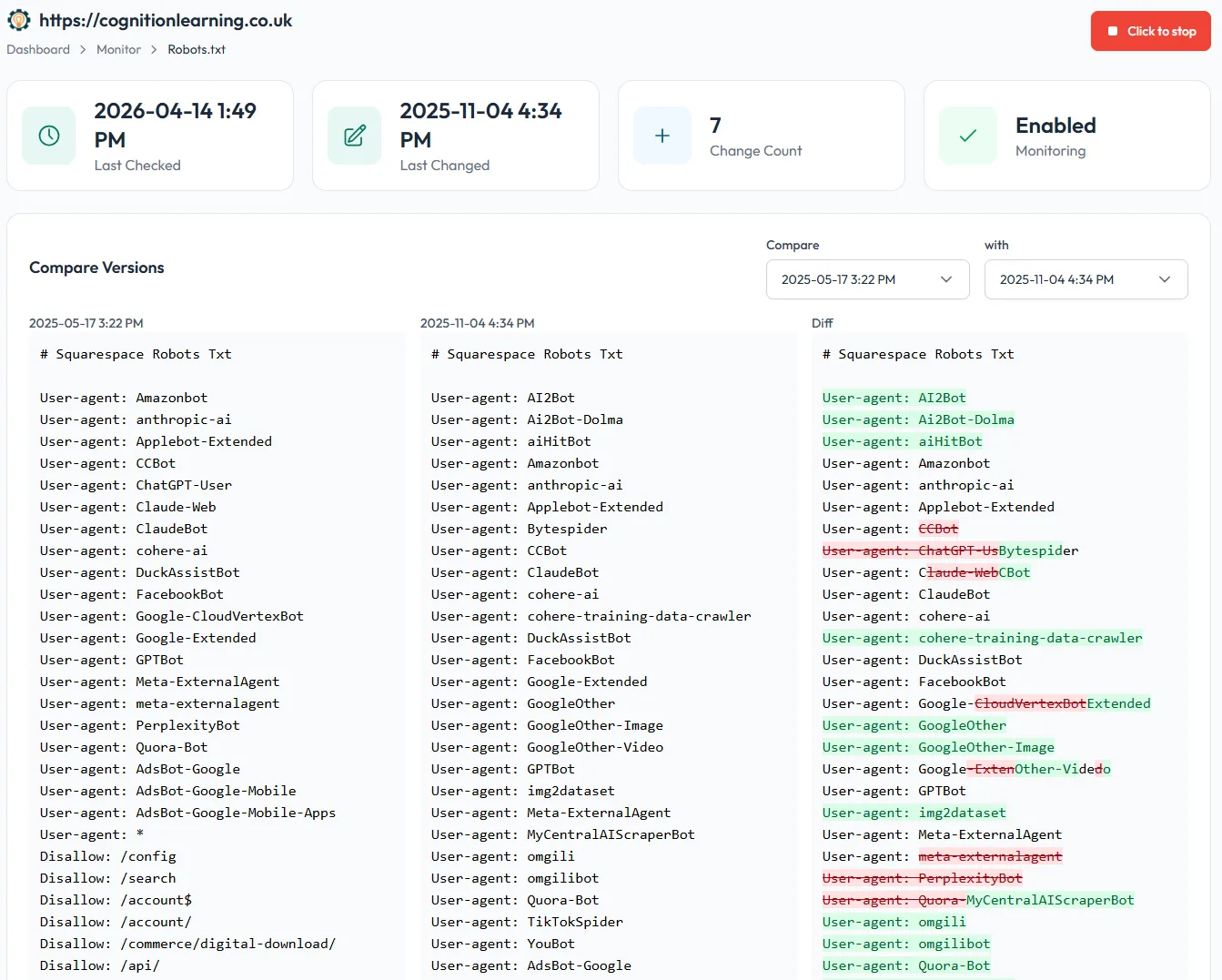
  • See a full side-by-side diff of every version, so you know exactly what changed and when.
  • Prevent accidental site-wide deindexations from a stray Disallow: /.
  • Know within hours when a developer or CMS update quietly rewrites your rules.

Prevent costly SEO mistakes with automated robots.txt Monitoring

One line in a robots.txt file can take your entire site out of Google overnight. A staging config pushed to production, a well-meaning dev blocking a directory, an updated CMS template – it happens more often than SEOs like to admit, and there’s usually nothing to catch it.

SEOTesting’s robots.txt Monitor quietly watches your file every 3 hours, stores every version, and alerts you the moment anything changes. You get the answer to “what changed, and when?” before the ranking drop turns up in Search Console a week later.

Prevent costly SEO mistakes with automated robots.txt Monitoring
Key features of robots.txt Monitor

Key features of robots.txt Monitor

Automated change detection
Your robots.txt is checked every 3 hours, so you find out about changes in hours, not weeks.
Example use: Catch a Disallow: / accidentally pushed from staging before Google recrawls the site.

Full version history with side-by-side diffs
Every version of your robots.txt is stored and compared. Pick any two dates and see exactly which lines were added, modified, or removed.
Example use: Prove to a dev team that a traffic drop started the day a specific Disallow rule was added.

Email alerts on every change
Get notified the moment your robots.txt changes — so you can review, roll back, or raise a ticket before it impacts crawl.
Example use: A client’s developer ships a CMS update that silently rewrites robots.txt; you know within hours instead of finding out after the organic dip.

Visibility across every site you manage
Manage ten, fifty, or a hundred sites? Every website in your SEOTesting account is monitored automatically, with all changes surfaced in one place.
Example use: An agency SEO checks a single dashboard on Monday morning to see which clients’ robots.txt files changed over the weekend.


Simplify and strengthen your SEO workflow

  • In-house SEOs: Stay ahead of dev and platform changes you weren’t told about. No more finding out from a dashboard three weeks later.
  • SEO agencies: Monitor every client’s robots.txt from one place. Catch risky edits before they turn into a “why is traffic down?” call.
  • Migrations and replatforms: Confirm robots.txt rules carry over correctly when a site moves CMS or host, with a complete audit trail if anything goes wrong.
Simplify and strengthen your SEO workflow