



Monitoring SEO performance across groups of pages shouldn't mean hours of manual data exports, endless spreadsheets, and guesswork. SEOTesting's Content Groups lets you define, track, and analyse collections of pages or queries in one dashboard - with AI-powered summaries that tell you exactly what's happening and what to do next.
Every SEO team knows this workflow:
1. Export data from Google Search Console
2. Open Google Sheets
3. Manually segment URLs by content type, category, or section
4. Build filters. Create charts. Format everything.
5. Share via email. Hope it makes sense to stakeholders.
6. Repeat next week.
Sound familiar? Across our customer base, SEO teams were spending 3-6 hours per week on this manual process before switching to Content Groups. That’s up to 26 hours a month spent on data gathering instead of strategy.
“It took up a lot of time to gather the data we needed by segmenting URLs and pulling out large volumes of exports into Google Sheets, and then segmenting them weekly, monthly, quarterly and yearly.”
Patrick Cunningham, SEO Leader, Decathlon
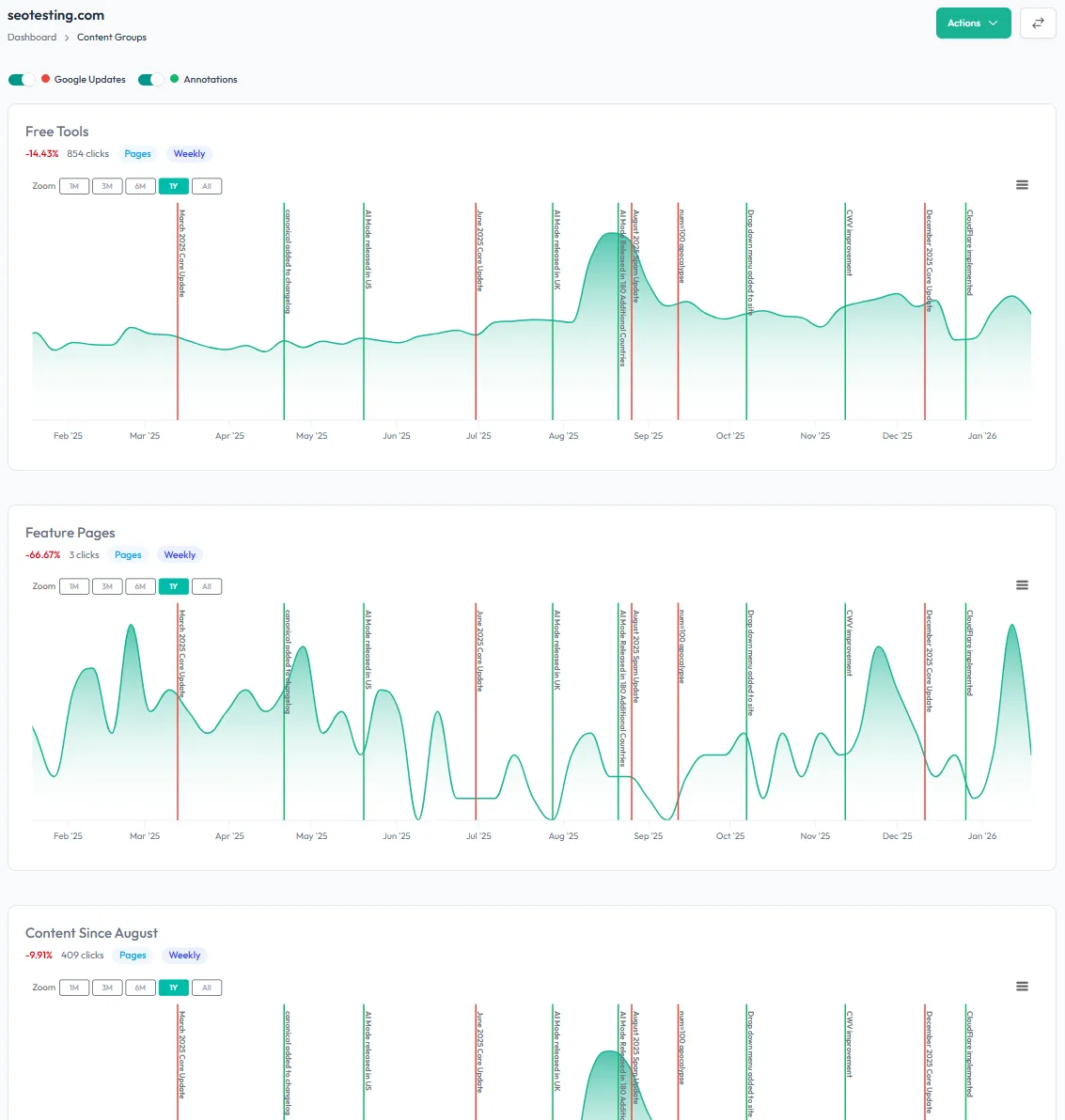
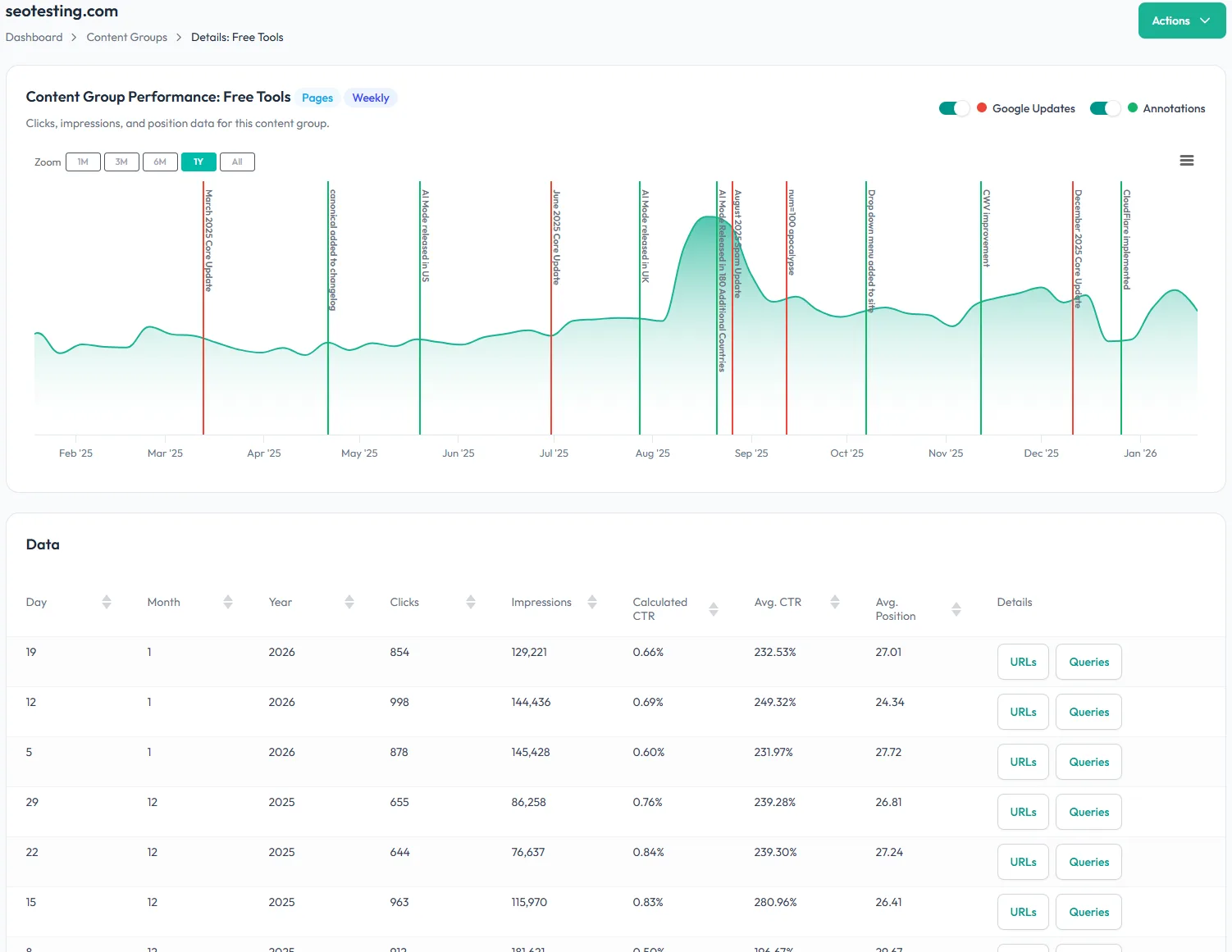
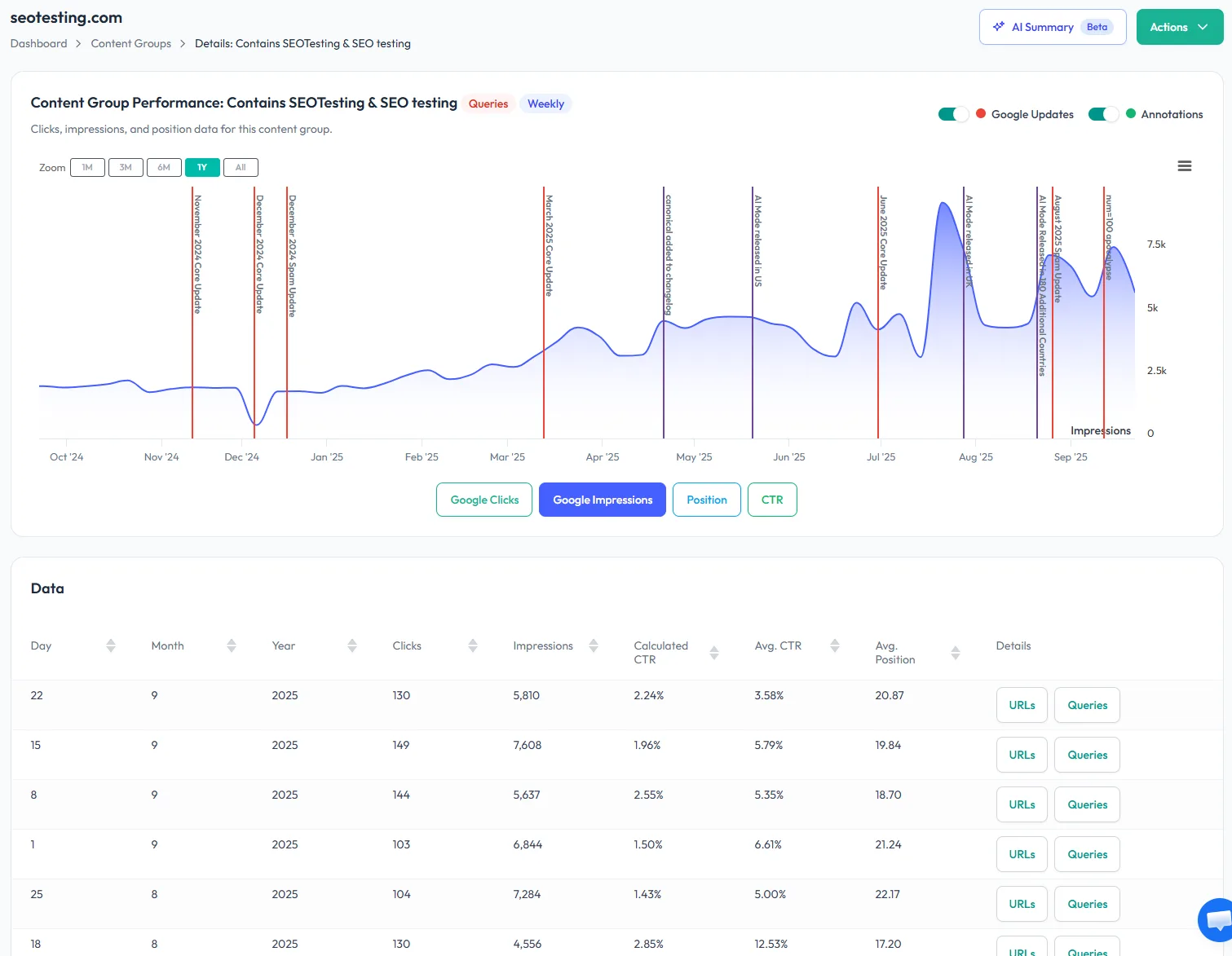
Create content groups using URL patterns, RegEx filters, or keyword-based queries. Whether you’re tracking product categories, blog topics, landing page types, or commercial intent queries – set it up once and it tracks automatically.
Common setups our customers use:
Once defined, Content Groups pulls data directly from Google Search Console and aggregates it weekly or monthly. No exports. No spreadsheets. No manual updates.
Toggle between Clicks, Impressions, CTR, and Average Position on interactive charts with properly formatted tooltips – focus on the metrics that matter to you.
When a Google update hits, you need to know which content types were affected – fast. Content Groups gives you instant visibility into performance shifts across every section of your site.
“The Content Groups feature is my favourite. I manage a site with over 30 page types, so this is super helpful. Whenever there’s a Google update, I can quickly check which page types dropped and plan what to do next.”
Nilesh P., SEO Analyst
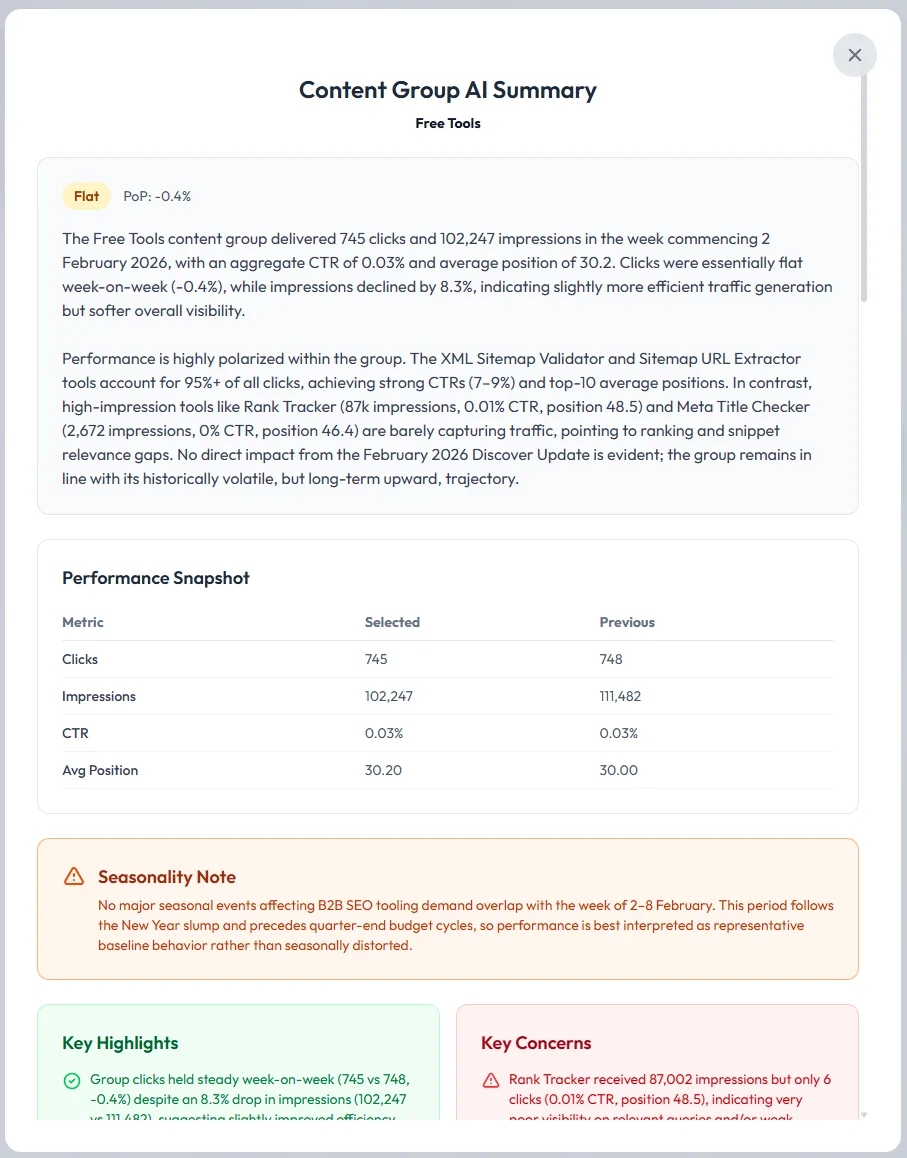
Generate a complete performance analysis for any content group with one click. The AI reads your data, identifies what’s working, flags what needs attention, and gives you prioritised recommendations – all in 15-60 seconds.
Navigate to any Content Group > Click AI Summary (Beta) > Done.

Nothing to install on site
No code to add to pages
2 clicks to integrate SEOTesting with Google Search Console
Try free for 14 days
“The automation gained from SEOTesting didn’t just save time – it transformed our approach to SEO entirely. It turned weeks of manual work into hours of actionable insights driving measurable, bottom-line results for our clients.”
Josh Willet, Digital Marketing Consultant

“The most significant impact of using SEOTesting has been stakeholder buy-in. We can now use data from tests to demonstrate the impact of SEO changes, enabling us to deliver SEO projects at scale.”
Thomas Chetwyn, BT Group

“Clients are impressed that we are able to quantify and forecast SEO results prior to full-scale implementation. We were immediately able to action recommendations found from the tests with a much greater degree of certainty around results!”
Jack Chambers-Ward, Candour

“Using SEOTesting, we now have ready-made graphs and statistical data that can be used to tell compelling stories about the work we do. Budget buy-in from management is now easier. Setting up a test takes a couple of minutes and saves hours of reporting later on.”
Ivan Stamenković, Better Collective