See what AI search expects your pages to answer, where your content falls short, and what to fix first.
You can see AI search changing how people discover sites.
What is harder to answer is:
Without those answers, AI-search work turns into guesswork. It is hard to prioritize updates, hard to create the right content, and even harder to prove results to clients or stakeholders.
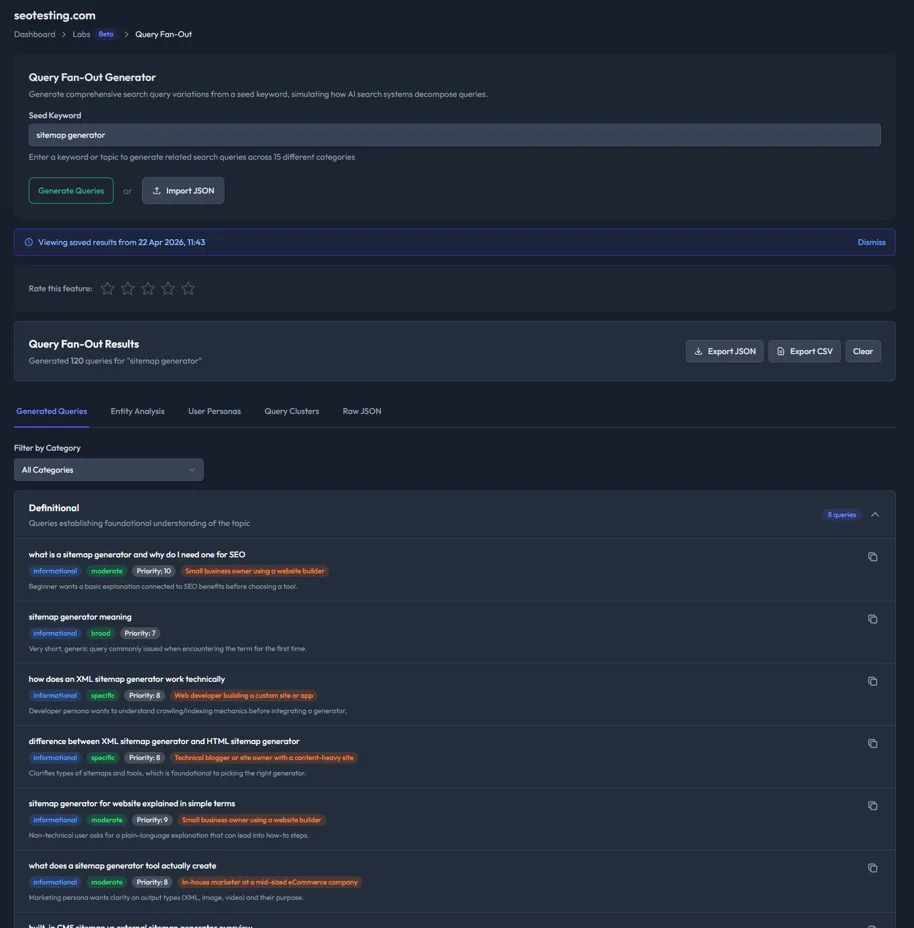
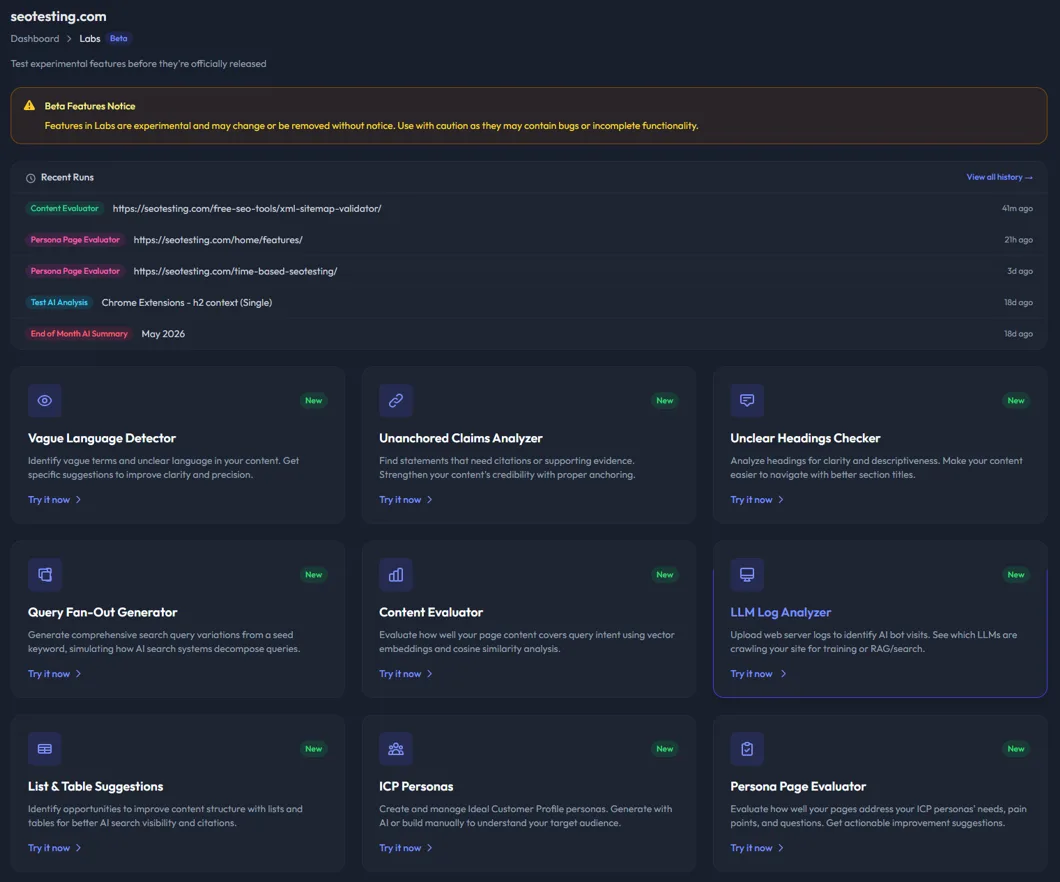
Use the Query Fan-Out Generator to turn one topic or keyword into the related questions, follow-ups, comparisons, and intent variations your content may need to answer.
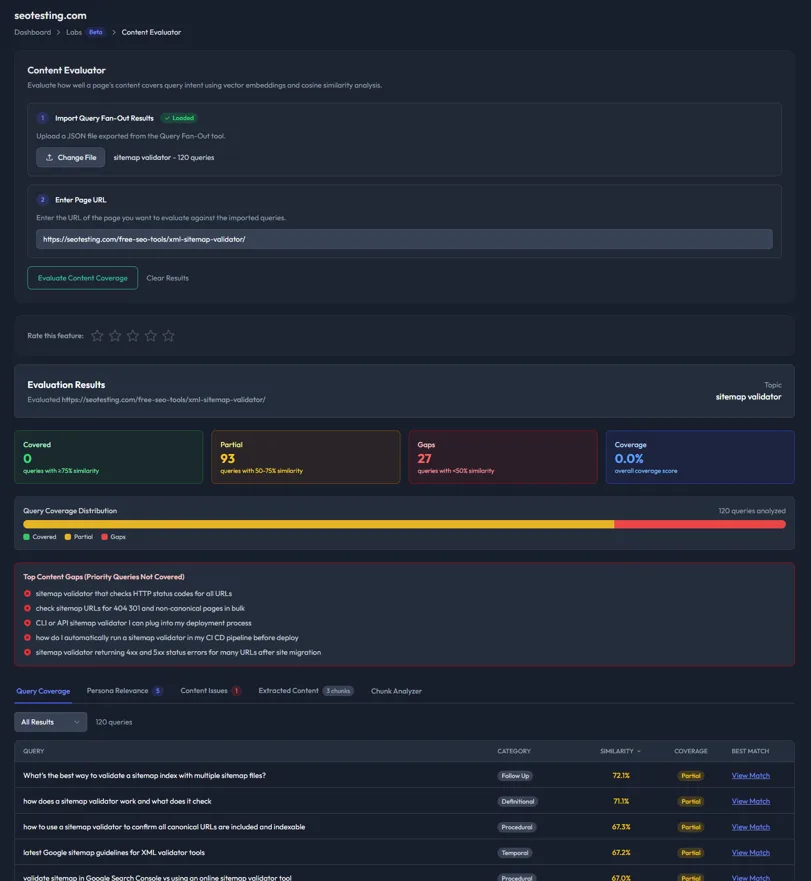
Use the Content Evaluator to compare a page against those generated queries and see which ones are covered, partially covered, or missing.
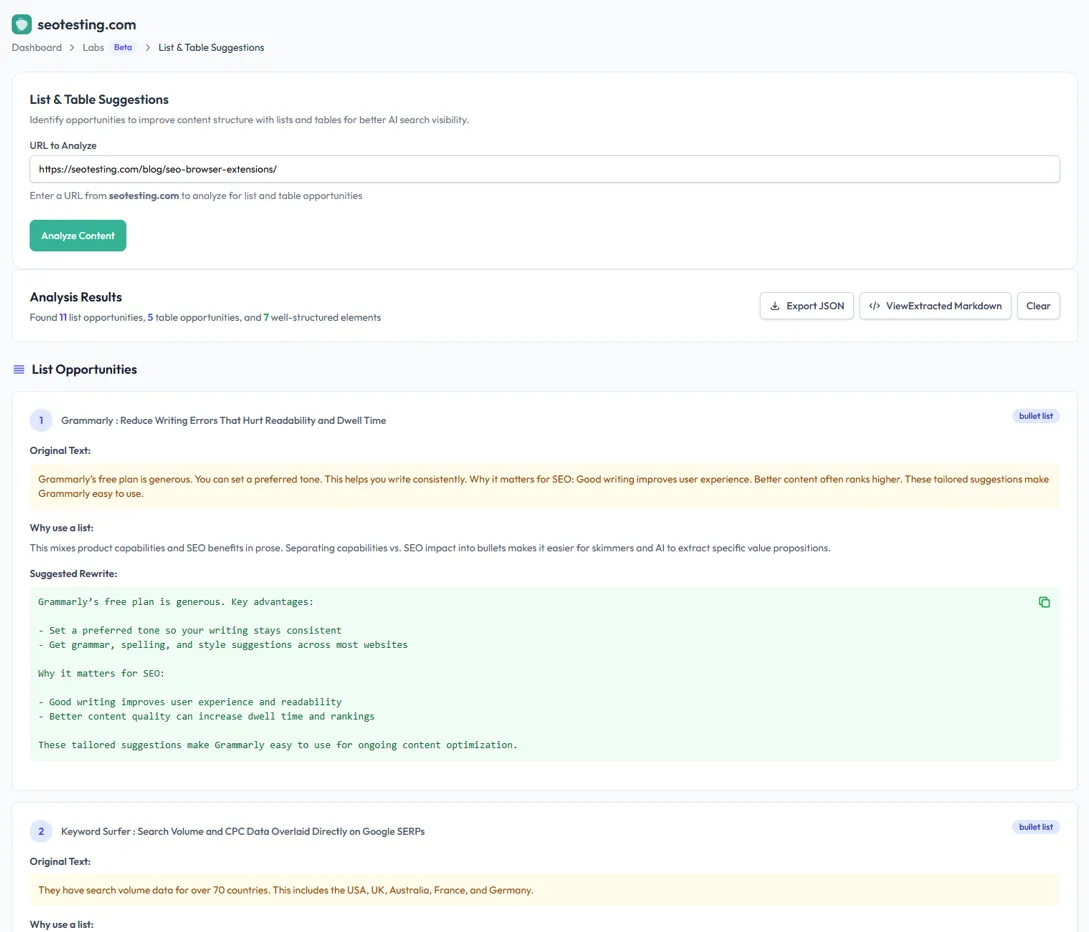
Use content quality tools to find vague language, unsupported claims, unclear headings, and sections that would work better as lists or tables.
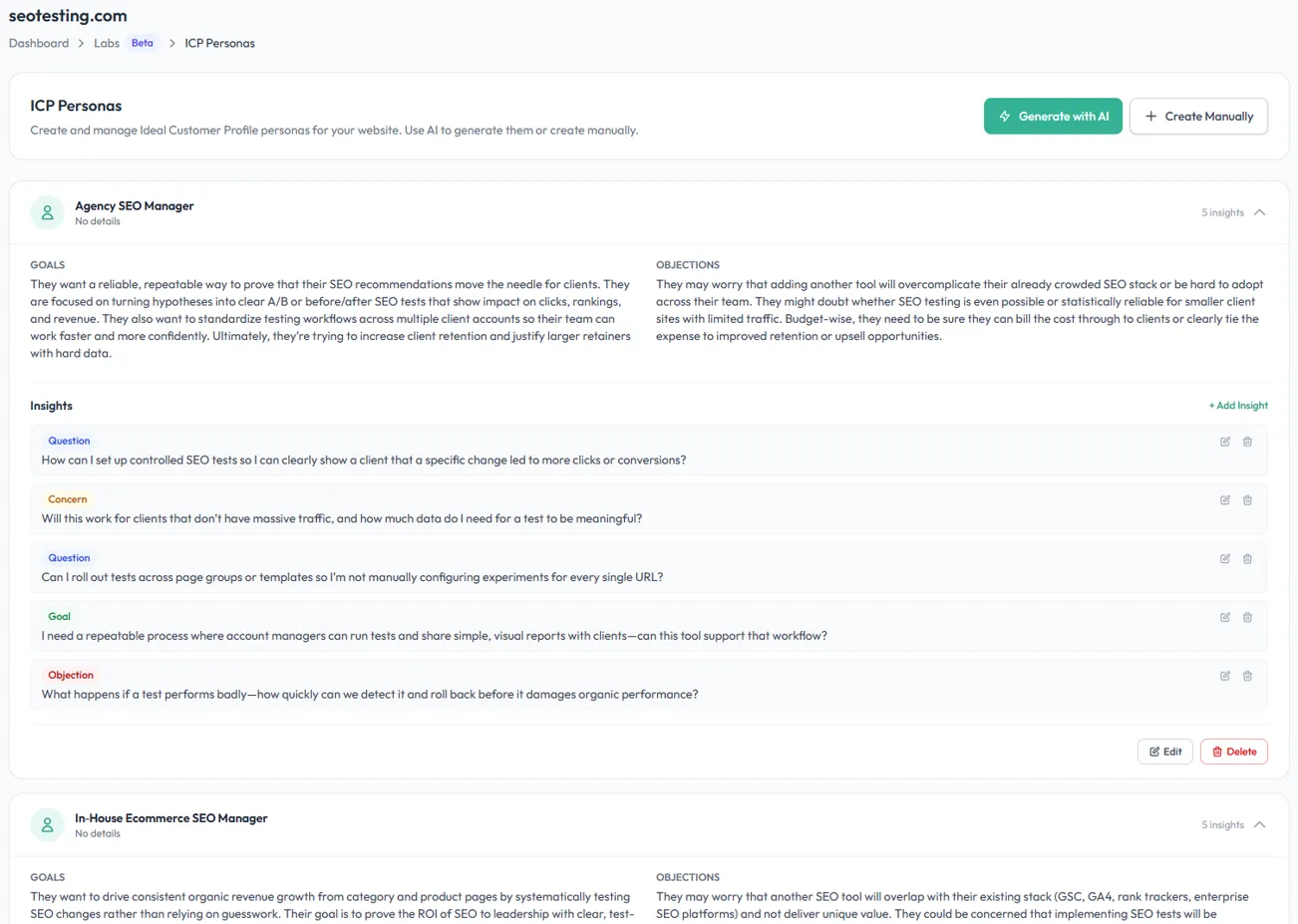
Create ICP personas, then evaluate whether a page answers the questions, objections, and needs of each audience segment.


Before you rewrite a page, you need to know what the topic actually demands. These tools help you build a wider question set, then measure how completely your page answers it.
Generate a full set of related questions from a single topic or keyword.
Use it before writing a new page, refreshing an old article, or briefing a content team. It helps you see the surrounding questions, comparisons, objections, and follow-ups your content needs to handle.
Example: Start with “best CRM for startups” and uncover pricing questions, migration concerns, integration comparisons, free-plan queries, and decision-stage follow-ups.
Score how well a page answers the queries generated by Query Fan-Out.
The Content Evaluator uses embeddings and semantic similarity to compare your page content against the query set. You get a breakdown of covered queries, partial coverage, and gaps.
Example: Find that a buying guide covers comparison queries well but misses cost, implementation, and alternative-use-case questions.
Topic coverage is only part of the job. Your content also needs to answer the questions, objections, and motivations of the people you actually want to reach.
Create and manage the audiences your content is meant to serve.
Build personas manually or generate them with AI, then store their goals, pain points, objections, buying triggers, and preferred content formats.
Check whether a page answers the needs of each saved persona.
The Persona Page Evaluator scores the relevance of each page for each audience and highlights unanswered questions, tone mismatches, and opportunities for improvement.


Once you know what a page needs to cover and who it needs to serve, these tools help you tighten the page itself. They focus on clarity, trust, structure, and extractability.
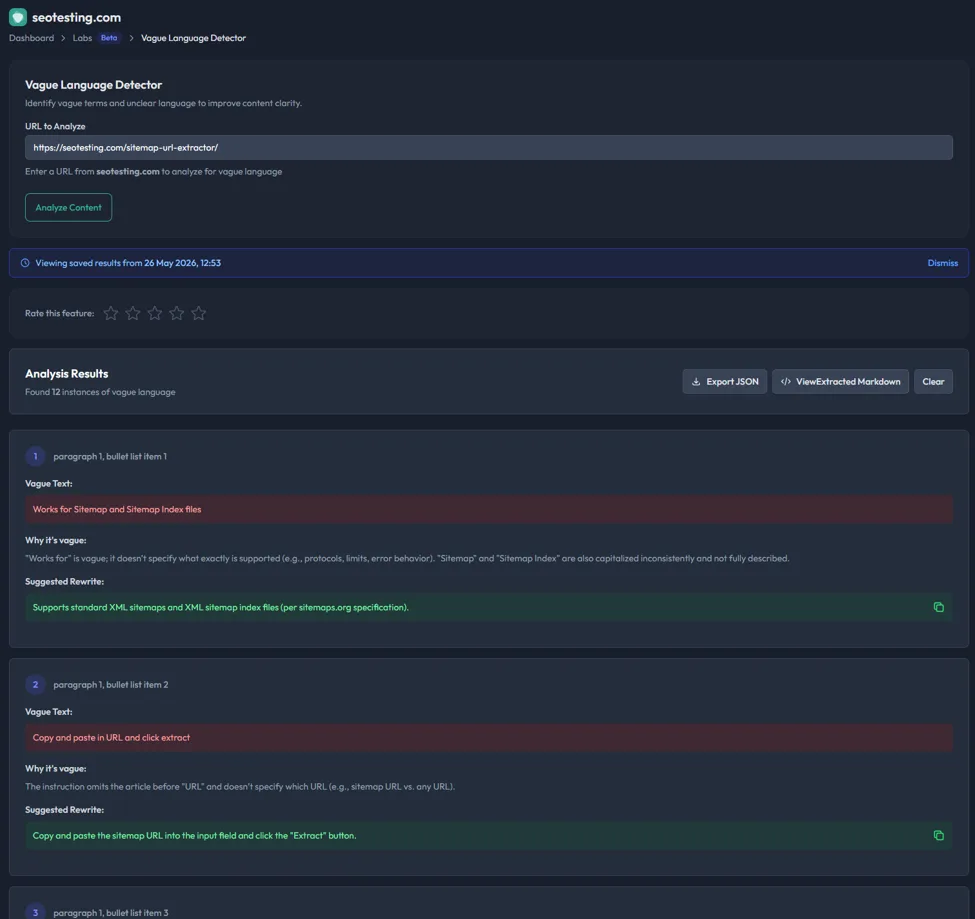
Find weak, non-specific phrases that make content harder to trust or quote.
AI search systems need clear, extractable answers. Vague wording like “fast”, “many”, “significant”, or “industry-leading” is less useful than specific, supported statements.
Example: Replace “our software saves teams lots of time” with a clearer, measurable statement backed by evidence.
Identify claims that need proof, examples, citations, or clearer context.
If a page makes strong statements without backing them up, it becomes harder for readers and AI systems to trust. This tool highlights claims that need stronger anchoring.
Example: Spot a statistic, comparison, or performance claim that needs a source before it can be confidently used.
Find headings that do not explain what the section actually answers.
Good headings help readers scan a page and help search systems understand the role of each section. This tool flags vague headings and suggests clearer alternatives.
Example: Replace “Things to Know” with “CRM Migration Costs for Small Teams”.
Find sections that would be easier to understand as a list, table, or structured comparison.
AI search often pulls concise, well-structured passages into answers. This tool identifies dense paragraphs that could be reformatted for clarity.
Example: Turn a long paragraph comparing plan features into a table with columns for price, limits, integrations, and best-fit customer.


Start with a page you already care about: a product page, comparison page, buying guide, support article, or high-
impression Search Console page.
Run Query Fan-Out to see the full set of questions and intents around the topic.
Run the Content Evaluator to see where the page is strong, where it is thin, and which gaps matter most.
Use the clarity tools to improve headings, claims, wording, and structure.
Use ICP Personas and the Persona Page Evaluator to make sure the page serves the people you actually want to convert.
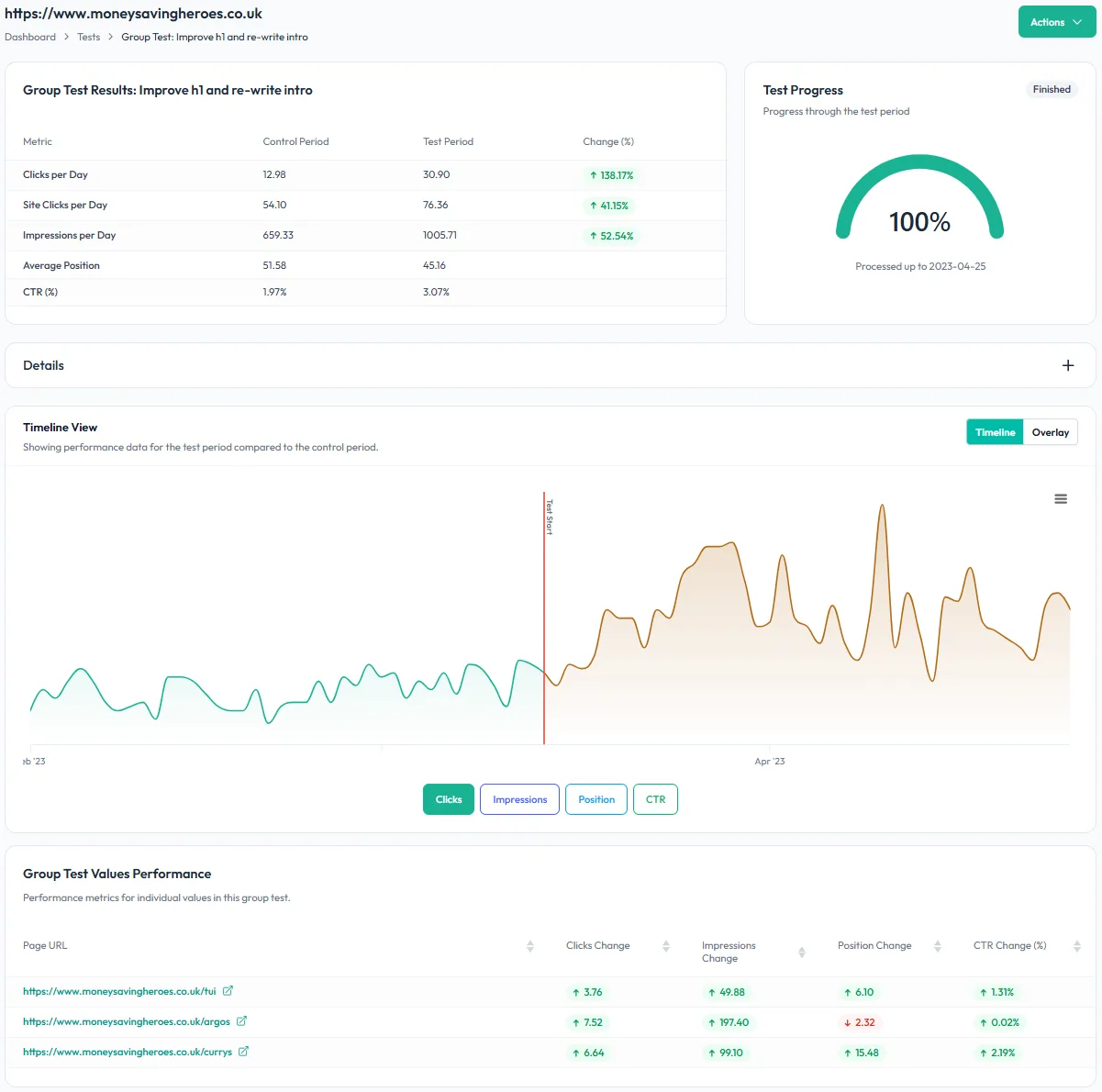
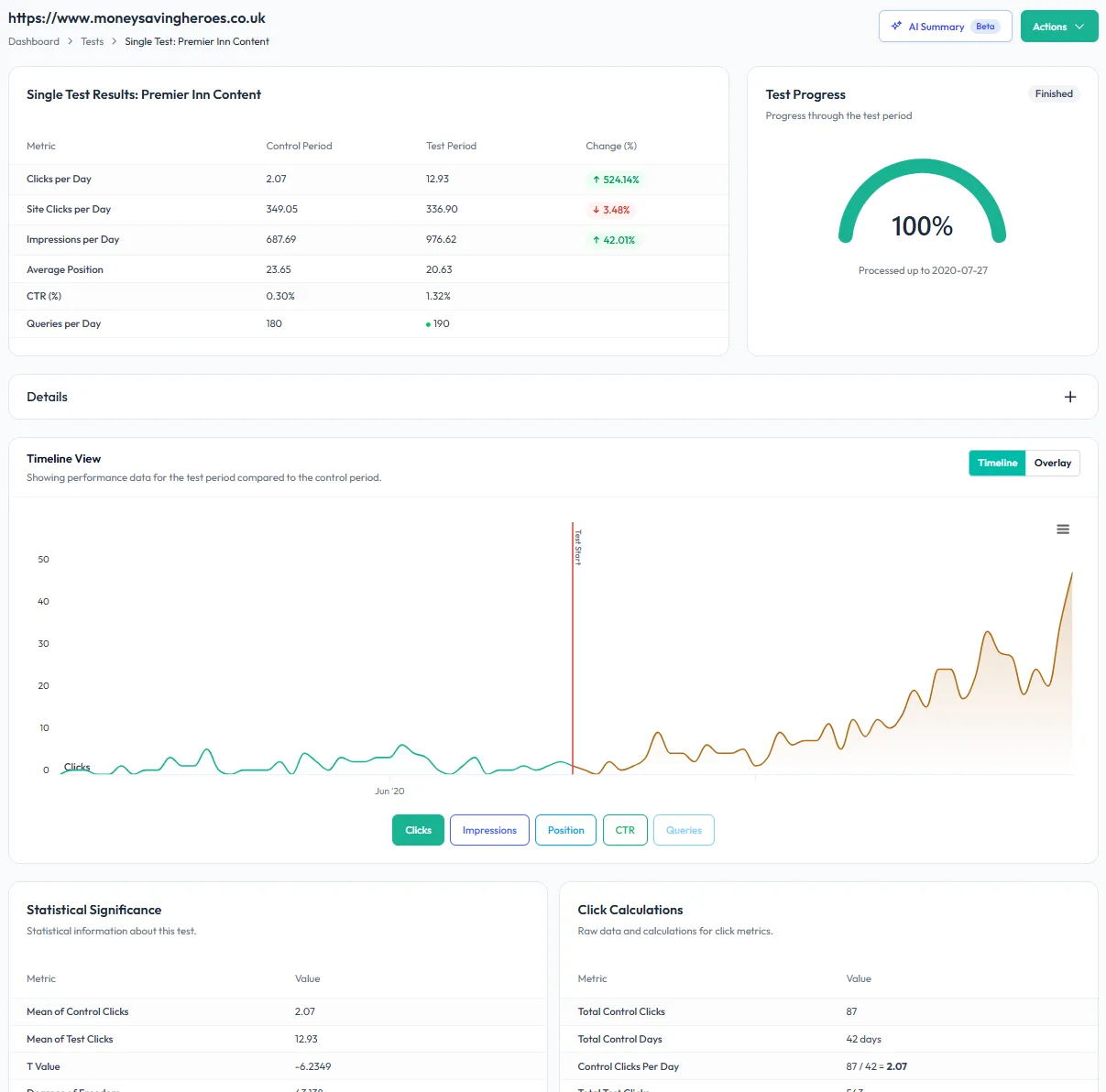
Once the page is updated, use SEOTesting’s reports and SEO tests to track whether the change improved performance.
Prioritize content updates with clearer evidence. Show stakeholders exactly what a page is missing and why the fix matters.
Turn AI search optimization into a repeatable client deliverable. Audit important pages, export clear recommendations, and show progress over time.
Refresh existing content with a structured workflow. Find missing questions, weak sections, and unclear passages before rewriting.
Improve commercial pages for different audiences. Make sure comparison, pricing, feature, and category pages answer the questions buyers actually ask.


AI search optimization and traditional SEO are not separate jobs.
Pages that answer questions clearly, support their claims, use descriptive headings, and organize information well are better for readers, better for Google, and easier for AI systems to understand.
SEOTesting helps you improve the same fundamentals that make content perform across search:

Nothing to install on site
No code to add to pages
2 clicks to integrate SEOTesting with Google Search Console
Try free for 14 days
“The automation gained from SEOTesting didn’t just save time – it transformed our approach to SEO entirely. It turned weeks of manual work into hours of actionable insights driving measurable, bottom-line results for our clients.”
Josh Willet, Digital Marketing Consultant

“The most significant impact of using SEOTesting has been stakeholder buy-in. We can now use data from tests to demonstrate the impact of SEO changes, enabling us to deliver SEO projects at scale.”
Thomas Chetwyn, BT Group

“Clients are impressed that we are able to quantify and forecast SEO results prior to full-scale implementation. We were immediately able to action recommendations found from the tests with a much greater degree of certainty around results!”
Jack Chambers-Ward, Candour

“Using SEOTesting, we now have ready-made graphs and statistical data that can be used to tell compelling stories about the work we do. Budget buy-in from management is now easier. Setting up a test takes a couple of minutes and saves hours of reporting later on.”
Ivan Stamenković, Better Collective
Read all our customer case studies, and checkout our G2 and Capterra reviews.