Monthly SEO Report

  • Pulls a month of Search Console data and writes the report for you.
  • Explains why traffic moved – not just that it did.
  • Built from your own Search Console data – and your own test history.
  • Replaces half a day of monthly reporting per client

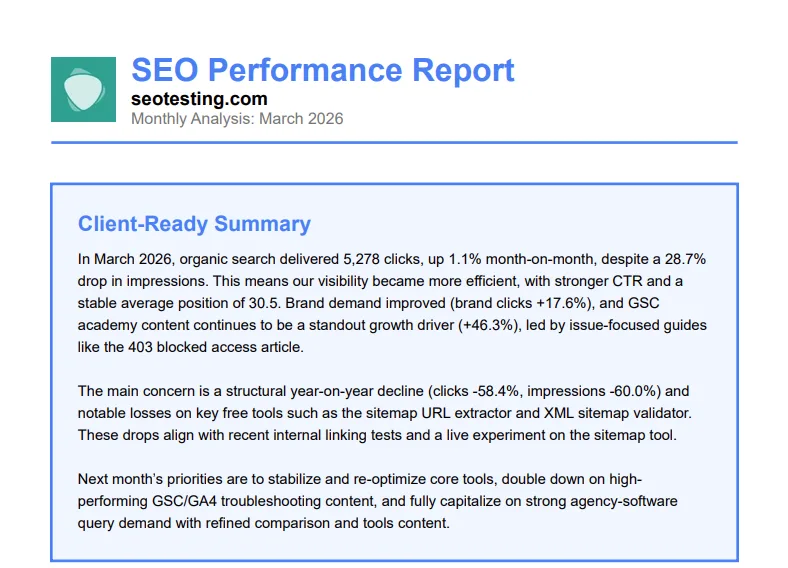
Every SEO tool exports a month of charts. SEOTesting writes the monthly SEO report for you - with a client-ready executive summary, prioritised recommendations, and a branded PDF export - using your own Search Console data and the context only we have from the tests and annotations you've already logged.

Used by in-house teams, agencies,
and consultants worldwide

Pull, Summarise, and Deliver Your Monthly SEO Report

A good monthly SEO report answers three questions: what changed, why, and what to do next. Most tools only answer the first. SEOTesting pulls a full month of your Google Search Console data, correlates it with the SEO tests, annotations, and content group changes already inside the platform, and generates a written report – executive summary, prioritized actions, branded PDF – ready to send to a client or stakeholder.

Pull, Summarise, and Deliver Your Monthly SEO Report
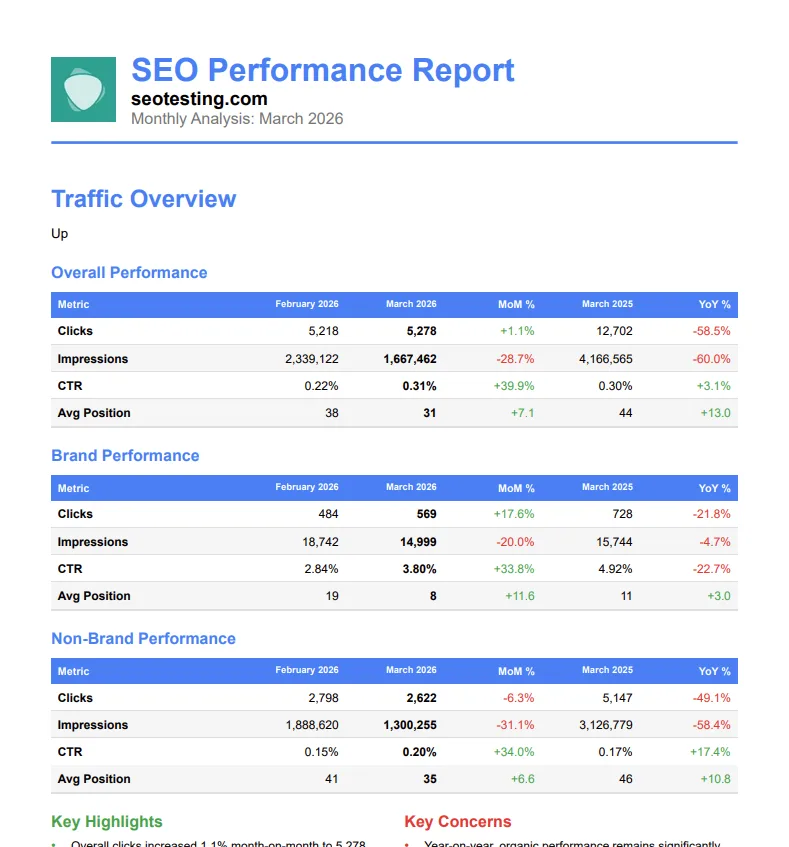
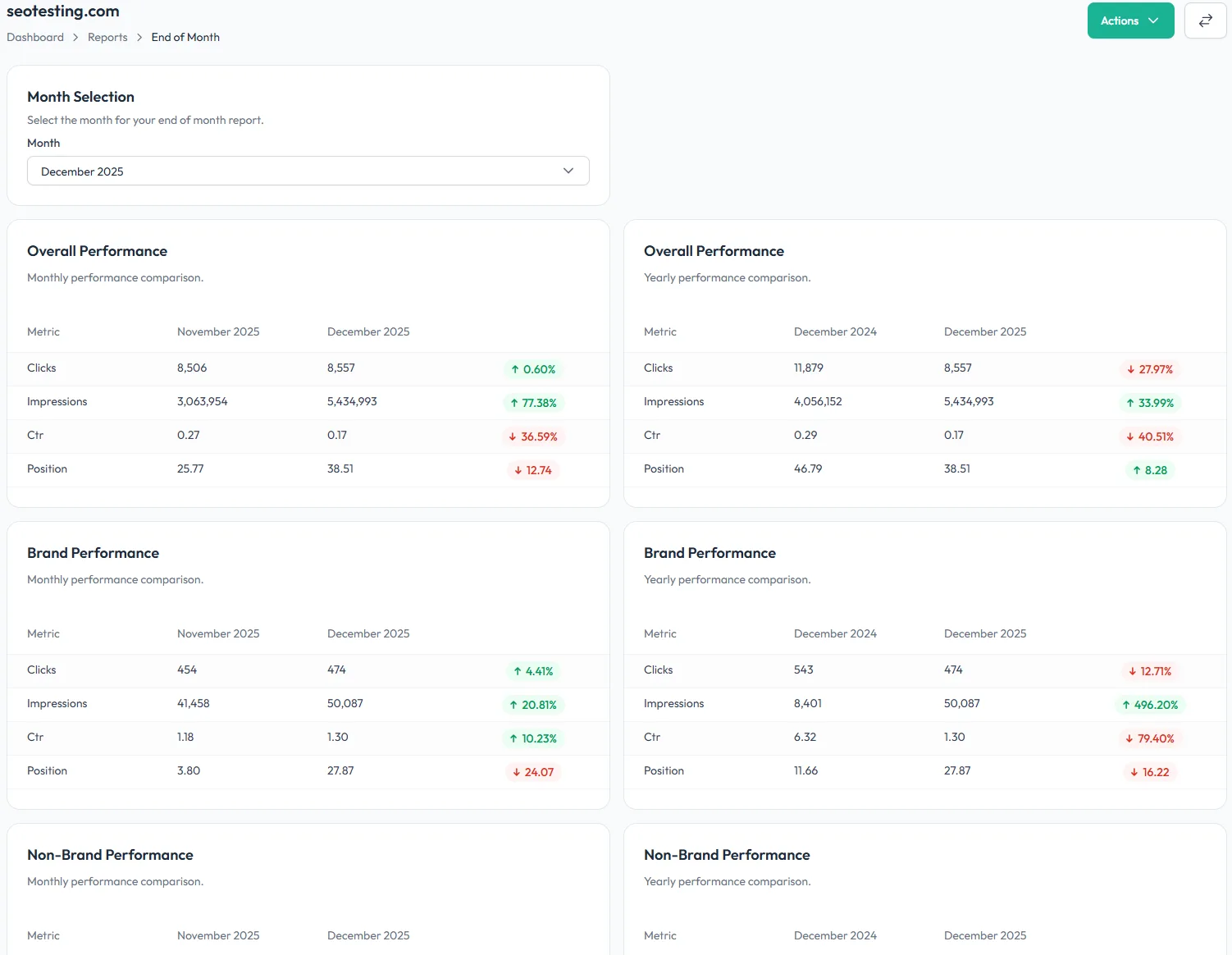
Month-over-month and year-over-year, brand split built in

Month-over-month and year-over-year, brand split built in

See overall clicks, impressions, CTR and position for the selected month against the month before and the same month last year – automatically split into branded and non-branded tables so seasonal brand lifts don’t mask SEO wins or losses.

Example use: Catch a non-branded traffic drop hidden behind a branded-search boost from a seasonal campaign.

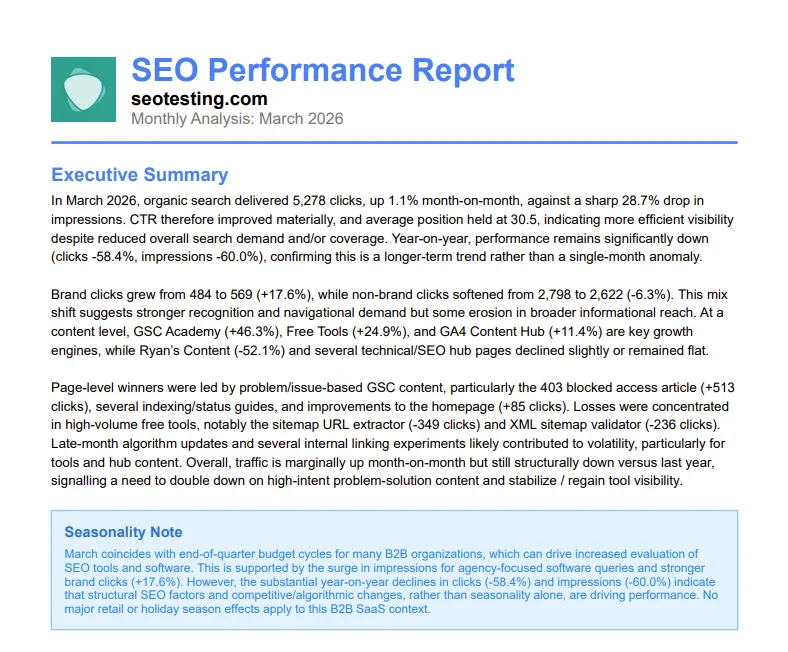
An executive summary that knows what you changed

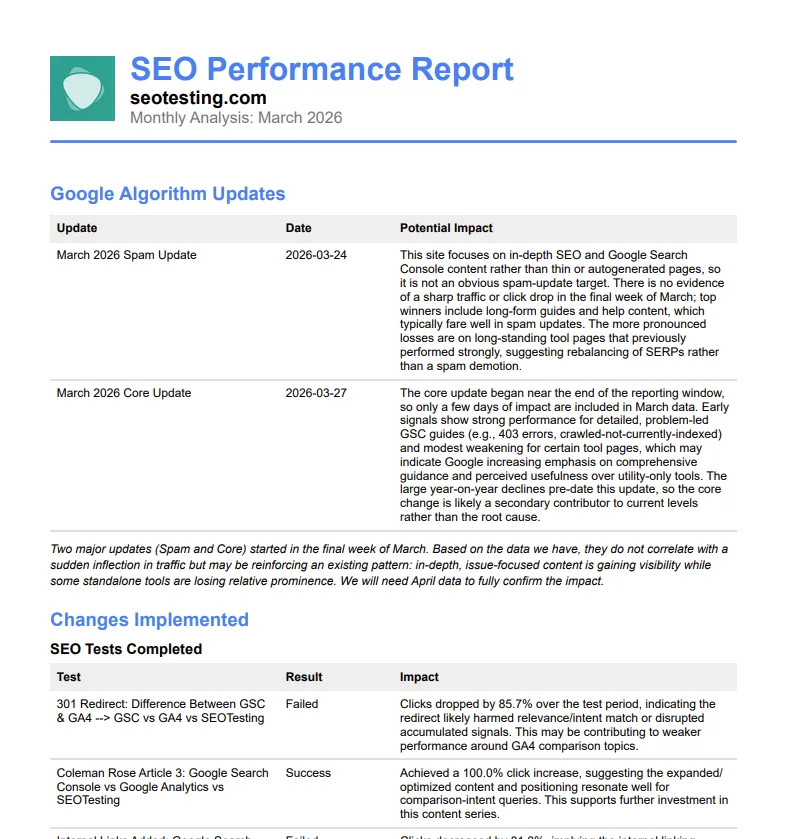
The summary correlates every click gained or lost with the SEO tests that ran, the annotations you logged, the content group changes, and the Google algorithm updates from the period – context no other monthly SEO report has.

Example use: Show a client the collection-page click lift came from the split test you ran on category templates – not the March core update.

An executive summary that knows what you changed
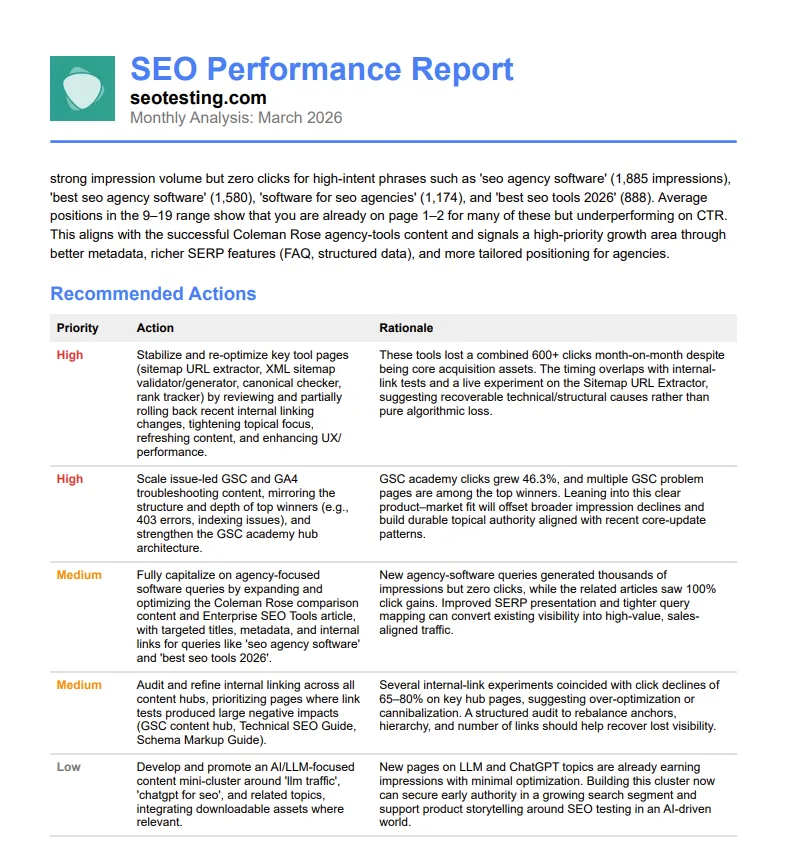
Priority-ranked recommendations, not just observations

Priority-ranked recommendations, not just observations

Every SEOTesting monthly SEO report ends with 3–5 actions ranked high, medium, or low priority – each with a written rationale.

The “what now” is decided before the client call, not on it.

Example use: Hand an agency client a report that already names the two pages to refresh next month, with the reason written out.

Client-ready PDF and copy-paste executive summary

Download the full monthly SEO report as a branded PDF, or copy the under-150-word executive summary straight into a client email or Slack update.

Example use: Save half a day of report writing per client – the monthly SEO report is already written by the time you open it.

Client-ready PDF and copy-paste executive summary
Simplify and strengthen your SEO workflow

Simplify and strengthen your SEO workflow

In-house SEOs: Hand stakeholders a monthly SEO report that explains why traffic moved, not just that it did. Walk into the quarterly review with the clicks each SEO test recovered already spelled out in writing, and prioritised next steps attached.

SEO agencies: Replace half a day of monthly report writing per client with a pre-written executive summary, prioritised actions, and a branded PDF. Prove your retainer’s worth every month with a report that’s already client-ready before you open it.

Content-led publishers and larger sites: When you’re publishing across dozens of Content Groups and running thousands of URLs, manual monthly reporting doesn’t scale. Get a written summary of which content groups gained or lost traffic, which URLs are new, and which are decaying.

Super easy to get going

Super easy to get going

Nothing to install on site

No code to add to pages

2 clicks to integrate SEOTesting with Google Search Console

Try free for 14 days

Frequently asked questions

What is a monthly SEO report?

A monthly SEO report summarises a website’s organic search performance across a calendar month – typically using Google Search Console data to show clicks, impressions, CTR, and ranking changes versus the previous month and the same month last year. SEOTesting’s Monthly SEO Report goes further: it correlates the numbers with the SEO tests, annotations, and content group changes logged in the period, then writes the executive summary for you.

How do I generate a monthly SEO report?

Connect SEOTesting to Google Search Console in 2 clicks. Once your site is added to SEOTesting, open the site and navigate to Reports -> End of Month. Review the data, and click “AI Summary” on the report page. The tool pulls 12 months of Search Console data, the tests that ran, your annotations, content group shifts, and Google algorithm updates from the period, then generates a written executive summary, prioritized recommended actions, and a branded PDF you can send to clients or stakeholders.

What should a monthly SEO report include?

A useful monthly SEO report should cover overall performance, clicks, impressions, CTR, position, versus the previous month and the same month last year, a brand vs non-brand split so seasonal brand traffic doesn’t hide SEO wins, top and new pages and queries, winners and losers by click delta, and – most importantly – an explanation of what changed and what to do next. SEOTesting builds all of this automatically.

How is SEOTesting’s monthly SEO report different from Ahrefs or Semrush?

SEOTesting builds the report from your own Search Console data, real clicks, impressions, and positions, not scraped third-party estimates. It’s also the only monthly SEO report that correlates traffic shifts with the SEO tests you ran, the annotations you logged, and the content group changes inside the same platform – so the summary explains why traffic moved, not just that it did.

Can I deliver the monthly SEO report to clients as a PDF?

Yes. Every monthly SEO report can be downloaded as a branded PDF with the executive summary, performance tables, winners and losers, and prioritized recommended actions all in one file. There’s also a copy-paste client-ready summary, under 150 words, you can drop straight into a client email or Slack update without opening the PDF.

Do I need to install anything to generate the monthly SEO report?

No. There’s no code to add to your site, no plugin to install, and no developer involvement needed. Connect SEOTesting to Google Search Console in 2 clicks and the Monthly SEO Report is available for any website on your account. You can be generating reports within minutes of signing up for the free 14-day trial.