It won’t be a shock to any of you when I say that Semrush is one of the most well-known all-in-one marketing suites available for marketers (whether they’re focused on SEO or not) to use.
It recently gained even more attention thanks to Adobe’s agreement to purchase Semrush for approximately 1.9 Billion Dollars.
That acquisition (or the agreement to acquire) raises a question, as many SEOs and digital marketers prefer to use privately owned, independent SEO tools. So what are the best Semrush alternatives?
Well, that’s what we’ll answer in this article. We’ll give you some of the best options, what they’re best at, and which tool in this list is (in our opinion) best for you.
Table of contents
- Why consider alternatives to Semrush?
- Key differences between Semrush and alternatives (use-case first)
- How we chose these privately owned Semrush competitors
- 1. SEOTesting
- 2. Ahrefs
- 3. AlsoAsked
- 4. Keyword Insights
- 5. SE Ranking
- 6. Screaming Frog SEO Spider
- 7. Sitebulb
- 8. Majestic
- 9. Waikay
- Summary
- Get started with SEOTesting
- Frequently asked questions
Why consider alternatives to Semrush?
So why would we consider alternatives to Semrush in the first place? And the answer to that question depends on what’s important to you as an SEO or digital marketing professional who wants to do your best work.
A recent acquisition:
As noted at the start of this article, Adobe has recently agreed to acquire Semrush for approximately $ 1.9 Billion. For some users, that might lead SEOs to prefer smaller, independent companies over those owned by large conglomerates such as Adobe.
Is Semrush too broad?
Arguably, Semrush may be too broad a tool for your needs. Semrush market themselves as an all-in-one tool rather than a specialist SEO tool. They have toolkits that cover:
- AI
- SEO
- Content
- Advertising
- Traffic & market
- Social
- Local SEO
If you only need a tool for one specific task, such as backlink analysis, it may not make sense to invest in Semrush when you’ll be using only one aspect of their platform.
Seemingly endless price increases:
And it’s (arguably!) no secret that Semrush’s prices seem to keep increasing. In fact, here’s a Reddit post discussing Semrush’s price increases dating back four years! So this isn’t a new problem. And it’s things like this that can often push users to look for Semrush alternatives.
And the tool you end up choosing (whether it’s listed in this article or not) is going to depend entirely on what you need it for.
For example, if you need backlink-focused analysis, you may choose a tool like Ahrefs or Majestic over SE Ranking. Or if you need deep technical crawling, then I’d pay more attention to our write-ups on Screaming Frog SEO Spider or Sitebulb.
Key differences between Semrush and alternatives
Before we drill down into some of Semrush’s competitors, it’s worth looking at some of the key differences between Semrush and the tools we mention.
All-in-one suite vs. best-in-class specialist
Suites (such as Semrush) aim to cover everything in a single platform, whereas specialist tools (such as us here at SEOTesting) typically focus more deeply on one area.
Research data vs. execution and measurement
Semrush is a prominent research tool, which is great if research is what you’re looking to do. But sometimes you will have already done the research yourself using another tool, and if so, you may need a tool that supports execution and measurement.
Tools like SEOTesting help you prove what works by tying changes to organic search and LLM performance. A tool like Screaming Frog will help you crawl your site and identify technical errors that need to be fixed.
Reporting workflow maturity
If your team spends hours exporting, explaining, and defending results, a workflow layer will matter even more. You may need to use a tool to maintain a site changelog, test and report on progress, or build custom dashboards for you and your team.
How we chose these privately owned Semrush competitors
And in terms of our process of how we chose all of these privately owned Semrush alternatives, we wanted to look at the following:
- We’ve included a mix of all-in-one platforms and specialists, so you’re bound to find a tool that fits your needs.
- We included tools with visible third-party reviews from reputable sources such as G2 and Capterra*, where available.
- We wanted to include pricing from official pages where possible, so you’re getting the most accurate data.
Author’s Note: All reviews and pricing information are correct as of the 11th February.
We use G2, Capterra, and Software Advice when looking at reviews because they are three reputable platforms in the software space.
1. SEOTesting
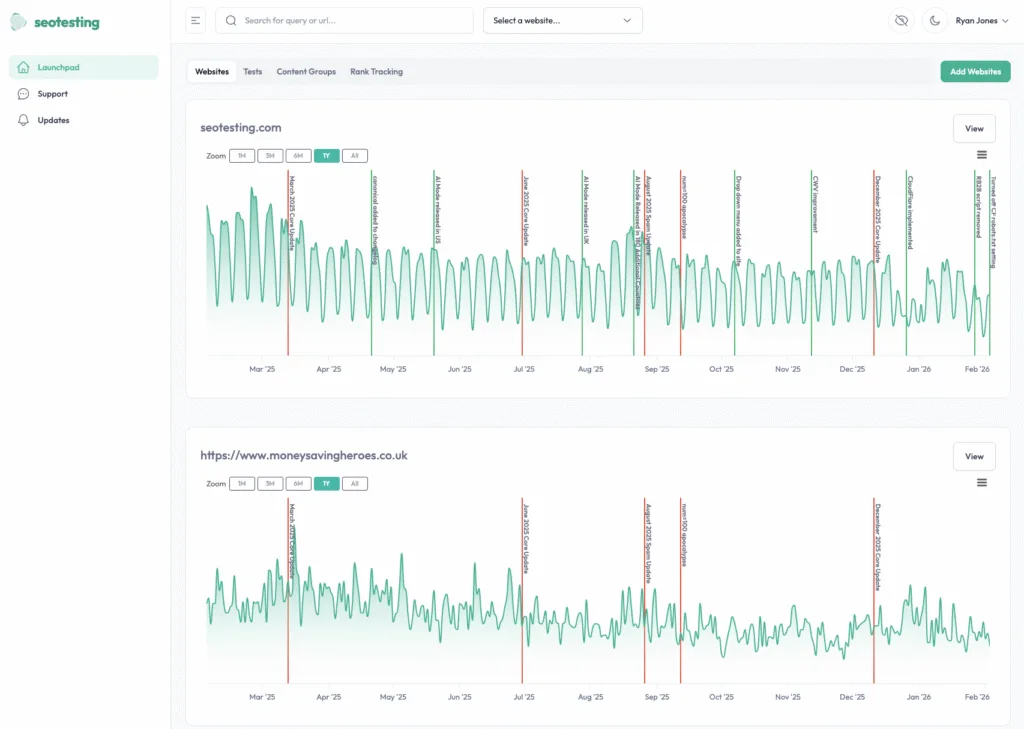
SEOTesting is the best alternative to Semrush when your team’s priority is:
- Measuring SEO changes
- Proving the impact of your SEO team
- Streamlining reporting using Google Search Console data
Which makes it perfectly suited to in-house SEO teams and small to medium-sized agencies working on a tighter budget and without the resources to allocate to a tool like Semrush.
Features
SEOTesting has a wide range of out-of-the-box features to help you improve your organic traffic.
First off, the Dashboard inside SEOTesting allows you to:
- Check traffic over time
- Get a quick overview of recent SEO tests
- See your site’s top pages and top queries
- Check any content groups and keywords you’re tracking
- See an overview of the sitemaps you’re monitoring
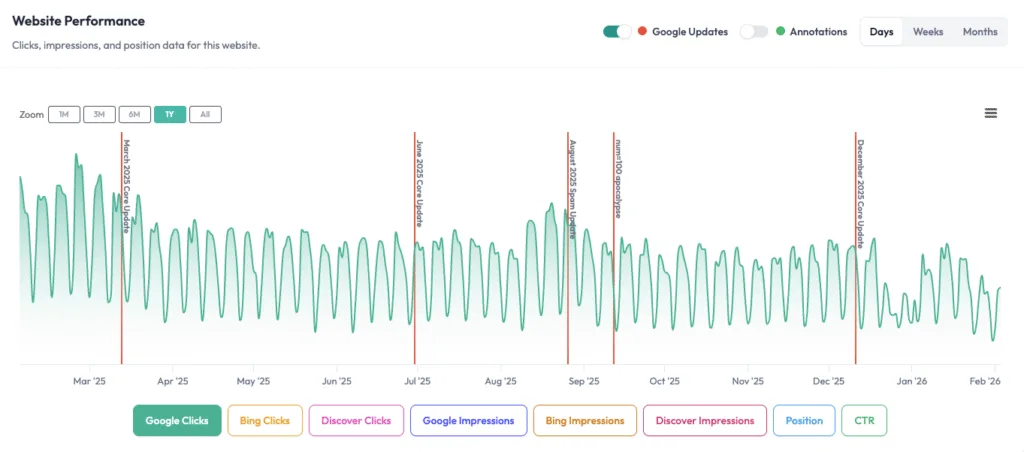
And on top of all this, you can forecast future traffic using Facebook’s “Prophet” model or the SSA model, and see how confirmed Google algorithm updates and search events (through custom annotations) have impacted traffic.
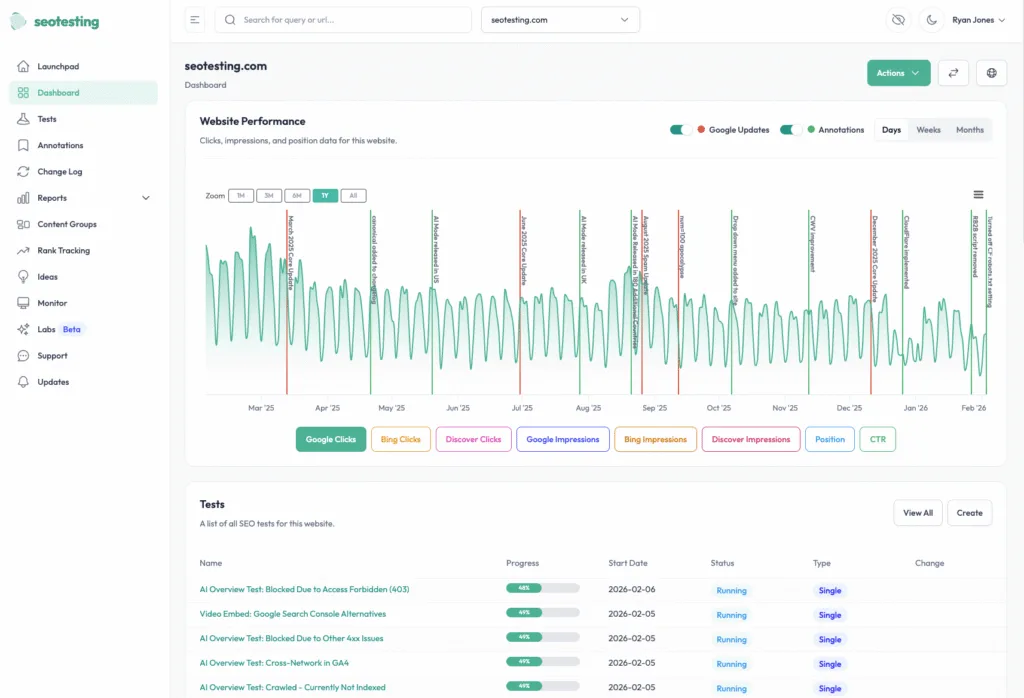
You can also add custom annotations (as mentioned above) to help you track events (such as Black Friday, public holidays, and other events) that may affect your site’s search traffic. And the Site Changelog will automatically keep a record of all the SEO tests and annotations you create.
SEOTesting’s bread and butter is, of course, SEO testing. Within the tool, you can create time-based SEO tests that let you monitor site performance before and after a page change, and SEO split tests that compare the performance of a test group (where pages have been changed) to a control group (where pages have been left unchanged).
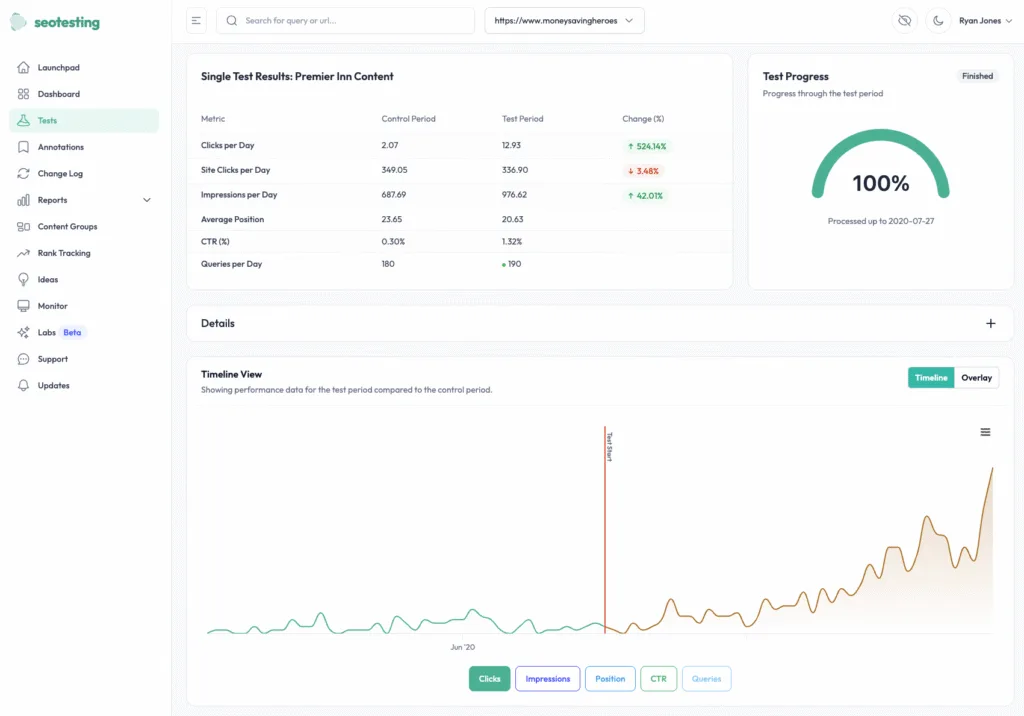
Because SEOTesting is built on Google Search Console data, we can provide actionable reports that help you identify opportunities to improve page click-through rates, content decay, and keyword cannibalization. Just to highlight a few!
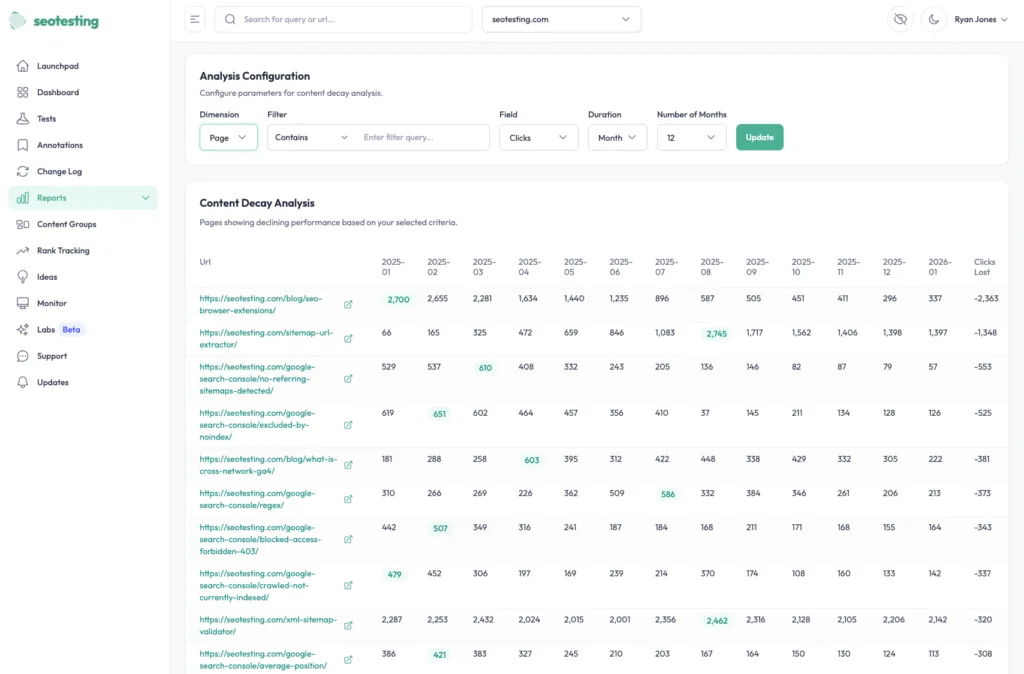
A key feature of SEOTesting is the ability to track how Google algorithm updates affect your site’s organic traffic.
Ease of use & setup
SEOTesting is easy to set up and is, essentially, an out-of-the-box solution for most SEO teams. You can set up SEOTesting in a few easy steps:
- Connect SEOTesting to Google Search Console (2 clicks to integrate)
- Connect to the Google Search Console properties to add to SEOTesting
- Run your first SEO test (time-based, split, or LLM test) within minutes
As a minimum, SEOTesting requires the Google Search Console integration to work, but you can also set up integrations with Google Analytics (to give you access to conversion data during SEO tests) and Bing Webmaster Tools, too.
Pricing
SEOTesting provides easy-to-understand pricing options and charges based on the number of sites you add to SEOTesting, not the number of user seats you want to use:
- Free Trial: 14 Days
- Single Site: $50 Per Month
- Medium (5 Websites): $125 Per Month
- Large (20 Websites): $375 Per Month
- Enterprise: Pricing on Request
Reviews
Platform | Rating |
G2 | 4.8/5 |
Capterra | 4.9/5 |
Software Advice | 4.9/5 |
Across G2, Capterra, and Software Advice, most users report a positive experience with SEOTesting, citing the ability to measure the real impact of SEO changes as a key benefit.
Reviewers also note the number of features SEOTesting has that Google Search Console lacks, such as content groups and rank tracking, which helps users track organic search performance much better than when just using Google Search Console.
SEOTesting was also noted by multiple reviewers for its ability to test and find what’s working, whether through content changes, tracking the impact of digital PR coverage, or adding internal links.
Who is SEOTesting best for?
SEOTesting is a tool best suited to teams that need repeatable testing and reporting, as well as those looking to get more value from Google Search Console data.
It’s especially suited for in-house SEO teams and small to mid-sized digital agencies that manage multiple sites/clients and need a central hub to track and report on SEO performance.
2. Ahrefs
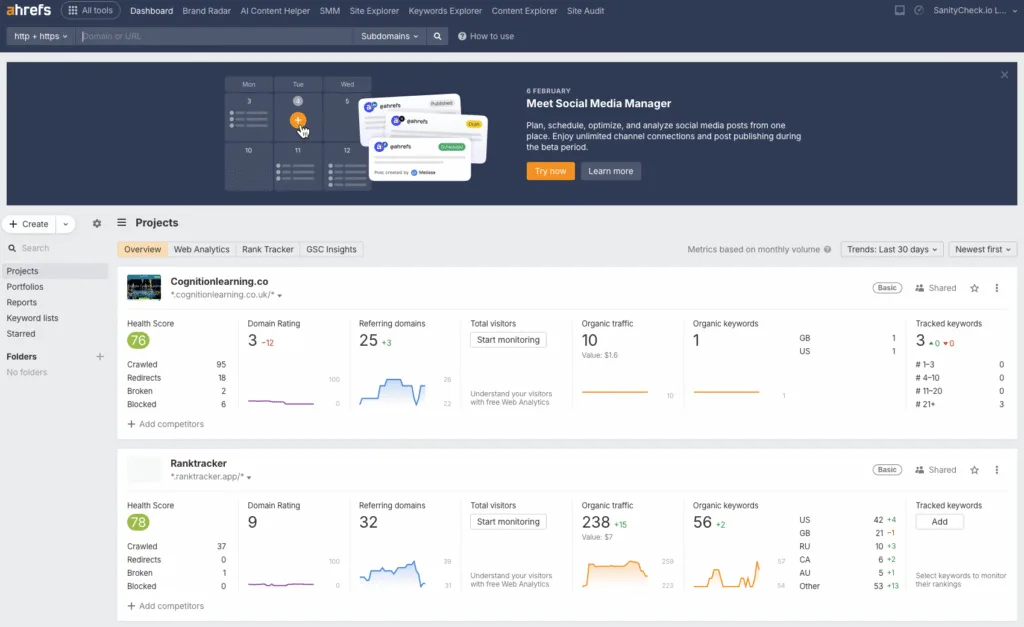
Ahrefs is a strong alternative for teams that need to prioritize competitive research, backlink and content analysis, site auditing, and rank tracking. Most teams will find that Ahrefs is a much more “like-for-like” competitor to Semrush than the other tools on this list. And if you’re comparing Semrush against Ahrefs, it’s also worth looking at how Ahrefs stacks up against other Ahrefs alternatives before making a final decision.
Features
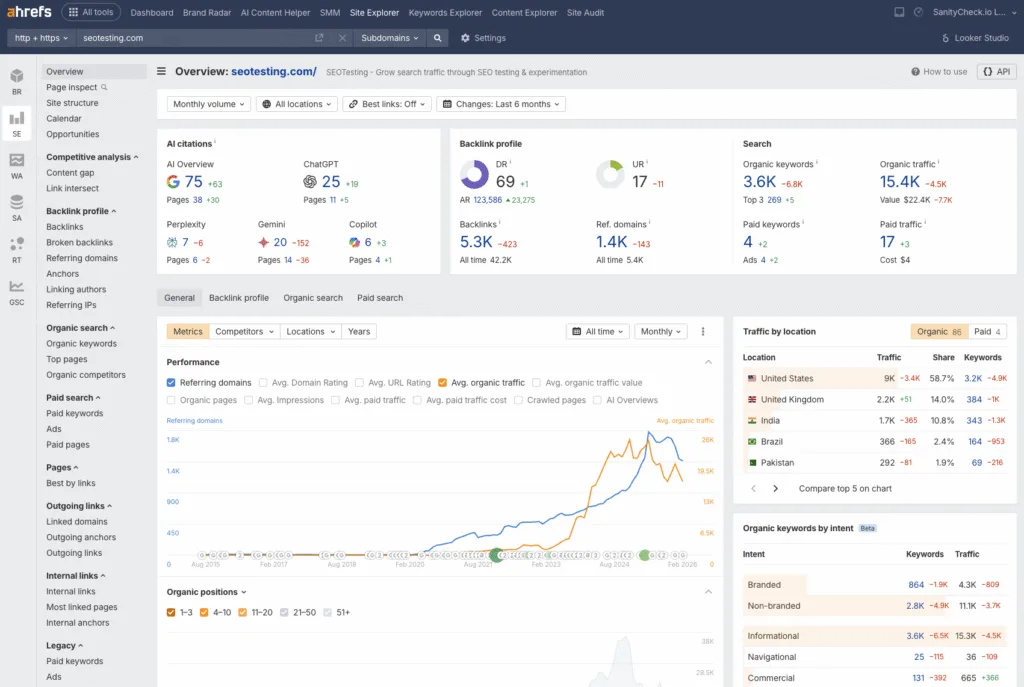
One of Ahrefs’ standout features is its keyword research functionality. Ahrefs’ crawlers are crawling the web 24/7, and they combine this with data from Google Keyword Planner API and third-party Clickstream data, so you can find new opportunities to target and access search volume for a wide range of keywords.
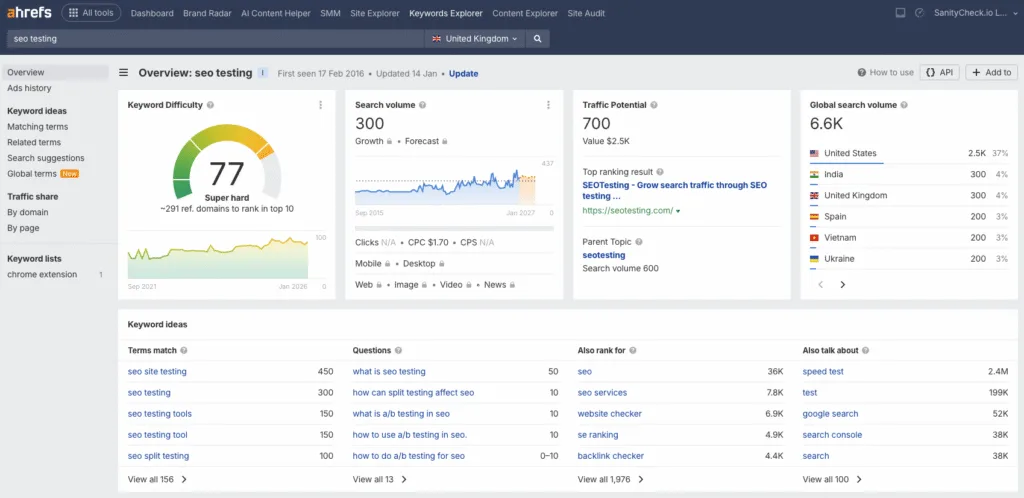
Because of the vast amount of data at Ahrefs’ disposal, you can also use Ahrefs for competitor analysis. You can see which keywords they rank for and use that to estimate the organic search traffic your competitors receive. As well as that, you can see their top pages, which will allow you to spot gaps in your own strategy.
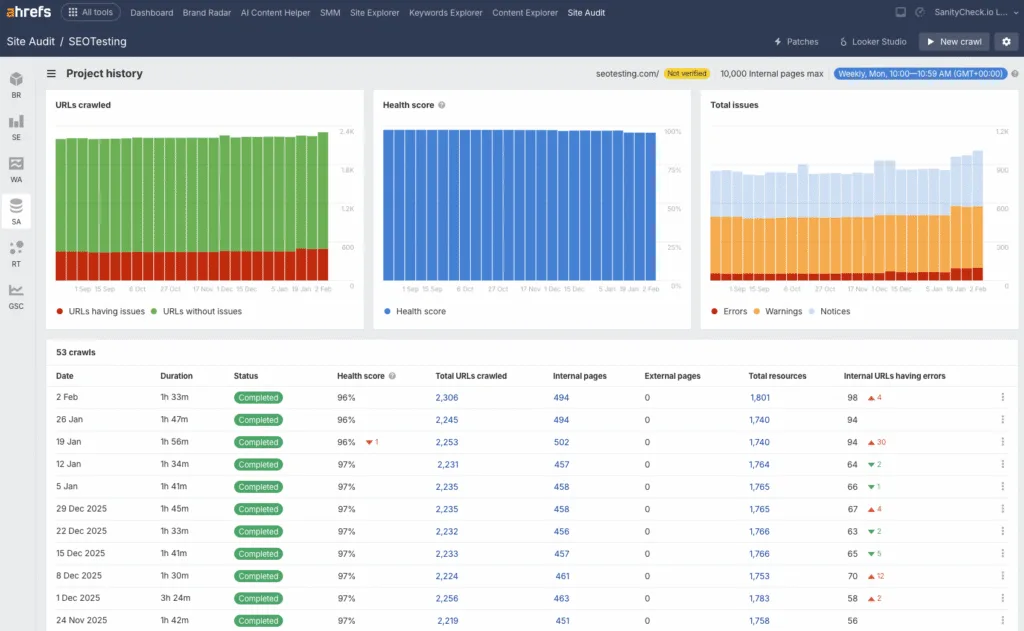
You can also use Ahrefs’ Site Audit feature to look at more technical aspects of your SEO. The Site Audit feature will crawl your entire site and give you back a “Health Score” for your site. You’ll also get a list of notices, warnings, and errors that you need to address on your site.
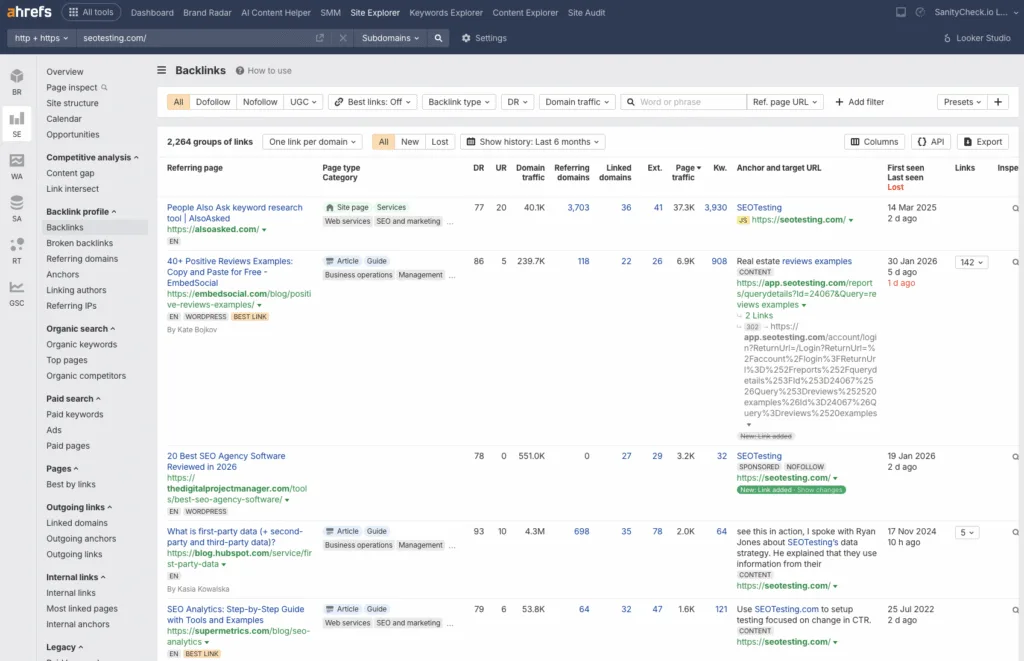
And, last but not least, you can also use Ahrefs to analyze backlinks to both your site and competitor websites. Thanks to Ahrefs constantly crawling the web, they have one of the largest backlink indexes for any third-party tool, so you can see:
- Where links come to your website.
- What pages are good at generating backlinks.
- The quality of each backlink coming to your site.
Ease of use & setup
You can set Ahrefs up for your website in three simple steps:
- Create an account and pick your pricing plan.
- Add your domain/project for tracking and auditing.
- Run some initial keyword and competitor research workflows to get used to the tool
Pricing
Based on Ahrefs’ official pricing page:
- Starter: $29 Per Month
- Lite: $129 Per Month
- Standard: $249 Per Month
- Advanced: $449 Per Month
- Enterprise: $1,499 Per month (Annual Commitment Required)
Reviews
Platform | Rating |
G2 | 4.5/5 |
Capterra | 4.7/5 |
Software Advice | 4.7/5 |
Most reviews are positive, with many citing the tool’s comprehensive, precise SEO data. Users also appreciate how effective Ahrefs is at identifying where competitors are getting links from and spotting link gaps you can act on.
However, some users also note that pricing can be expensive for early-stage teams, and that there is a learning curve with some of Ahrefs’ features.
Who is Ahrefs best for?
You will find that Ahrefs is best for teams that do extensive competitor and backlink research and want to identify opportunities to create new content for their website. Think less of a specialist tool here, and more of a dedicated research suite.
3. AlsoAsked
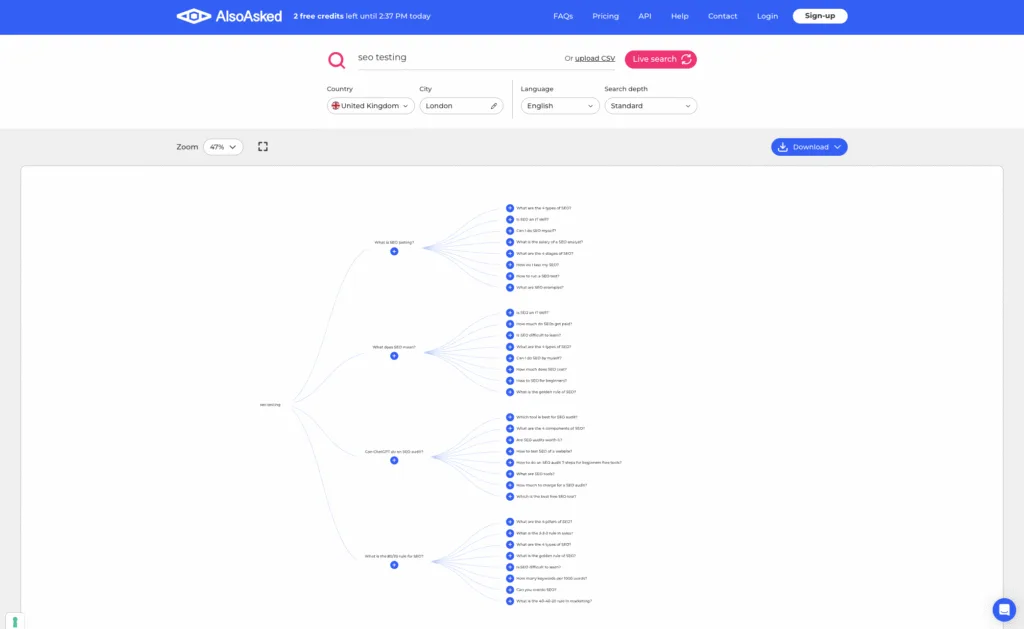
AlsoAsked is a tool, developed by Mark Williams-Cook and the Candour team, that automatically scrapes Google’s People Also Ask SERP feature for different keywords to help you and your team with question-based content planning.
Features
The core feature of AlsoAsked is its PAA question discovery, which helps you expand topics and identify the questions real people want answered when they search on Google.
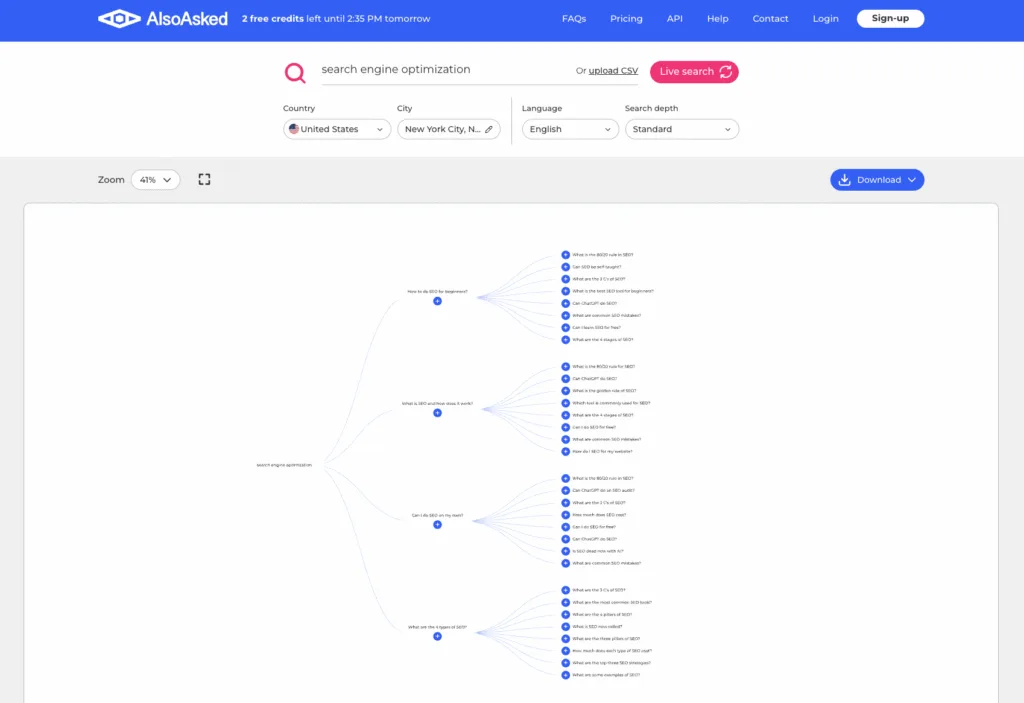
AlsoAsked delivers results in a handy visual that shows what a user’s search journey could look like when exploring a topic.
Even as a free user, you can use AlsoAsked and see the value it can deliver with three free credits per day. And your credit amount increases depending on the pricing plan you choose, so if you’re a team that does a heavy amount of this question-based topic research, you can use AlsoAsked to save massive amounts of time (and money) when compared to scraping the data yourself.
Ease of use & setup
Using AlsoAsked is incredibly simple:
- Create an account and use free credits, or pick a paid plan.
- Enter your seed query and target markets to generate PAA data.
- Export questions to content outlines or FAQs.
Pricing
AlsoAsked’s pricing is incredibly simple:
- Free: 3 Credits Per Day
- Basic: $15 Per Month (100 Credits)
- Lite: $29 Per Month (300 Credits)
- Pro: $59 Per Month (1,000 Credits)
You can also choose to pay annually and receive a 20% discount.
Reviews
During our research for this piece, we couldn’t find any reviews of AlsoAsked on G2, Capterra, or Software Advice.
However, when looking at review-based articles online for AlsoAsked, we saw that reviews were almost always positive, with multiple reviews highlighting the visual maps for question clusters and the fact that it uses live data in order to provide timely topics and recent data.
However, one reviewer noted that AlsoAsked’s visual approach presents challenges, such as accidentally zooming in or clicking another question, which can consume an additional credit.
Overall, reviews remain consistently positive, with multiple reviewers highlighting its ease of use, fresh data, and its ability to keep you in the loop on trending topics.
Who is AlsoAsked best for?
AlsoAsked is best for SEOs and content strategists who want People Also Ask question maps to help them build content outlines, improve existing content, and manage FAQs on their site. It’s a highly useful tool that saves significant time compared to manually searching for or scraping People Also Ask data.
4. Keyword Insights
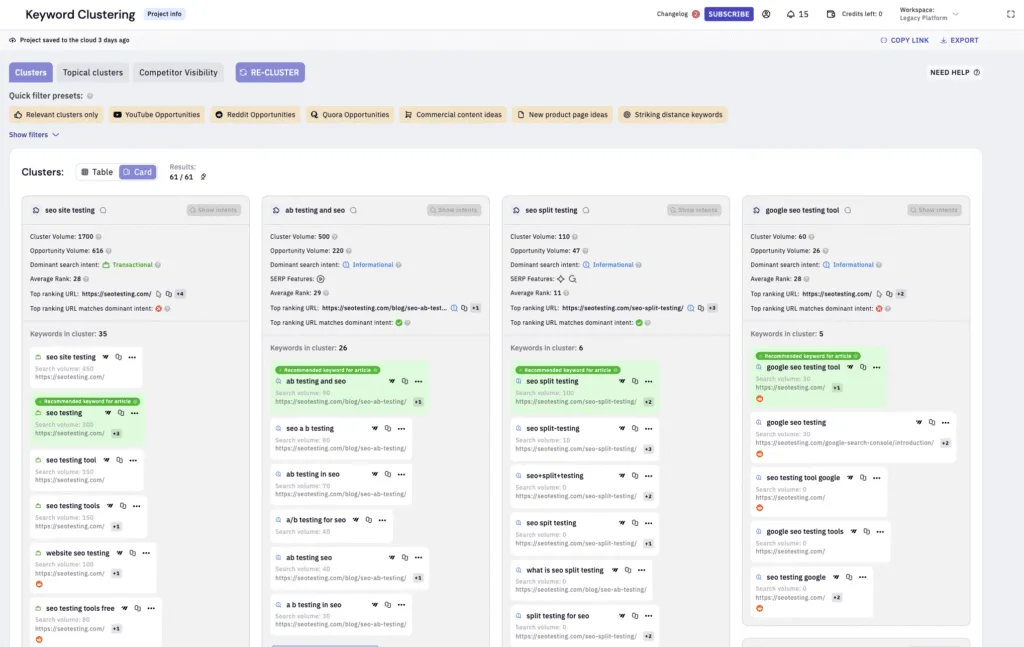
Keyword Insights, developed by Suganthan Mohanadasan, Andy Chadwick, and their team, is a keyword clustering, intent, and content-briefing workflow tool that is a strong option when Semrush feels overly complex or includes more features than your team actually needs for content planning.
Features
Keyword Insights comes with great keyword discovery and research tools that extract long-tail keywords based on a seed keyword using:
- Google Autocomplete
- Quora
- People Also Asked
This is a great option for keyword research and for expanding topics beyond initial seed keywords, as many SEO campaigns often do.
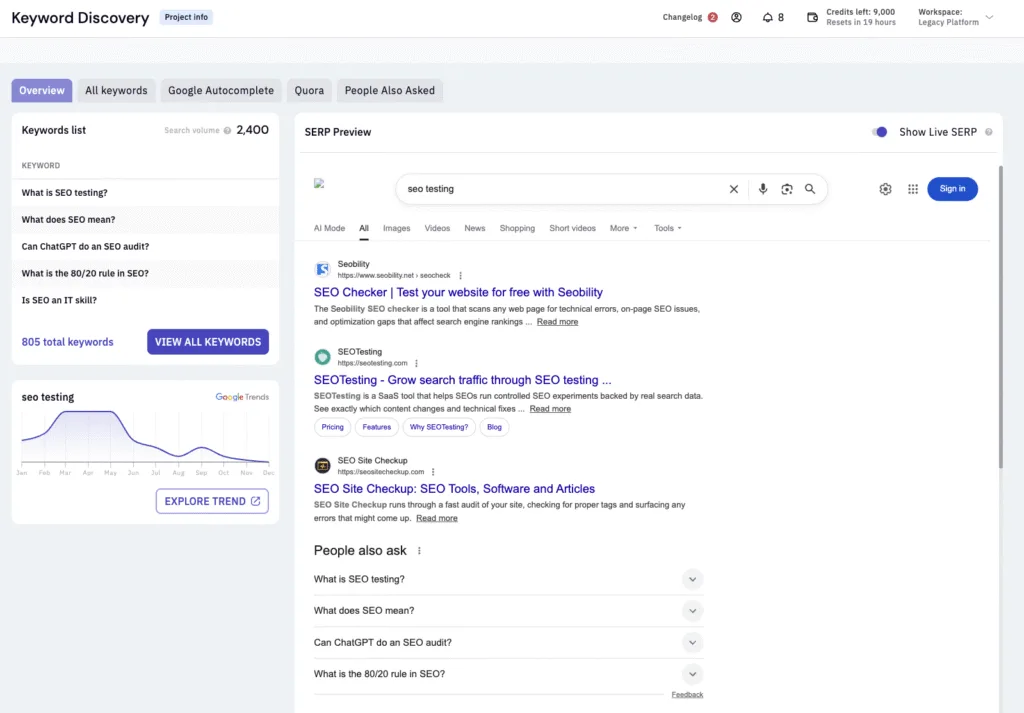
You’ll also get access to the core feature of Keyword Insights, Keyword Clustering, which allows you to input a list of target keywords, with Keyword Insights clustering them all for you based on SERP similarity, so you know what keywords can be targeted with what pages.
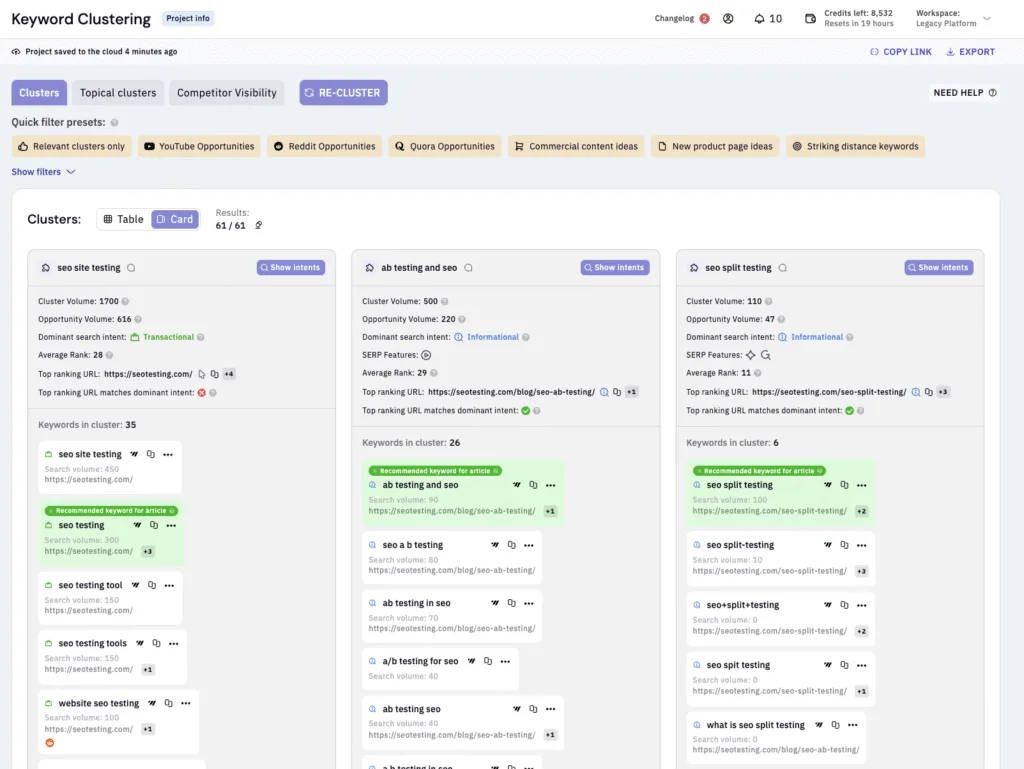
On top of discovering and clustering keywords, Keyword Insights can also provide you with search intent classification, so you know exactly the type of content that you’ll need to create to best serve the target audience for each keyword.

As the Keyword Insights platform has evolved, AI content briefs became a cornerstone feature of the toolset, allowing you to use AI and create content briefs for different keyword clusters directly within Keyword Insights itself, saving you time and ensuring you don’t need to constantly switch between different platforms.

Keyword Insights is also a great tool for building workflows to quickly create “hub and spoke” content. Using the features inside of Keyword Insights, you can create briefs and create content to get hub and spoke content up and running, and (hopefully) ranking on your site incredibly quickly.
Ease of use & setup
Setting up Keyword Insights for your website is super easy, as there’s nothing to install:
- Create your account, start a $1 trial, or choose your monthly pricing plan
- Import your keyword list (from a CSV or copy/paste) for clustering
- Generate keyword clusters and brief outlines for your writers
Pricing
Based on information from Keyword Insights’ website, pricing is as follows:
- Trial: $1 for 7 Days
- Basic: $58 Per Month
- Professional: $99 Per Month
- Premium: $299 Per Month
There is also a Pay as you Go option for those of you who might want to make use of Keyword Insights, but wouldn’t use it enough to warrant a monthly or annual subscription.
Reviews
Platform | Rating |
G2 | 4.9/5 |
Capterra | 4.7/5 |
Software Advice | 4.7/5 |
The vast majority of reviews on platforms like G2, Capterra, and Software Advice for Keyword Insights are highly positive, with reviewers praising the quick processing, great spreadsheet output, and excellent clustering functionality.
Reviewers also appreciated the time it saves on keyword research and content planning.
As with most software, there were some notes left in the reviews for the Keyword Insights team. Some of the main concerns are the learning curve and the fact that the hub/spoke data can be a little bit complicated to find.
Who is Keyword Insights best for?
You will find that Keyword Insights is best for content and SEO teams that are doing:
- Keyword clustering
- Search intent grouping
- Creating content briefs
At scale. So if you’re creating a lot of content, whether it’s for your own site or client websites, then Keyword Insights might be the tool for you.
5. SE Ranking
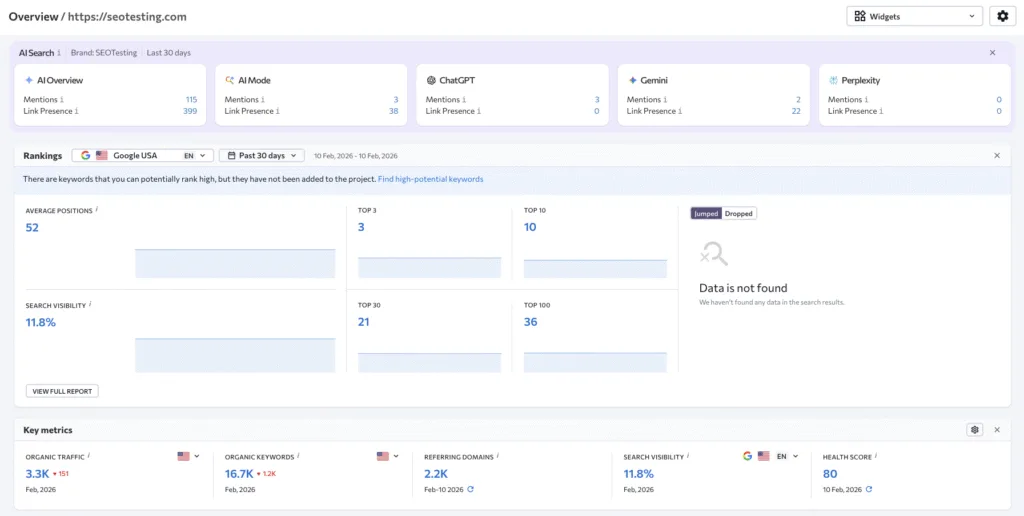
SE Ranking is another company similar to Semrush, as it’s an all-in-one SEO tool. SE Ranking is commonly chosen by search professionals for rank tracking and various core SEO workflows.
Features
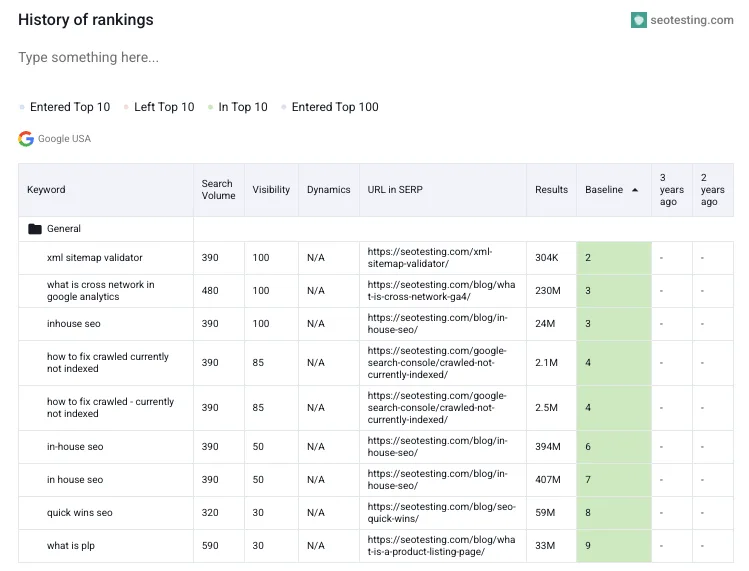
One of SE Ranking’s core features is its rank tracking functionality. This feature set allows you to track your keyword positions daily across:
- Locations
- Devices
- Search engines
Making it a great toolset for SEOs who want a tool to accurately keep track of where their important keywords are listed on the SERPs.
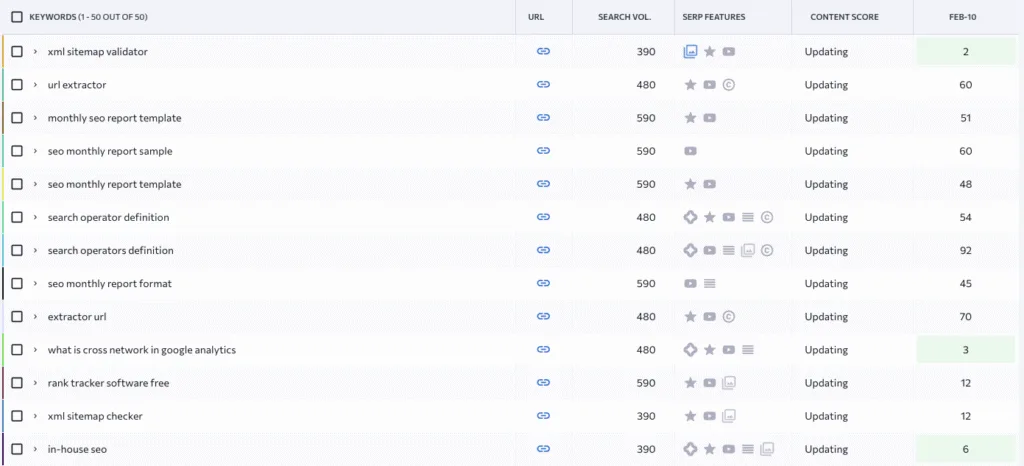
SE Ranking also includes competitor and market analysis tools. These allow you to compare domains, uncover your competitors’ keyword strategies, and use this information to find gaps in your own strategy.
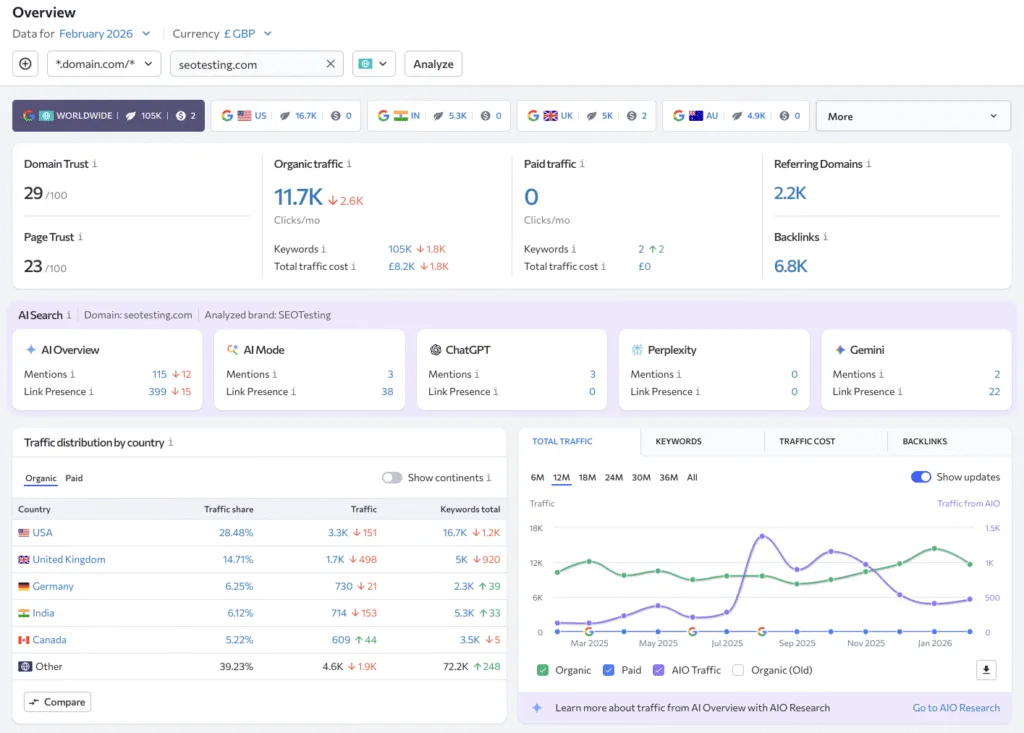
Of course, no all-in-one SEO tool is complete without site health / technical audits, and SE Ranking offers these features as well. You can use their Website Audit feature to crawl websites and find technical SEO issues. Once you’ve identified technical SEO issues that need fixing, you can prioritize them.
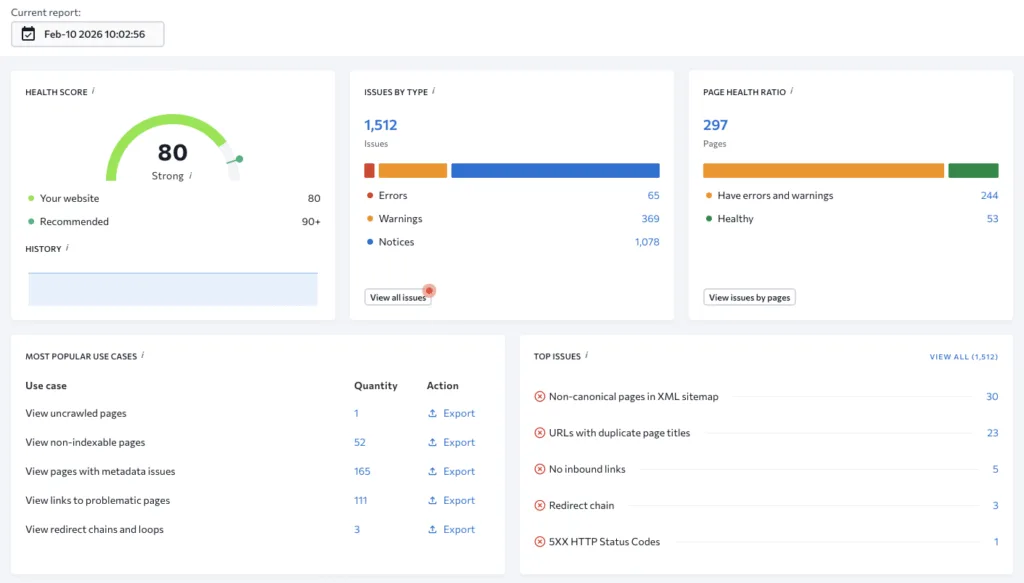
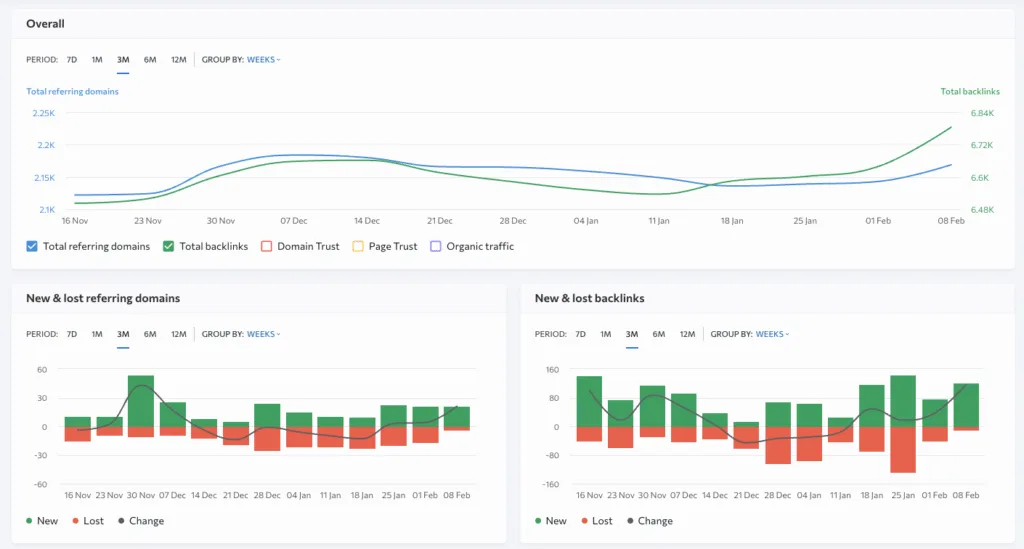
SE Ranking also comes with helpful backlink monitoring, which allows you to:
- Analyze backlink profiles
- Track new and lost links
- Assess link quality
We know backlinks are still crucial to completing a successful SEO strategy, and SE Ranking has the tools to help you monitor the backlinks that land on your website through your backlink acquisition work.
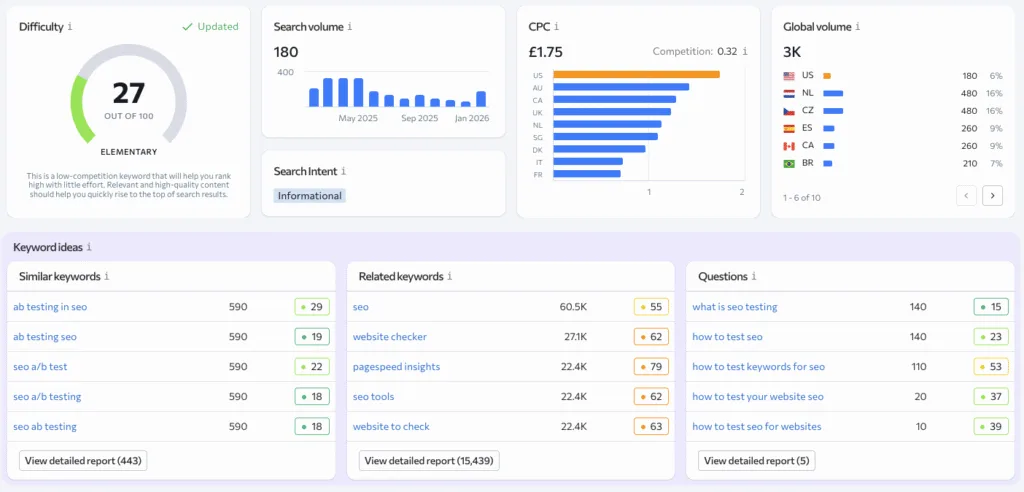
SE Ranking includes features that help you monitor on-page SEO and conduct SERP analysis. This supports your page-level optimization and helps you assess how competitive one of your target keywords will be based on what’s already in the SERP.
Lots of users praise SE Ranking for its range of reporting features and dashboards. These allow you to create automated SEO reports that, most importantly, include customizable and white-label options for your in-house or agency reporting.
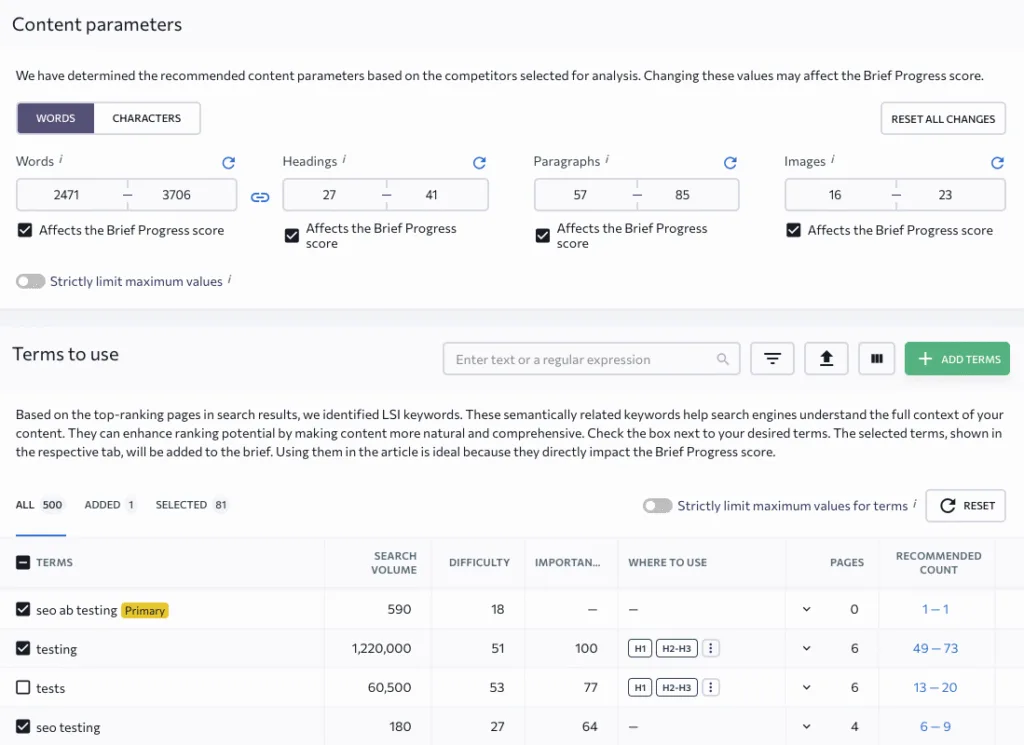
As an add-on, you can also use SE Ranking’s AI-assisted content optimization tools to allow you to:
- Build content briefs
- Optimize pages
- Score pages
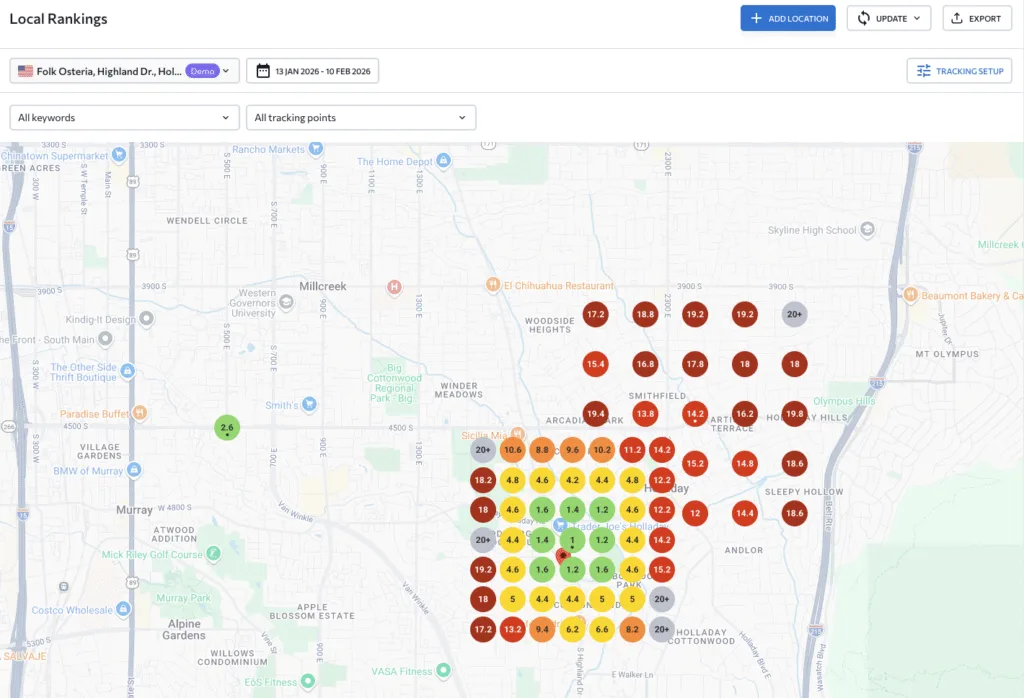
A final add-on to SE Ranking is their Local SEO add-on, which lets you manage your local rankings, business listings, reviews, and GBP (Google Business Profile) data.
Ease of use & setup
As for setting up SE Ranking for your website, this can be done in a few simple steps:
- Create a project for your website
- Add your website’s target keywords
- Choose your location, search engine, and device settings
The only caveat is that you need to set up an individual project for each site you work on.
Pricing
Here is the current pricing for SE Ranking:
- Core: $129 Per Month
- Growth: $279 Per Month
- Enterprise: Custom Pricing Options
We mentioned add-ons when listing some of SE Ranking’s features, and here are the prices for those add-ons:
- Agency Pack: +$69 Per Month (Annual Billing Only)
- AI Search: +$71.20 Per Month (Annual or Monthly Billing)
- API: +$149 Per Month (Annual Billing Only)
Reviews
Platform | Rating |
G2 | 4.7/5 |
Capterra | 4.7/5 |
Software Advice | 4.7/5 |
Most reviewers had a positive experience with SE Ranking (hence the aggregate rating of 4.7/5 across all three of the main review platforms we’re using for this piece). Positive reviews especially focused on how intuitive SE Ranking is as an all-in-one platform for SEOs. Users also appreciated that the UI is a lot “nicer” to look at than some of its competitors, as well as the automated reporting features that save time each month.
However, some users had issues with the number of paid options and wanted some of the additional options included in the standard monthly plans. As well as comments about the Site Audit functionality not being as comprehensive as tools like Screaming Frog or Ahrefs.
Who is SE Ranking best for?
You will most likely find that SE Ranking is best for small to mid-size teams that want a single SEO platform and don’t want to use multiple tools in their workflows. SE Ranking will work especially well if you are focused on rank tracking and more “standard” SEO tasks.
6. Screaming Frog SEO Spider
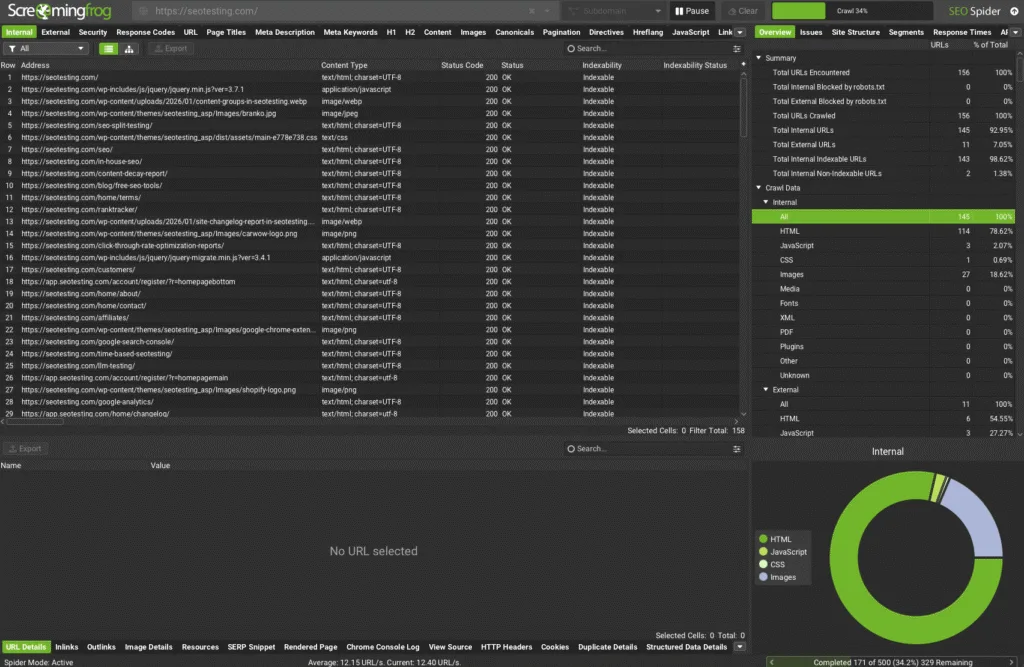
Screaming Frog SEO Spider is a specialist alternative for deep, technical crawling. Unlike all-in-one suites like Semrush, Screaming Frog focuses specifically on what it does best… Crawling websites and surfacing technical SEO issues. Many professionals use Screaming Frog alongside other tools rather than as a complete replacement for suites like Semrush.
Features
Screaming Frog comes packed with core technical audit checks that help you find and fix issues across your website. You can use it to find:
- Broken links
- Errors
- Redirects
As well as audit:
- Titles
- Meta descriptions
- Meta robots directives
- Hreflang tags
- Duplicate content
- XML sitemaps
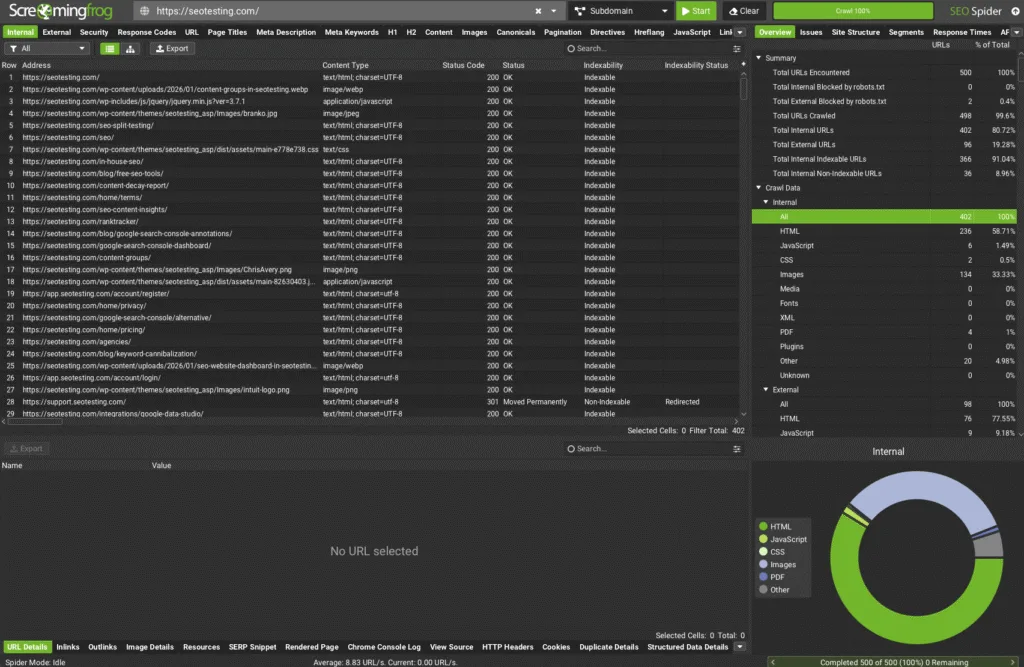
The tool also provides helpful visualizations to help you understand your site’s structure.
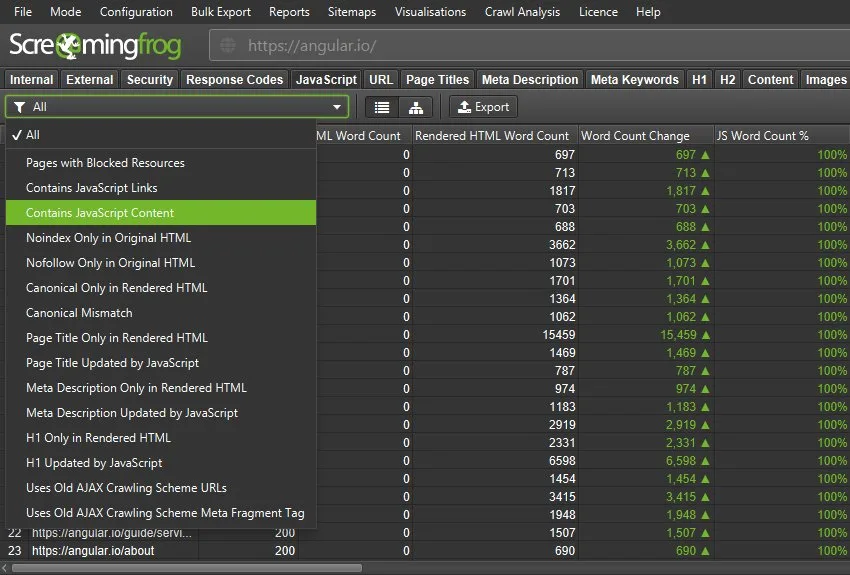
Beyond basic crawling, Screaming Frog offers advanced crawling and extraction capabilities. This includes JavaScript rendering (so you can see what search engines see on JS-heavy sites), crawl comparison (to spot changes between crawls), near-duplicate detection, custom extraction, custom JavaScript, and custom robots.txt testing.
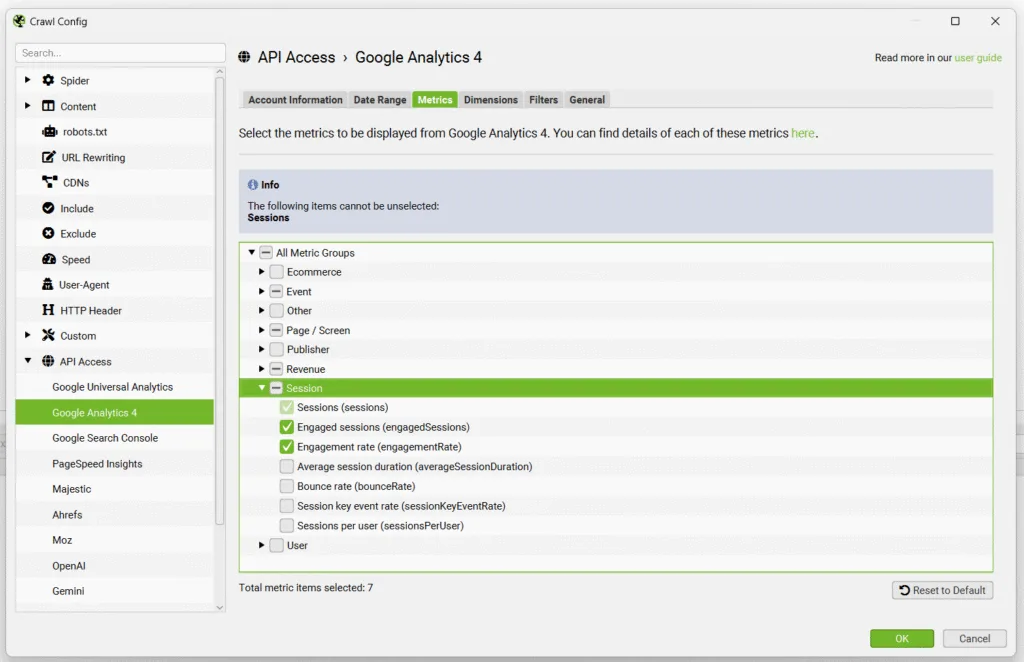
Screaming Frog also integrates with several key platforms to provide additional diagnostic capabilities. You can connect it to:
- Google Search Console
- Google Analytics
- PageSpeed Insights
And you can even pull link metrics from other tools. Screaming Frog also includes accessibility auditing features and can generate Looker Studio crawl reports.
Ease of use & setup
Getting started with Screaming Frog for most users is incredibly straightforward:
- Download and install the software on your computer. PC and Mac versions available
- Enter the URL you want to crawl
- Run the crawl
- Review key reports and export data as needed*
*It is worth noting here that Screaming Frog is (arguably) one of the more complicated tools on this list, depending on your experience. Getting a crawl going is incredibly straightforward, but getting insights and interpreting the data from those crawls might not be for every marketer.
Screaming Frog runs locally on your machine, which means you’re in full control over your crawls and your data.
Pricing
One of Screaming Frog’s biggest advantages is that it’s free to use for crawling up to 500 URLs. This makes it perfect for testing the tool or working on smaller sites.
If you want to crawl more than 500 URLs or access advanced features, you can purchase a license online:
- Paid Version: $279 Per Year (1 License)
- Discounts Available: For purchasing five or more licenses
Reviews
Platform | Rating |
G2 | 4.7/5 |
Capterra | 4.9/5 |
Software Advice | 4.9/5 |
Lots of reviewers love Screaming Frog thanks to the fact that it’s easy to check for problems on a website, and the speed of the scan stands out as a good feature, too. Reviewers also praise the tool’s thoroughness and flexibility across most websites.
Some users, however, do note that it can be a little overwhelming when you first start using the tool, especially if you’re new to SEO. And the fact that it can be resource-intensive if you’re crawling very large websites.
Who is Screaming Frog best for?
Screaming Frog is best for technical SEOs who need a robust crawler for audits and diagnostics. It’s particularly well-suited for professionals who want deep technical insights and aren’t afraid to work with data exports. Many teams use Screaming Frog alongside other tools in their SEO stack, rather than as a standalone replacement for all-in-one platforms.
7. Sitebulb
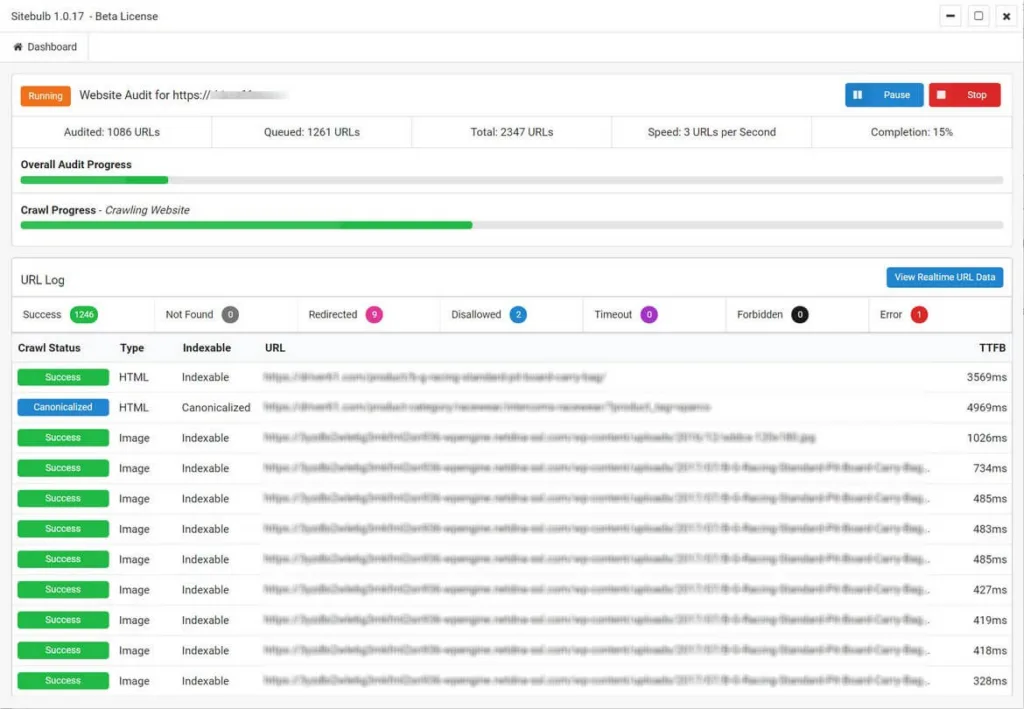
Sitebulb is a technical audit crawler alternative that focuses on audit workflows and visualization. While it serves a similar purpose to Screaming Frog, Sitebulb differentiates itself by offering a more guided workflow with prioritized recommendations and helpful visual representations of your site’s architecture.
Features
One of Sitebulb’s standout features is its cloud-based website crawling capability. This allows you to run large-scale crawls in the cloud without being limited by your local hardware. This is especially useful for websites that might slow down (or even crash) your computer when using desktop-based crawlers.
We wrote more extensively about Sitebulb Cloud in our blog post on the best enterprise SEO tools.
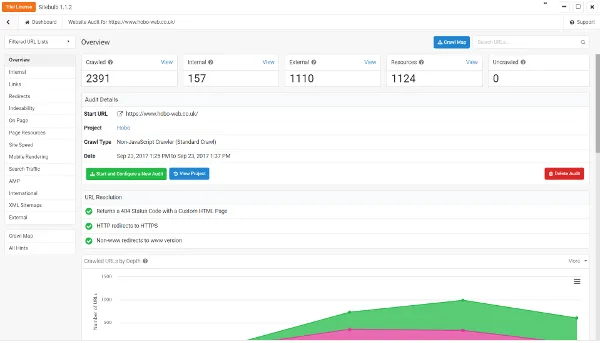
Sitebulb excels at technical SEO audits, helping you to identify:
- Crawlability
- Indexation
- Rendering
- Performance issues
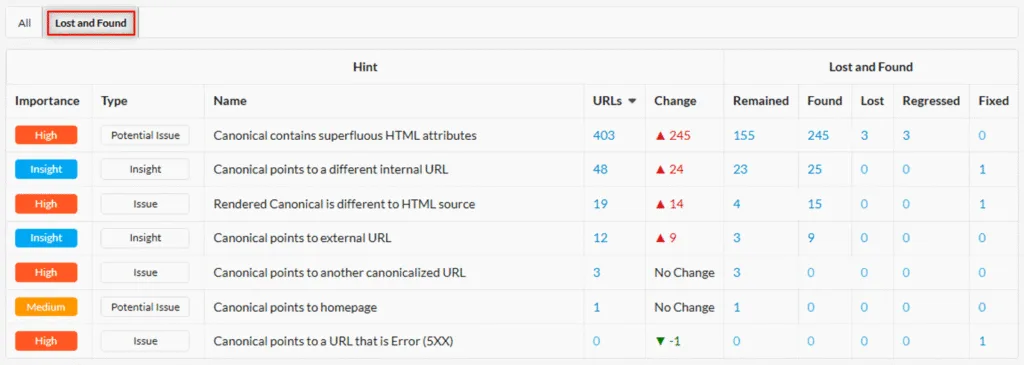
What sets it apart is its use of prioritized “Hints” that not only tell you what’s wrong but also explain why it matters and how to fix it. This makes it much easier to address technical issues, especially when working with developers who need context.
The tool also includes JavaScript rendering capabilities, using a headless Chromium renderer to crawl and audit JS-heavy sites. This ensures you’re seeing what search engines see, now just the raw HTML.
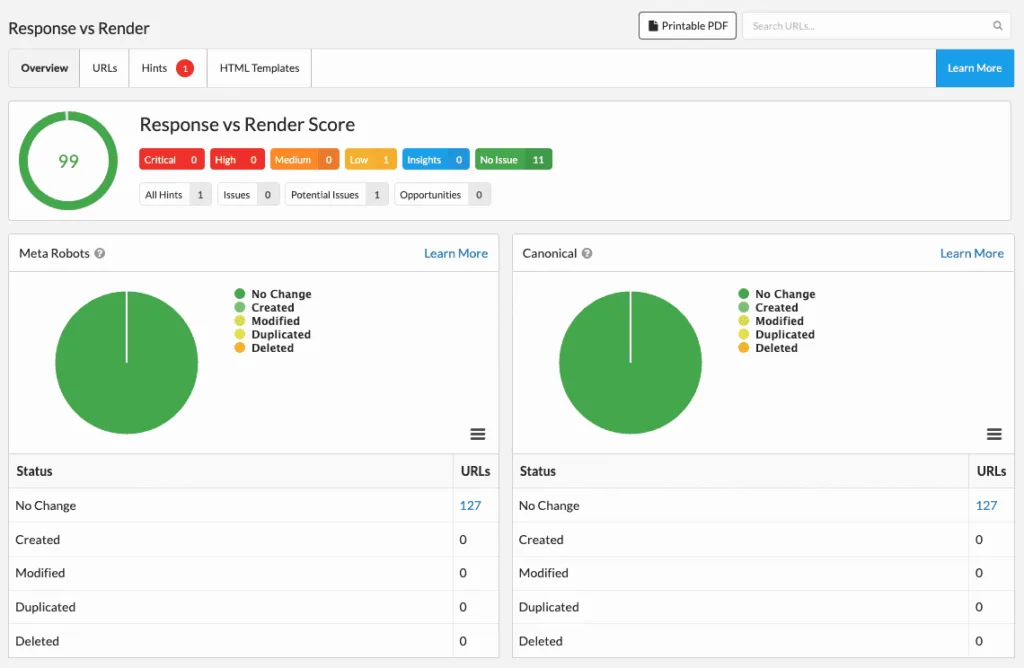
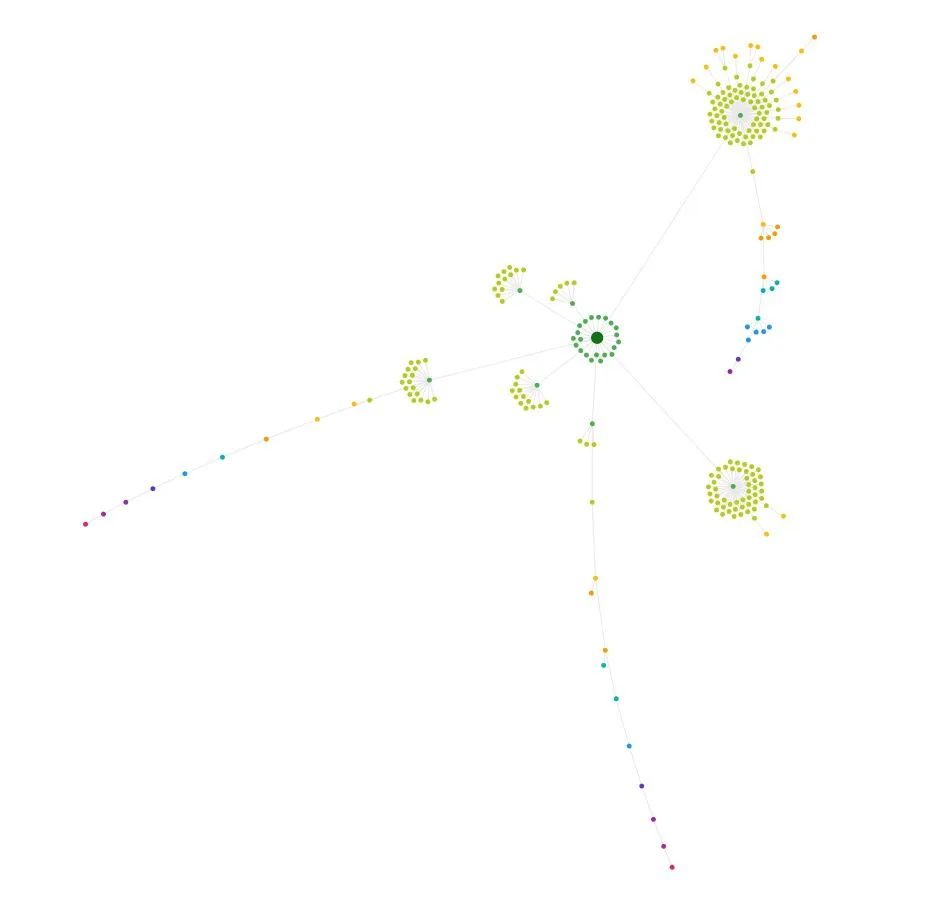
Sitebulb provides visual site architecture tools, including interactive crawl maps and internal linking visualizations. These make it much easier to understand your site’s structure at a glance and identify potential issues with internal linking or site navigation.
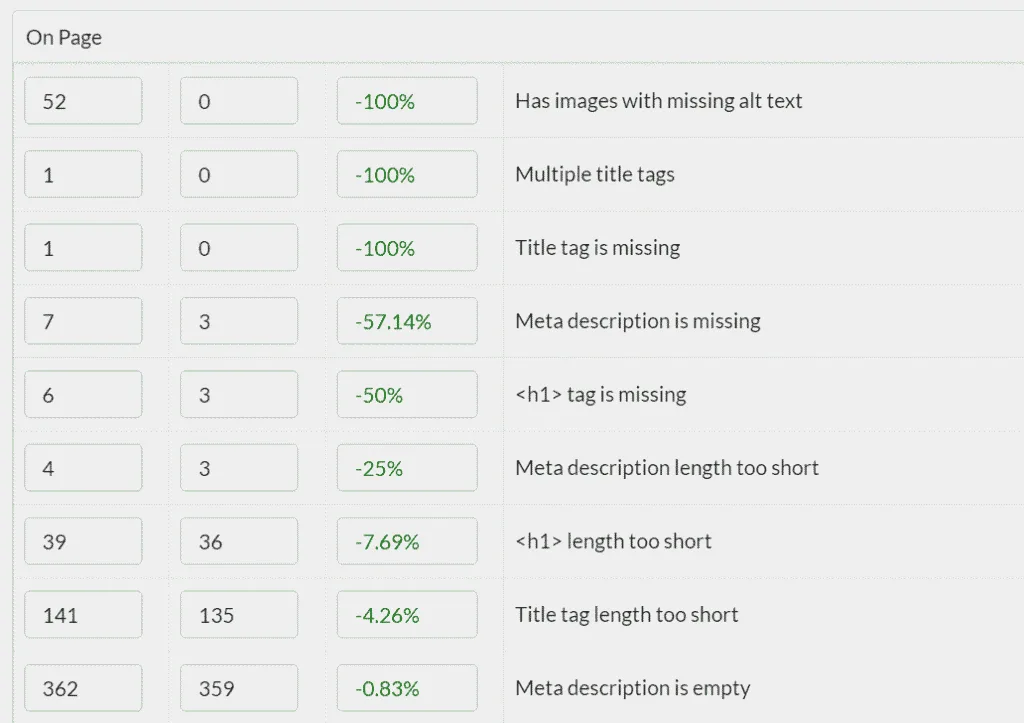
You can also set up scheduled crawls and monitoring to automate recurring crawls and track technical SEO changes over time. The historical comparison feature lets you compare crawls to find regressions and improvements, which is invaluable for tracking the impact of technical changes.
Sitebulb supports team collaboration, allowing you to share:
- Projects
- Findings
- Insights
Across SEO and engineering teams. You can also export crawl data and reports for use in dashboards and stakeholder reporting.
Ease of use & setup
Much the same as Screaming Frog, setting up Sitebulb is easy:
- Download and install the software (or use Sitebulb Cloud)
- Create an audit or project
- Run your first crawl
- Review the hints and recommendations
Pricing
Sitebulb offers both Desktop and Cloud pricing options.
Desktop:
- Lite: $18 Per Month
- Pro: $42 Per Month
Cloud:
- Mini: $125 Per Month
- Small: $245 Per Month
- Medium: $495 Per Month
- Enterprise: Custom Pricing
Reviews
Platform | Rating |
G2 | 4.5/5 |
Capterra | 4.9/5 |
Software Advice | 4.9/5 |
Many users praise Sitebulb for its ease of use and visualizations. Reviewers also note that Sitebulb provides much more information about the overall health of the websites it crawls.
The price can (sometimes) be a sticking point based on some reviews. Reviewers also note that it can be heavy on RAM and CPU, so using it alongside other tasks on a low- to mid-range computer may be difficult.
Who is Sitebulb best for?
Sitebulb is best for technical SEOs who want crawler-style audits but prefer a guided workflow. It’s particularly well-sited for teams that need to collaborate on technical SEO projects or for SEOs who want more context and prioritization built into their audit process.
If Screaming Frog feels too data-heavy or a little too complex, Sitebulb might be the perfect middle ground.
8. Majestic

Majestic is a specialist Semrush alternative focused specifically on backlink intelligence. Rather than trying to be an all-in-one suite, Majestic goes deep on link analysis and is often used alongside broader SEO platforms rather than as a complete replacement.
Features
Majestic’s core strength lies in its proprietary backlink metrics. The platform offers:
- Trust Flow
- Citation Flow
- Topical Trust Flow
- Visibility Flow
Which helps you assess not just the quantity of backlinks but also their quality and relevance.
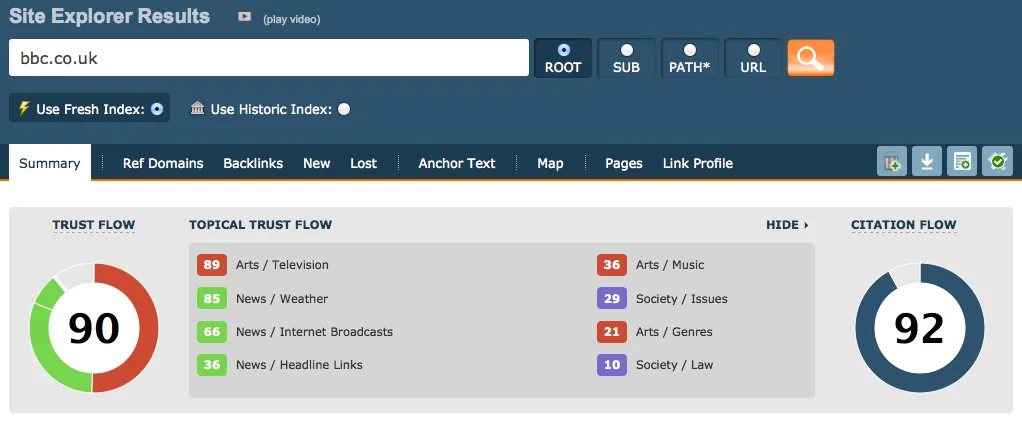
The Site Explorer feature provides deep reporting on:
- Backlinks
- Referring domains
- Anchor text distribution
- Top pages
This gives you a comprehensive view of any backlink profile, whether it’s your own site or a competitor’s.
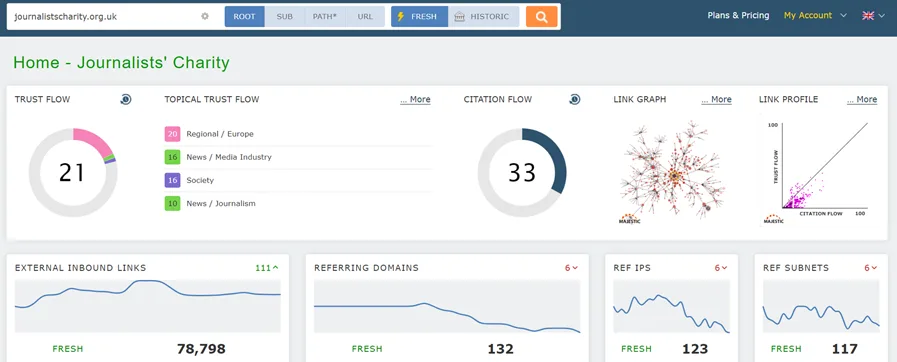
One unique aspect of Majestic is that it maintains both Fresh and Historic Indexes. The Fresh Index provides recent link intelligence, while the Historic Index gives you long-term link history. This dual approach helps you understand both current backlink activity and historical link patterns.
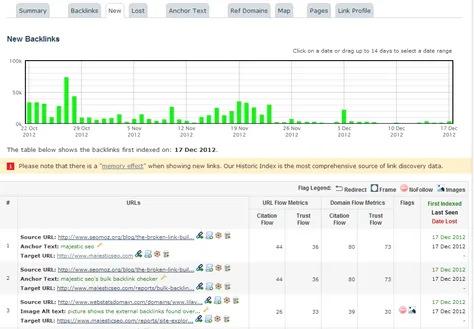
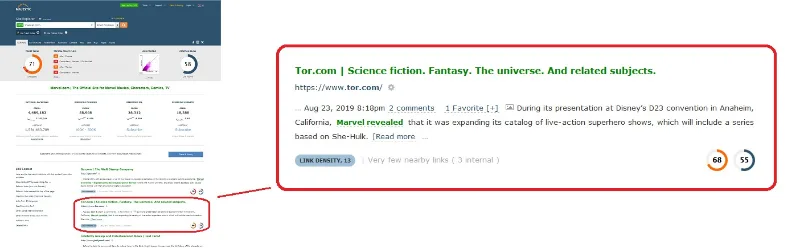
Majestic also provides Link Context, which shows where links appear on a page and their relative prominence. This helps you understand whether a link is in the:
- Main content
- Footer
- Sitebar
Or elsewhere. Context that matters for assessing link value.
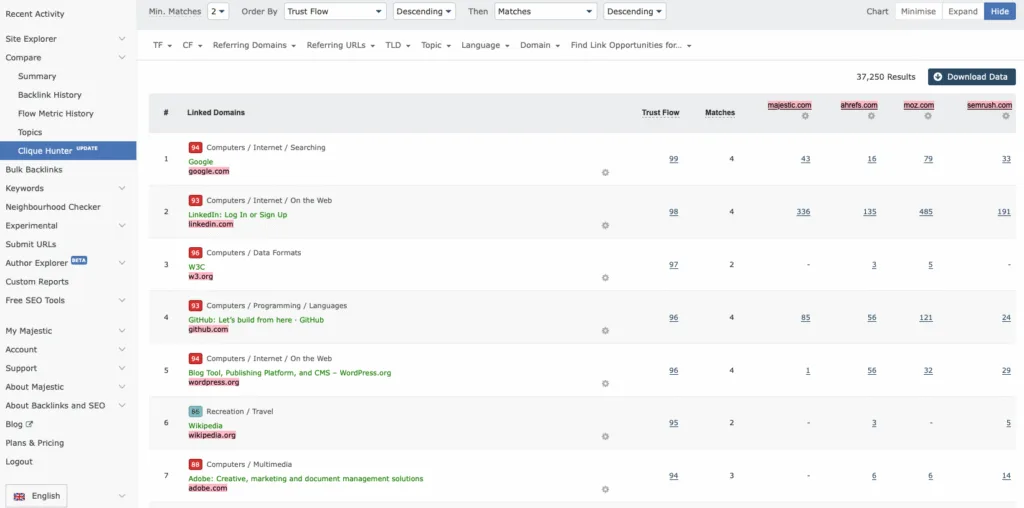
The Clique Hunter feature helps with competitor overlap analysis and link opportunity discovery. You can see which sites link to multiple competitors but not you, revealing potential backlink acquisition opportunities.
Majestic’s Compare tools (including Site Comparator) let you benchmark multiple sites side-by-side, making competitive analysis much more efficient.
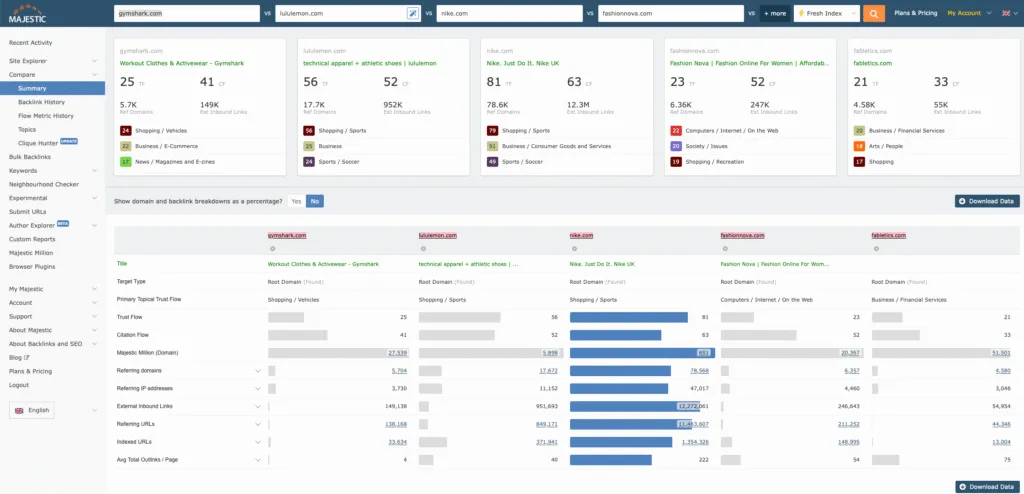
For teams that need to scale their link analysis, Majestic offers bulk checks, API access, and export options to integrate Majestic data into your workflows and reporting systems.
Ease of use & setup
As with most of the Semrush competitors we’ve looked at in this article, getting started with Majestic is straightforward:
- Start with the Site Explorer tool
- Analyze your site’s backlink profile
- Compare your profile against competitors
Pricing
Majestic offers three main pricing tiers:
- Lite: $49.99 Per Month
- Pro: $99.99 Per Month
- API: $399.99 Per Month
Reviews
Platform | Rating |
G2 | 4.3/5 |
Capterra | 4.4/5 |
Software Advice | 4.4/5 |
Majestic has earned numerous positive reviews over the years, with many praising its Trust Flow and Citation Flow scores and link graphs. Some reviews mention that the Link Graph feature is great for understanding a website’s overall backlink profile.
However, some reviews find Majestic somewhat lacking. One of the main concerns is the depth of the Bulk Backlink Checker, with one reviewer noting they had to manually search for a metric rather than pull it all through the Bulk Backlink Checker.
Who is Majestic best for?
Majestic is best for SEOs who want link-focused metrics and tooling as a dedicated workflow. If backlink analysis is a major part of your SEO strategy, whether for:
- Link building
- Competitive research
- Monitoring your own link profile
Majestic offers specialized depth that broader platforms may lack. It’s particularly valuable for teams that need detailed link intelligence and are comfortable working with link-specific metrics.
9. Waikay
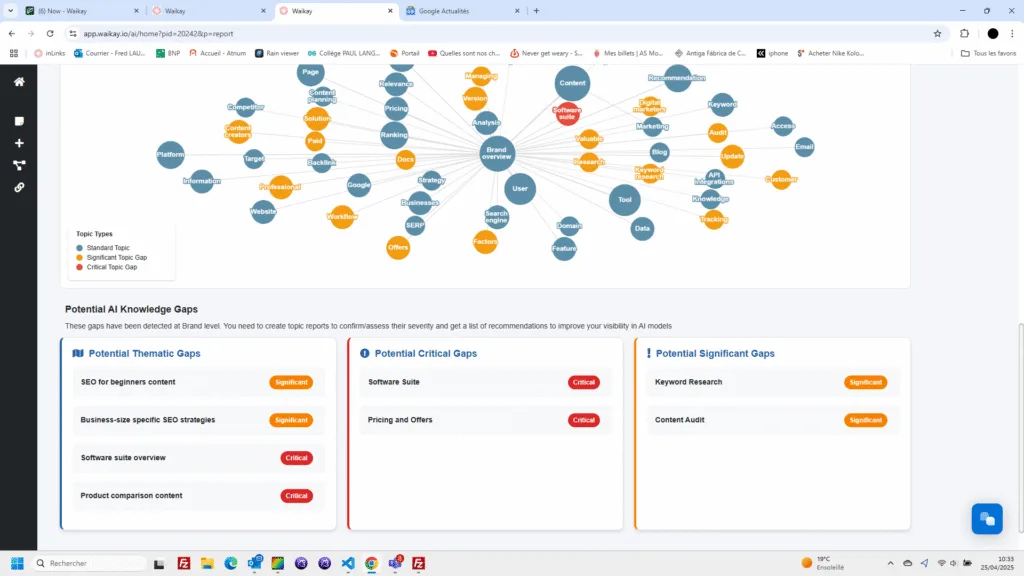
Waikay is a lower-cost AI SEO (or GEO, LLMO, AEO, whatever we decide to call it once people finally agree!) tool focused on monitoring and visibility workflows. It’s designed for teams that want to understand and improve how their brand appears in AI models and Large Language Models (LLMs), without requiring a full Semrush suite or Semrush’s AI Visibility add-ons.
Features
Waikay’s core feature is monitoring brand visibility across AI models. This helps you understand how LLMs like:
- ChatGPT
- Gemini
- Perplexity
“See” and describe your brand. As more searches shift to AI-powered platforms, visibility monitoring becomes increasingly important.
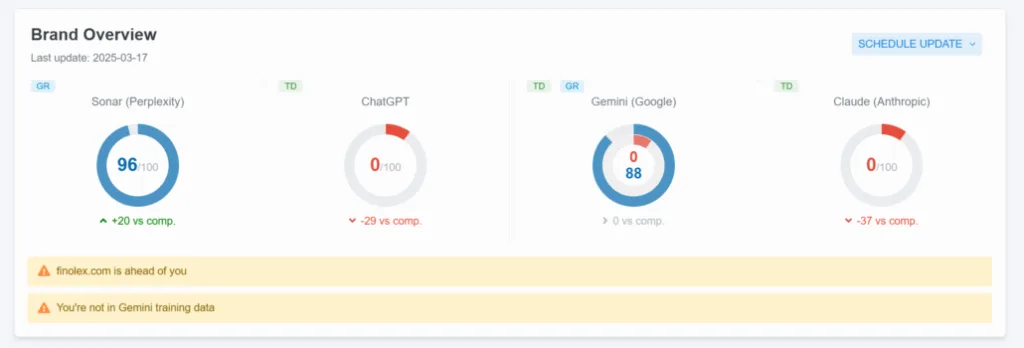
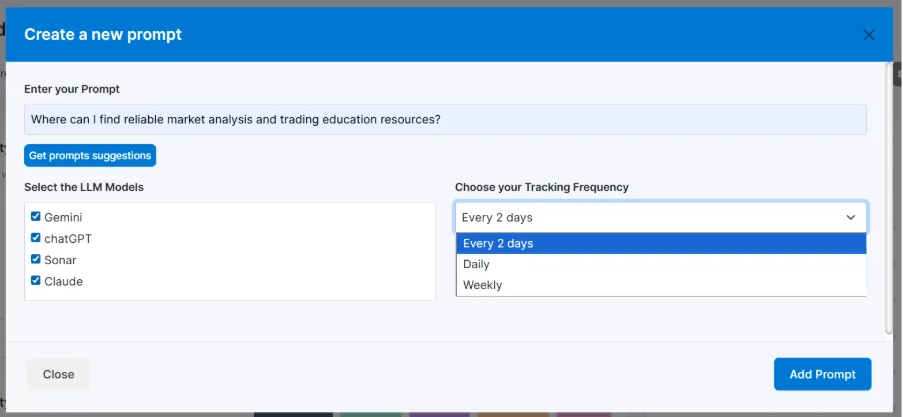
The platform offers prompt tracking across topics and competitors, allowing you to measure how AI responses change over time. This helps you spot trends, track improvements, and identify when your brand’s AI presence strengthens or weakens.
Waikay also includes features for detecting hallucinations and inaccuracies in how AI models represent your brand. When it identifies gaps, it helps you identify which source information is missing or incorrect, so you can address them.
The tool provides GEO (Generative Engine Optimization) and AIO (AI Optimization) action planning, which turns AI visibility findings into concrete recommendations. Rather than just showing you problems, Waikay suggests how to address them.
Ease of use & setup
Setting up Waikay is relatively simple:
- Create a project for your site or brand inside Waikay
- Go to “Tracking” and create a tracking prompt by clicking “Create a Prompt”
- Run tracking to monitor brand visibility across AI models and review outputs over time
- Use the platform’s action plans and findings to prioritize what to work on and fix, such as knowledge gaps, sources, or messaging consistency
Pricing
Waikay offers pricing tiers designed to scale with team size and project scope:
- Early Adopter: $19.95 Per Month
- Small Teams: $69.95 Per Month
- Large Teams: $199.95 Per Month
- Bigger Projects: $444 Per Month
- Enterprise: Custom Pricing
Reviews
Platform | Rating |
G2 | 4.9/5 |
Capterra | - |
Software Advice | - |
Note: No reviews for Waikey are currently available on Capterra or Software Advice.
Despite the limited number of online reviews we have access to, we can see that Waikay has many positive reviews on G2. Many users praise Waikay’s ease of use and the team’s excellent customer support. Users also appreciate the tool’s clear, structured view of how AI tools discuss their brands.
The main feedback is that Waikay still feels like an early-stage product, so some UI features aren’t fully intuitive yet. But users expect this to continue improving as development progresses and Waikay’s look and feel evolves.
Who is Waikay best for?
Waikey is best for brands and teams focused on monitoring and improving their AI presence through recurring reports and insights. If you’re concerned about how your brand appears in AI-powered search results and want to optimize for generative engines (GEO-style visibility), Waikay provides specialized tools that broader SEO platforms don’t offer. It’s particularly well-suited for forward-thinking teams that recognize AI visibility as an emerging priority in their SEO strategy.
Summary
Hopefully, this blog post has given you plenty to think about when it comes to Semrush alternatives. You might even find that you need a combination of these tools, depending on what you’re looking to achieve.
Here’s a quick decision matrix to help you choose the best Semrush alternative for you:
Best For: | Tool Choice: |
Suite Replacement | Ahrefs or SE Ranking |
Technical Audits | Screaming Frog SEO Spider or Sitebulb |
Link Focus | Ahrefs or Majestic |
Proving Impact + Repeatable Reporting | SEOTesting |
Get started with SEOTesting
Want to give SEOTesting a try? No matter what you need, we’ve got the toolset for you. You can:
- Run SEO tests to prove the impact of your SEO strategy
- Measure the SEO and conversion impact of every change you make to your site
- Access pre-built reports to save you time
- Bypass Google Search Console’s 1,000 row data limit
You can access a free, 14-day trial of SEOTesting and run your first test today. No credit card required! Connect your Google Search Console property, and you’re good to go.
Try SEOTesting free for 14 days.
Frequently Asked Questions
Is Ahrefs better than Semrush?
It depends on your needs. Ahrefs excels at SEO research, backlink analysis, and competitor intelligence, making it a strong like-for-like alternative. Semrush offers broader marketing features beyond SEO, including social media and advertising tools. If you’re primarily focused on SEO workflows, Ahrefs is likely a better choice. If you need an all-in-one marketing suite, Semrush’s broader toolset might be more appropriate.
What is the best Semrush alternative for keyword research?
For comprehensive keyword research with search volume data and competitor analysis, choose Ahrefs. For keyword clustering, search intent classification, and content brief creation at scale, choose Keyword Insights. For question-based research and People Also Ask data, AlsoAsked is your best bet. And for seeing the impact of page changes, SEOTesting should be your go-to.
What is the best Semrush alternative for backlinks?
Ahrefs or Majestic are both excellent choices. Ahrefs has one of the largest backlink indexes and works well as part of a broader research suite. Majestic is a dedicated backlink tool that offers proprietary metrics such as Trust Flow and Citation Flow. If backlink analysis is your primary focus, choose Majestic. If you want backlinks alongside other research features, choose Ahrefs.
What is the best Semrush alternative for technical SEO audits?
Screaming Frog SEO Spider is the industry standard for deep technical crawling and is free for up to 500 URLs. Sitebulb offers similar capabilities, but with a more guided workflow, prioritized hints, and better visualizations. Choose Screaming Frog if you want robust crawling and data exports. Choose Sitebulb if you prefer a guided workflow with better collaboration features.
Is there a free Semrush alternative?
Some tools have free versions:
- Screaming Frog is free for crawling up to 500 URLs
- AlsoAsked offers three free credits per day
- Google Search Console is completely free, but lacks advanced features
While these tools help with specific tasks, they won’t fully replace Semrush’s comprehensive functionality. Paid alternatives like SEOTesting (starting at $50/month) and Ahrefs (starting at $31/month) offer better value than Semrush at lower prices.
Can I replace Semrush with Google Search Console?
Not entirely. Google Search Console provides valuable search performance data, but has significant limitations:
- A 1,000 row export limit
- No testing capabilities
- Limited historical data
- No competitor research or backlink analysis tools
For basic performance data, it’s sufficient. For testing, reporting, and proving SEO impact, use SEOTesting, which builds on Google Search Console data and adds features like:
- SEO testing
- Pre-built reports based on search console data
- Traffic forecasting
Testimonials
-

"Can totally recommend! It’s not only full of reports to easily identify low hanging fruit opportunities but also, the most straightforward platform to help run SEO tests"
Aleyda Solis, Intl SEO Consultant, Speaker & Author.


-

"SEOTesting has become one of my go-to SEO tools because it does so much with all the valuable data hidden in Google Search Console. It's the only thing that gives us the ability to use that data for keyword tracking, SEO tests, and quality testing."
Ruben Gamez, DocSketch