If you’ve spent any time working in SEO, the chances are that you use both Google Search Console and Google Analytics daily. In fact, they’re often mentioned in the same breath, as if they’re two sides of the same coin. But here’s the thing: they answer fundamentally different questions!
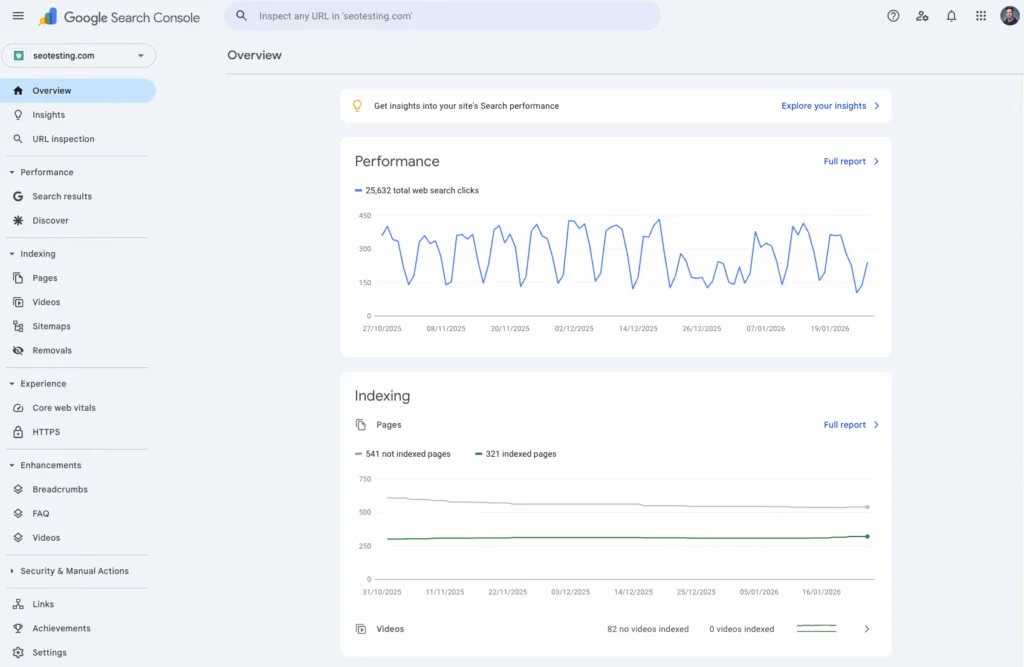
Google Search Console tells you how your site performs in Google Search, and Google Search only. It shows you:
- Which queries display your pages on Google’s SERPs
- How many impressions and clicks you’re getting
- Your click-through rates and your average positions
It also handles indexing and troubleshooting, telling you what Google can and can’t crawl, what’s indexed, and what technical issues might be holding you back.
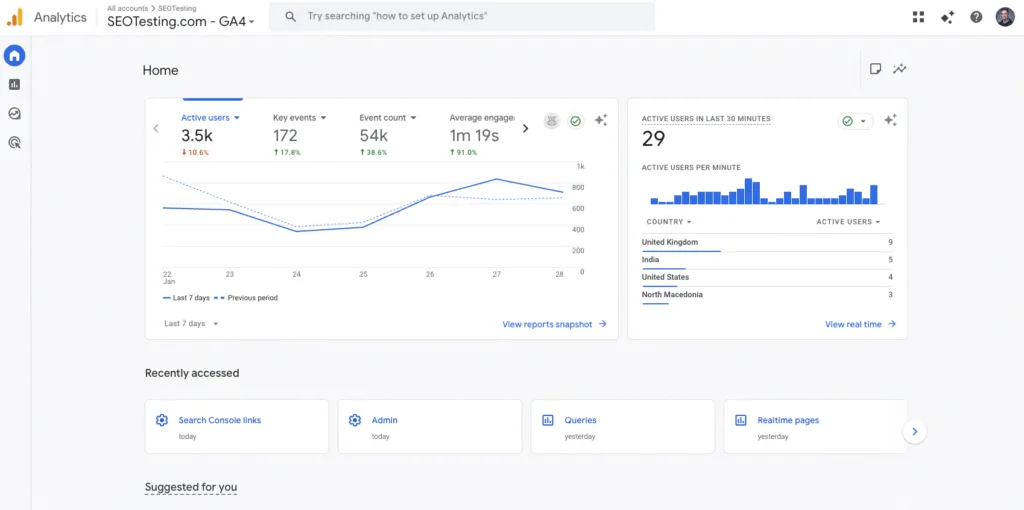
Google Analytics tells you what users do after they land on your site. It tracks:
- Events
- Engagements
- Conversion paths
- User journeys
It’s built to help you understand behavior and outcomes across all traffic sources, not just organic search.
SEOTesting (that’s us) is different.
It doesn’t replace either of these tools, it makes them more useful for SEO teams!
SEOTesting helps you increase organic and AI search traffic through structured testing and experimentation. It pulls more usable search data from Google Search Console, lets you annotate events and changes, run SEO tests (both time-based and split testing), and standardizes monthly SEO reporting across multiple sites.
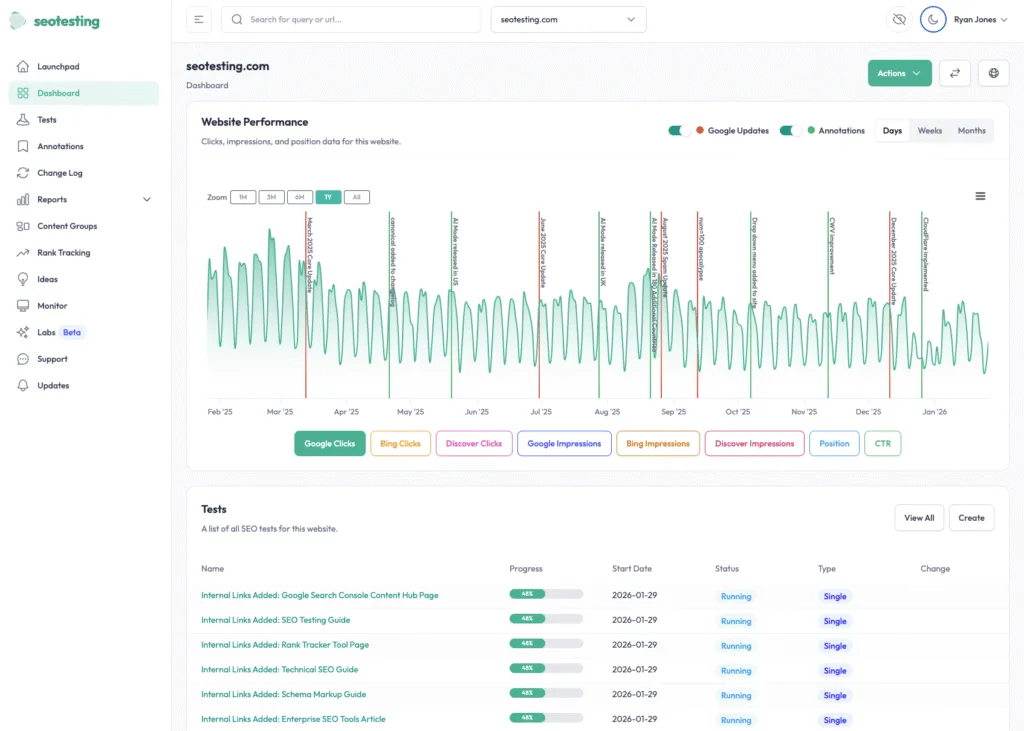
Think of it this way: GSC and GA4 give you the raw data. SEOTesting helps you turn that data into repeatable processes that prove what’s working, so you can double down on what works.
Table of Contents
- At a glance: Google Search Console vs Google Analytics vs SEOTesting
- The key differences between Google Search Console, Google Analytics, and SEOTesting
- Comparing Google Search Console, Google Analytics, and SEOTesting
- How to choose between Google Search Console, Google Analytics, and SEOTesting
- Which should you choose?
- Get started with SEOTesting
- Frequently Asked Questions
At a glance: Google Search Console vs Google Analytics vs SEOTesting
Google Search Console | Google Analytics | SEOTesting | |
Primary Features | Google Search performance and indexing troubleshooting. | Website/app behavior outcomes using event-based measurement | SEO testing and reporting using Google Search Console and Google Analytics data. |
Best For | Business owners & small SEO teams who need limited query/page visibility + indexing status & issues, and aren’t worried about data limitations. | Digital marketers and business owners (including SEOs) who want to tie traffic from any source to engagement, leads, and revenue. | SEO functions that need repeatable reporting to measure the impact of changes, and/or make Google Search Console data more useful. |
Pricing | Free | Free | From $50/month |
Important Note: SEOTesting hasn’t been designed to replace your use of Google Search Console or Google Analytics. It was built by SEOs, for SEOs who need to prove impact and operate at scale.
The key differences between Google Search Console, Google Analytics & SEOTesting
There are three key differences to consider when evaluating these tools.
1) Pre-click vs post-click vs “what changed, and did it work?”
Google Search Console focuses on what happens before the click, including indexing and related technical systems. When you look at your data in Google Search Console, you’re looking at what happens all before someone lands on your site.
Google Analytics, on the other hand, is very much post-click. It tracks behavior and conversions after the initial click. It’s event-based measurement that focuses on what happens after someone arrives on your site.
SEOTesting works across both. It helps you annotate changes, run structured tests, and generate reports to identify opportunities for improvement, such as content decay and keyword cannibalization. We’ve designed SEOTesting to help you answer the question: “Did this change actually work?”
2) What each tool is not good at
Of course, we have to be honest about the limitations as well.
Google Search Console isn’t built for:
- Clean dashboards
- Stakeholder reporting
- Experimentation workflows
The data is there, but making it presentable and actionable often requires manual work, such as exporting to spreadsheets. Time that busy SEOs and marketing professionals don’t have to spare.
Google Analytics isn’t built to diagnose indexing or crawl issues or to provide query-level SEO insights. That’s not its primary job. It’s a behavior and conversion platform before anything else, not an SEO diagnostic tool.
SEOTesting isn’t built to replace the underlying data collection and ownership layer. You still need Google Search Console and Google Analytics. SEOTesting sits on top of them to make the data more operationally sound.
3) Why SEO teams use all three
Some of the most effective SEO teams typically use all three tools because they complement one another.
Google Search Console and Google Analytics provide foundational data on search visibility and user behavior. SEOTesting reduces manual reporting, maintains a changelog, and helps you repeatedly demonstrate impact through testing rather than guesswork.
Comparing Google Search Console, Google Analytics & SEOTesting
Here’s a practical breakdown of which tool works best for common SEO use cases:
Use Case | Best Tool | Why | Where SEOTesting Fits |
Indexing and crawl issues. | Google Search Console | Coverage, indexing, troubleshooting, and search visibility signals. | Use SEOTesting alongside for change tracking and measuring the impact of fixes. |
Query and page opportunities. | Google Search Console and then SEOTesting | Google Search Console provides raw data, and SEOTesting makes it easier to use that data effectively. | Turn insights into action, and combine that with repeatable reporting. |
Organic traffic quality and conversions. | Google Analytics | Engagement and key events (conversions) as well as user journeys. | Connect SEO work to outcomes by pairing GSC changes with GA4 impact. |
Proving the impact of content or technical changes. | SEOTesting | Different test types, an automated changelog, and access to structured workflows. | This is the hero use case. |
Multi-site reporting for teams and agencies. | Google Analytics and SEOTesting | Consolidated dashboards and standard reports. | Helps enterprise SEO teams and agencies manage multiple sites and prove SEO impact. |
Features
Google Search Console
Search performance reporting
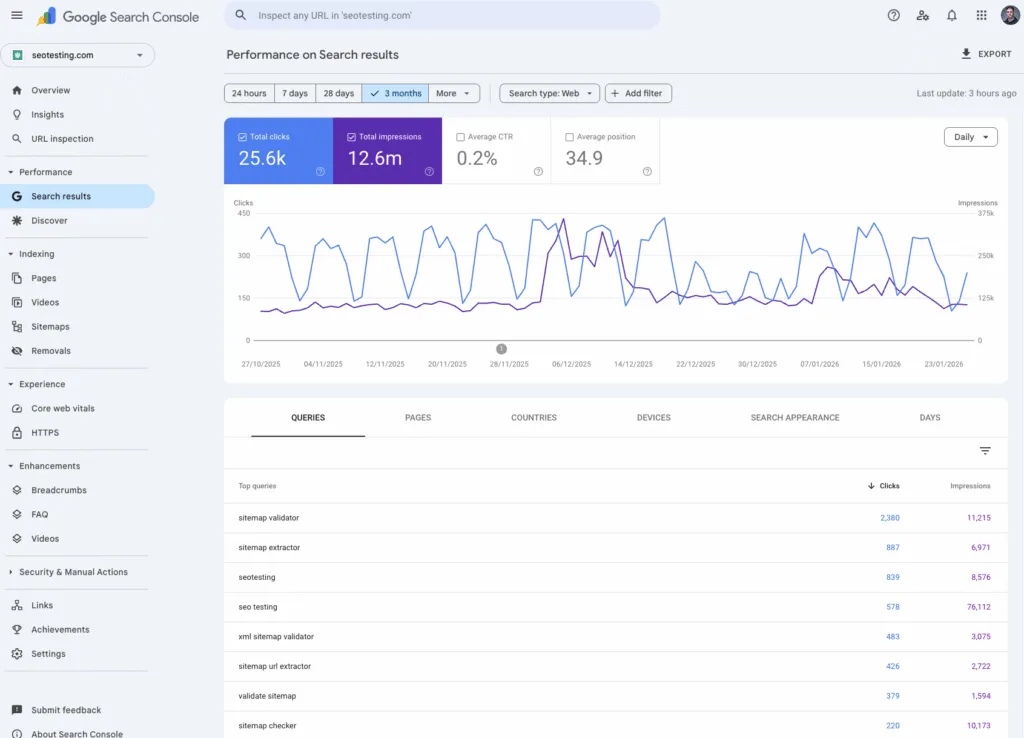
Google Search Console’s search performance reporting shows you exactly how your site appears in Google Search, including:
- Queries
- Pages
- Clicks
- Impressions
- CTR
- Average Position
This is your primary source of information for understanding which search queries drive visibility and traffic to your website.
Performance reports
The reporting features inside Google Search Console break performance out by Web Search (and Discover/News, where applicable), so you can see which Google platforms drive visibility. This helps you understand whether your traffic is coming from traditional search results, Google Discover, Google News, or a combination of things.
Index monitoring
Google Search Console’s indexing reports show:
- What’s indexed
- What isn’t
- The specific reasons URLs are excluded or failing
This is essential for diagnosing why your pages aren’t appearing in Google’s search results.
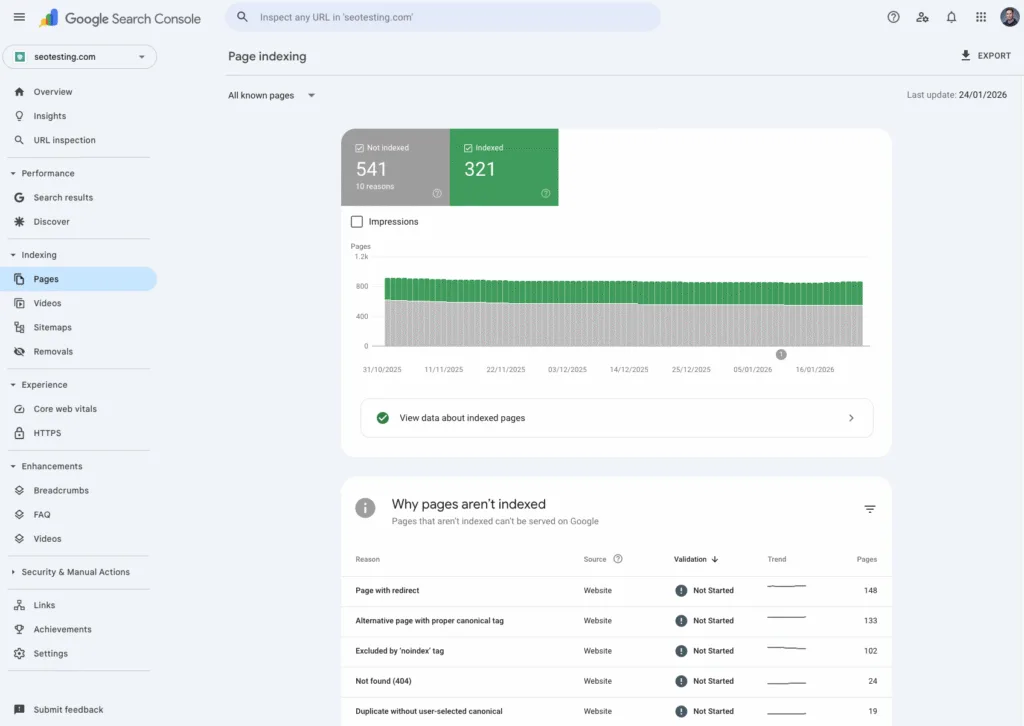
Submit sitemaps & request crawling/indexing for URLs
You can also use Google Search Console to submit XML sitemaps and request that Google recrawl or reindex individual URLs to speed up discovery when you’ve published new content or updated existing content.
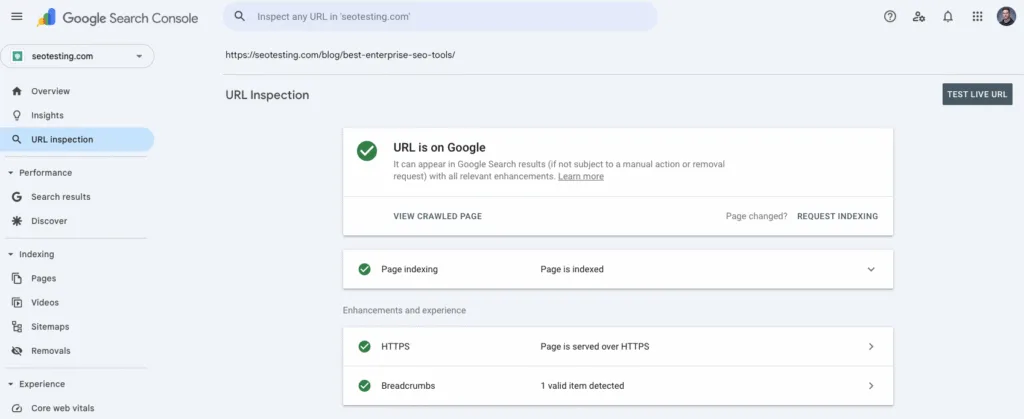
URL inspection
The URL Inspection tool within Google Search Console lets you check:
- Crawl
- Index
- Serving
Details for specific pages, so you can see them as Google does. So, if a page isn’t performing as expected, you can look at this and get some insight as to why.
Alerts
Google Search Console can email you when issues are found on your site, and provide a workflow to validate fixes once you’ve resolved them. This type of proactive monitoring helps you spot problems before they affect your traffic.
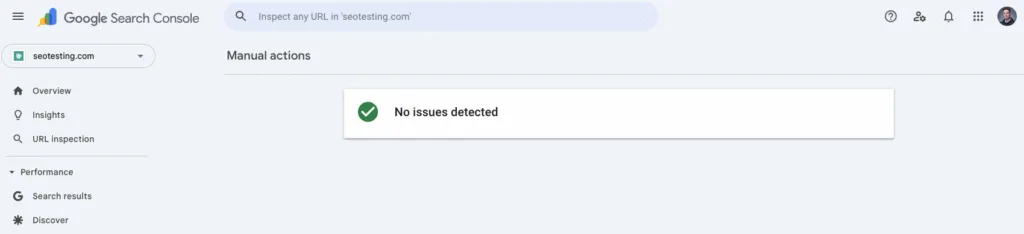
Site health overview (including manual actions & security issues)
Google Search Console can also highlight critical site health signals. Think of examples such as manual actions and security issues that can affect your site’s visibility or trust. These types of alerts ensure you’re aware of any penalties or security vulnerabilities.
Enhancement reports (e.g., Core Web Vitals, Rich Results, AMP, where applicable)
The Enhancement Report in GSC flags usability and structured data issues (such as Core Web Vitals and Rich Results) that affect your site’s eligibility for rich results snippets and the overall user experience. These reports help you understand whether your pages qualify for enhanced search features.
Insights report (top/trending content & key metrics in a simpler view)
Google Search Console’s Insights surfaces top and trending content, with key metrics, in a simplified view for quick, actionable takeaways. This is particularly useful for content teams that want a high-level view of performance without diving into detailed data.

Google Analytics (GA4)
Built-in automation: proactive insights, predictive capabilities & privacy-safe modeling
Google Analytics will automatically surface anomalies and trends in your data, provide predictive metrics, and use modeling to fill gaps in privacy-safe ways when data is limited. All of this automation helps you identify issues or opportunities without manual analysis.
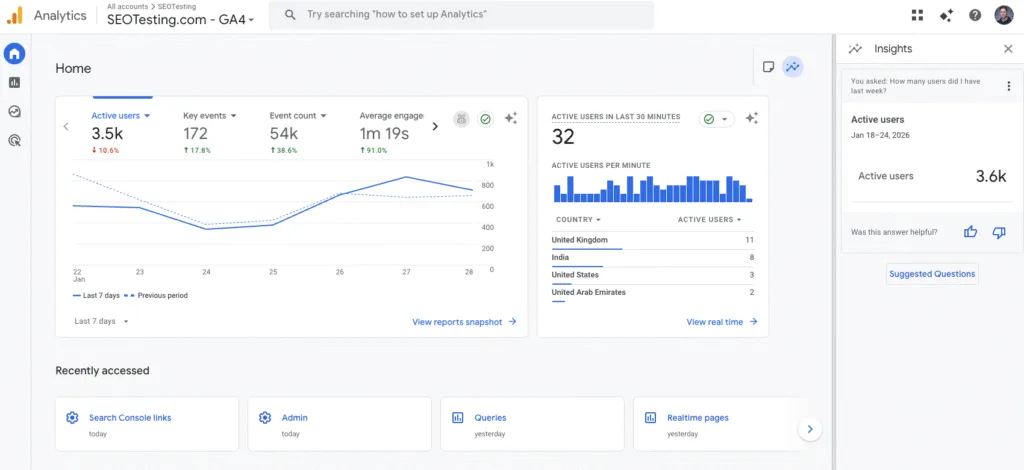
Natural-language search
The natural-language search within Google Analytics helps you quickly find relevant metrics, reports, and insights by typing what you want to know. This makes the platform more accessible for users who aren’t hugely familiar with analytics terminology.
Real-time reporting
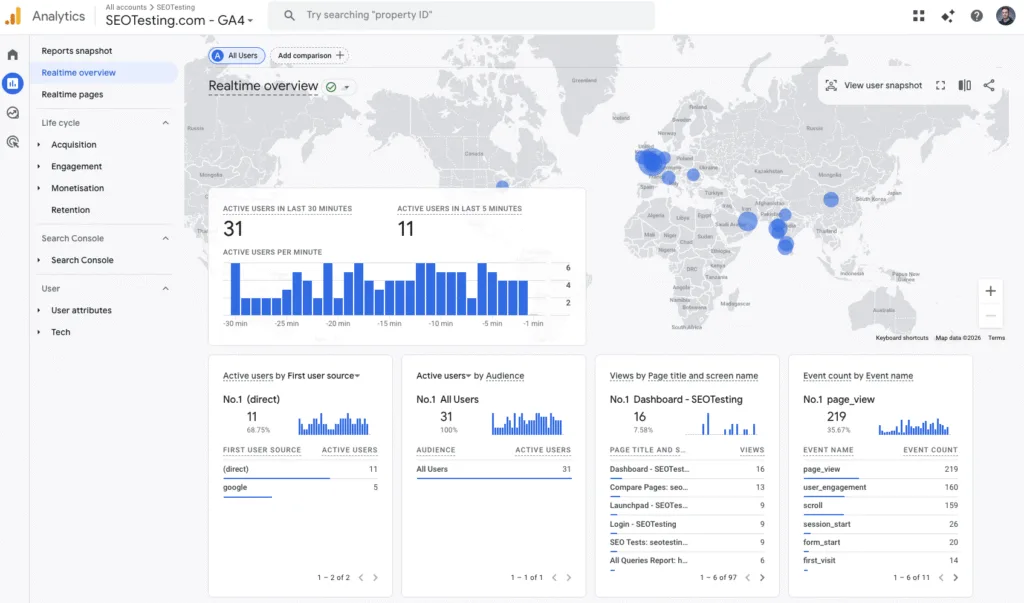
In my opinion, one of Google Analytics’ best features is real-time reporting, which shows live user activity and events as they happen across your site/app. This is useful for monitoring the immediate impact of campaigns or site changes.
Acquisition reports
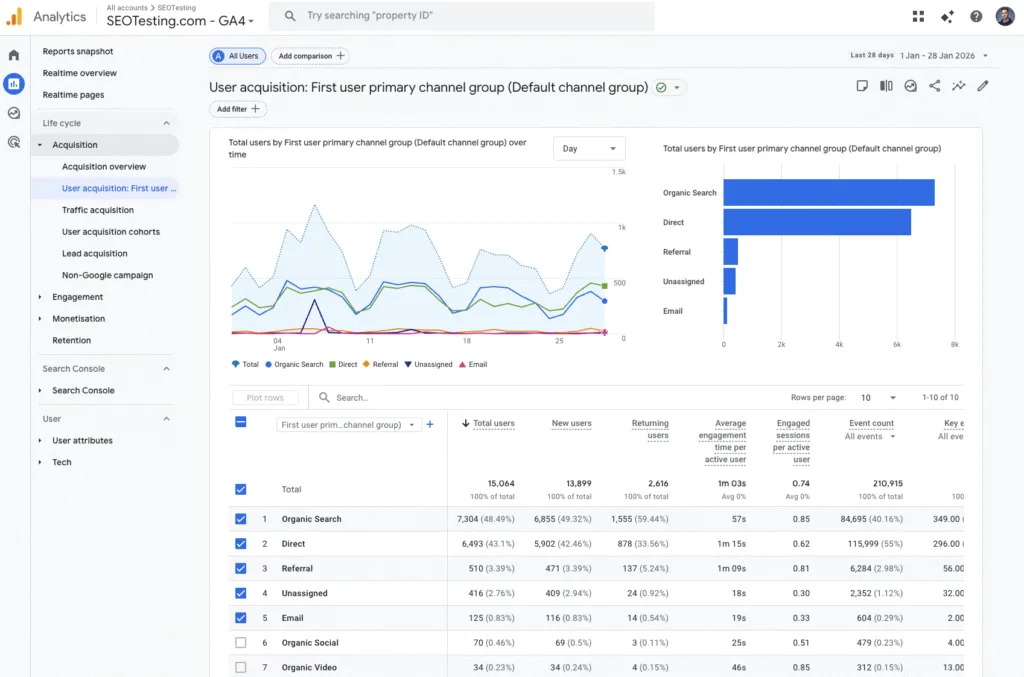
GA4’s acquisition reporting shows where users come from across different channels and campaigns, including paid and organic sources. This information will help you understand which marketing efforts are driving traffic.
Engagement reporting
The engagement reporting features within Google Analytics track how users interact via:
- Events
- Conversions
- Pages/screens
To understand behavior and outcomes. This event-based model is more flexible than the legacy session-based approach used by Google Analytics.
Monetization reporting
Google Analytics also has monetization reporting that measures revenue performance across:
- Ecommerce
- In-app purchases
- Publisher ads (where configured)
This connects traffic and behavior directly to business outcomes.
Attribution & advertising workspace
Google Analytics has a range of attribution tools that analyze conversion paths and compare models to understand which channels and touchpoints drive results. This multi-touch attribution helps you understand the whole customer journey.
Explorations for deeper analysis
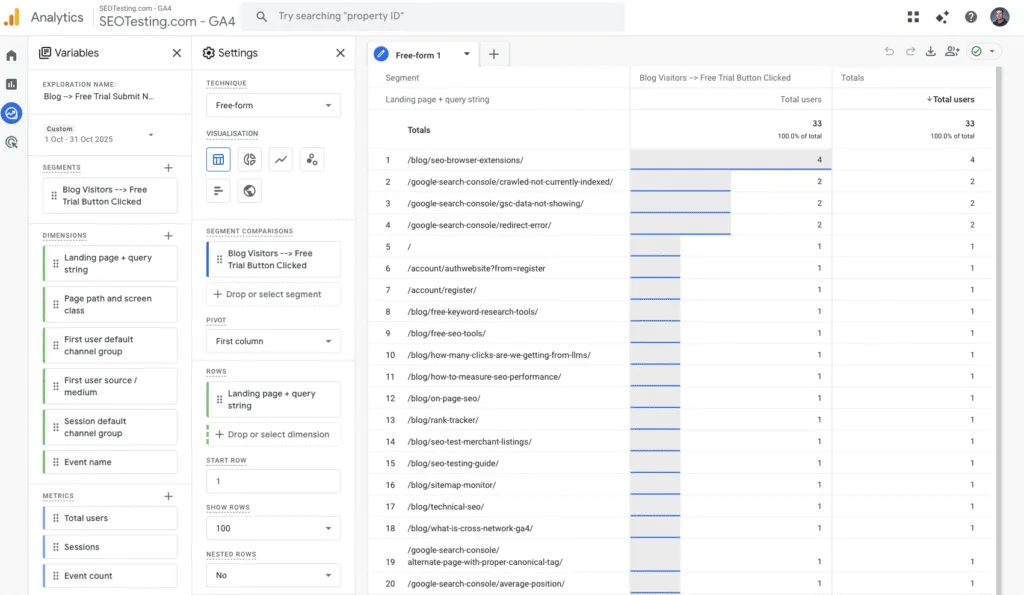
All of the Explorations within Google Analytics enable advanced, flexible analysis, like:
- Funnels
- Paths
- Cohorts
- Lifetime value
Without being confined to standard reports. This is where power users can delve into extensive custom analysis.
Data collection & management
GA4 supports robust measurement and governance through:
- Tagging support
- APIs
- Custom definitions
- Data imports
- Admin controls
All of this flexibility makes it suitable for complex enterprise implementations, which makes GA4 one of the best enterprise SEO tools.
BigQuery export & key integrations (GA4)
Google Analytics exports raw event data into BigQuery and integrates with tools like Google Ads and Search Console for joined-up reporting. This enterprise-level capability enables sophisticated data analysis and warehousing.
SEOTesting
Time-based SEO testing
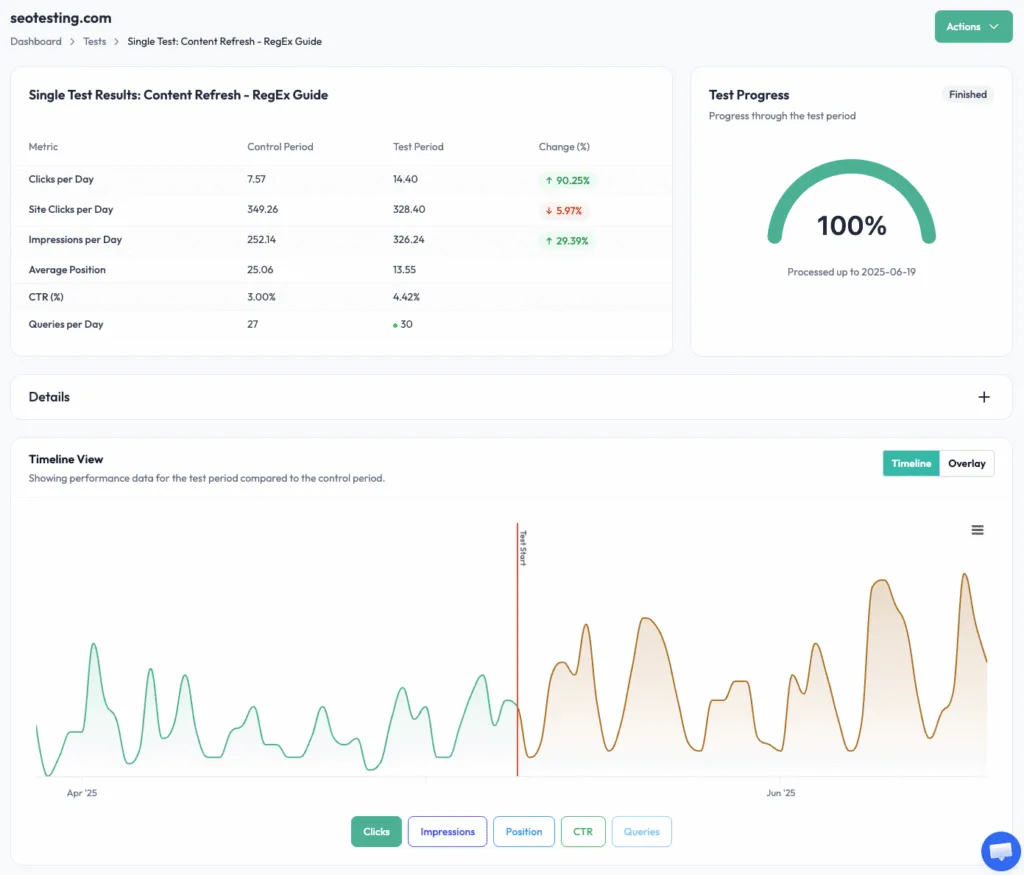
One of SEOTesting’s core features, the time-based SEO testing tools allow you to compare the performance of:
- Your entire site
- Pages
- Queries
After changes have been made. This allows you to quantify the impact of any change you make to your site, helping you identify what works for the site (s) you’re working on and prove your value as an SEO team.
SEO split testing
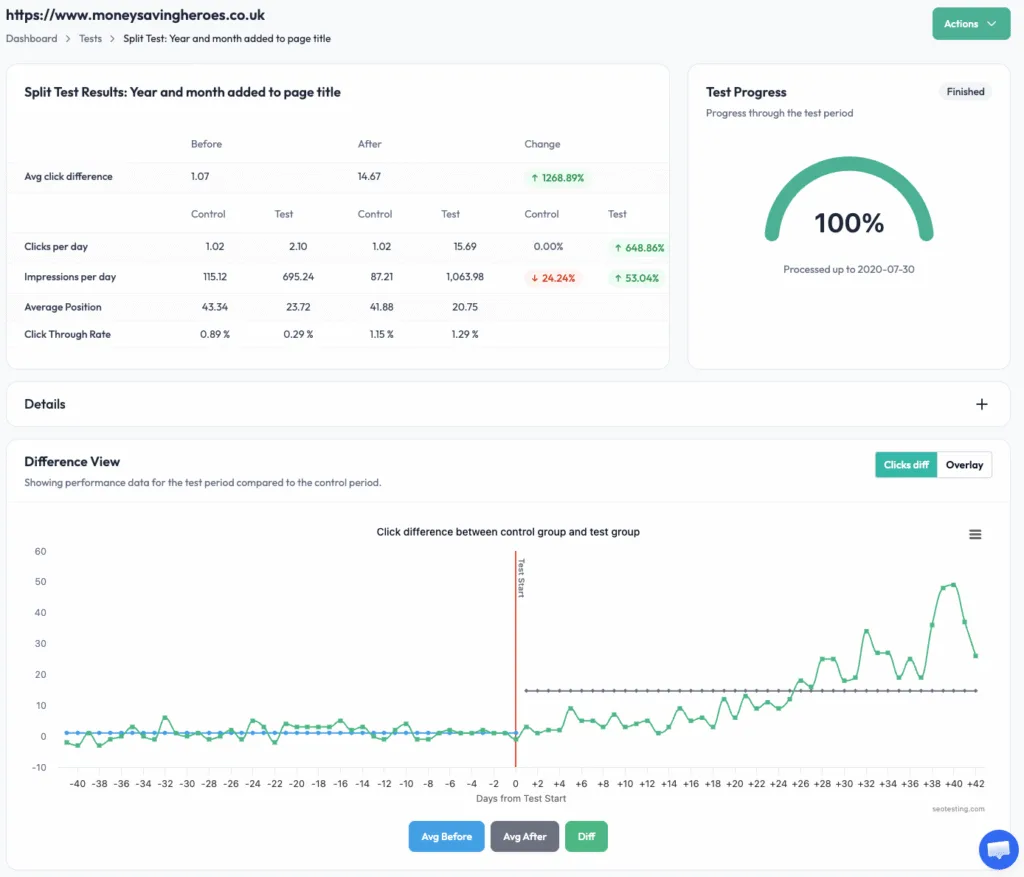
Much like time-based testing, SEOTesting offers SEO split testing functionality that lets you measure the impact of changes by comparing a test group of pages against a control group over the same period. This is the gold standard of testing because it allows you to isolate the impact of changes and control for external factors such as algorithm updates or seasonal fluctuations.
LLM tests
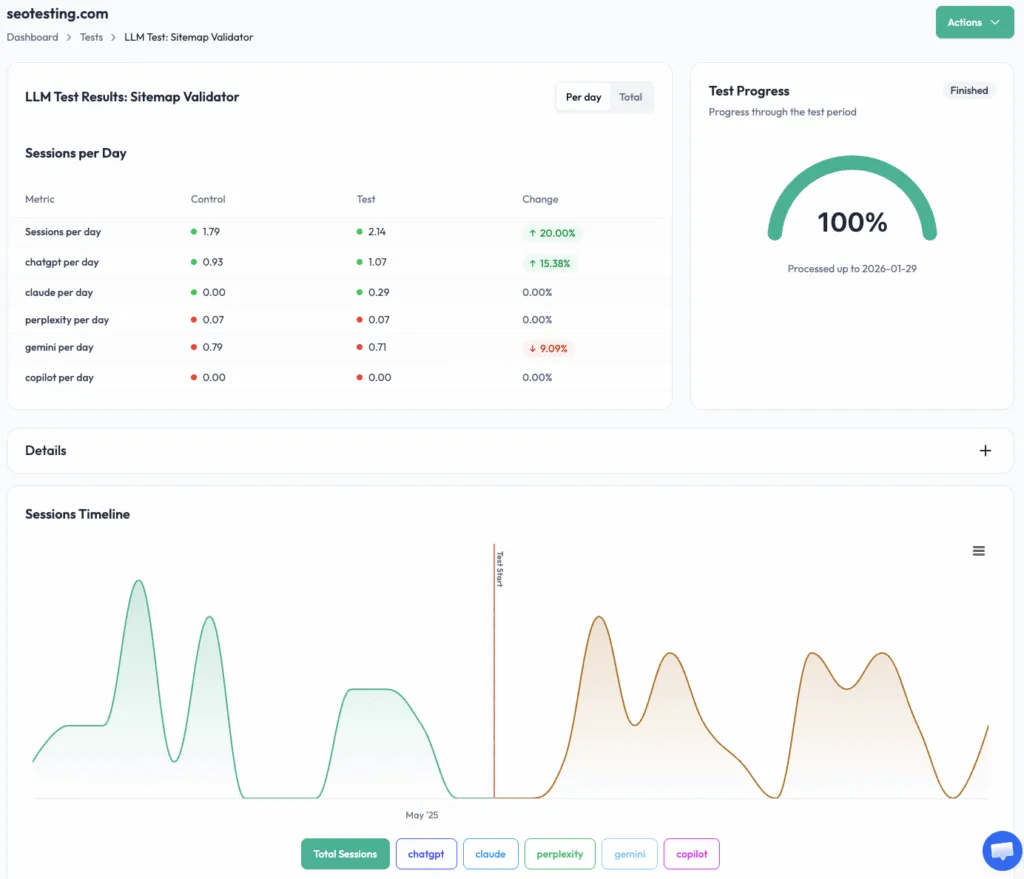
SEOTesting’s LLM tests work the same way as time-based SEO tests, but they measure sessions from popular AI assistants such as ChatGPT and Gemini. We all know that AI search is going to become more popular as time goes on, so this feature helps you understand and optimize for this emerging traffic source.
SEO reporting
SEOTesting offers a range of reports (such as the End of Month report and the Brand vs Non-Brand Performance report) that can help you turn raw data from Google Search Console into actionable insights. These reports make it easy to demonstrate progress to stakeholders without building custom dashboards or spreadsheets.
CTR optimization reports
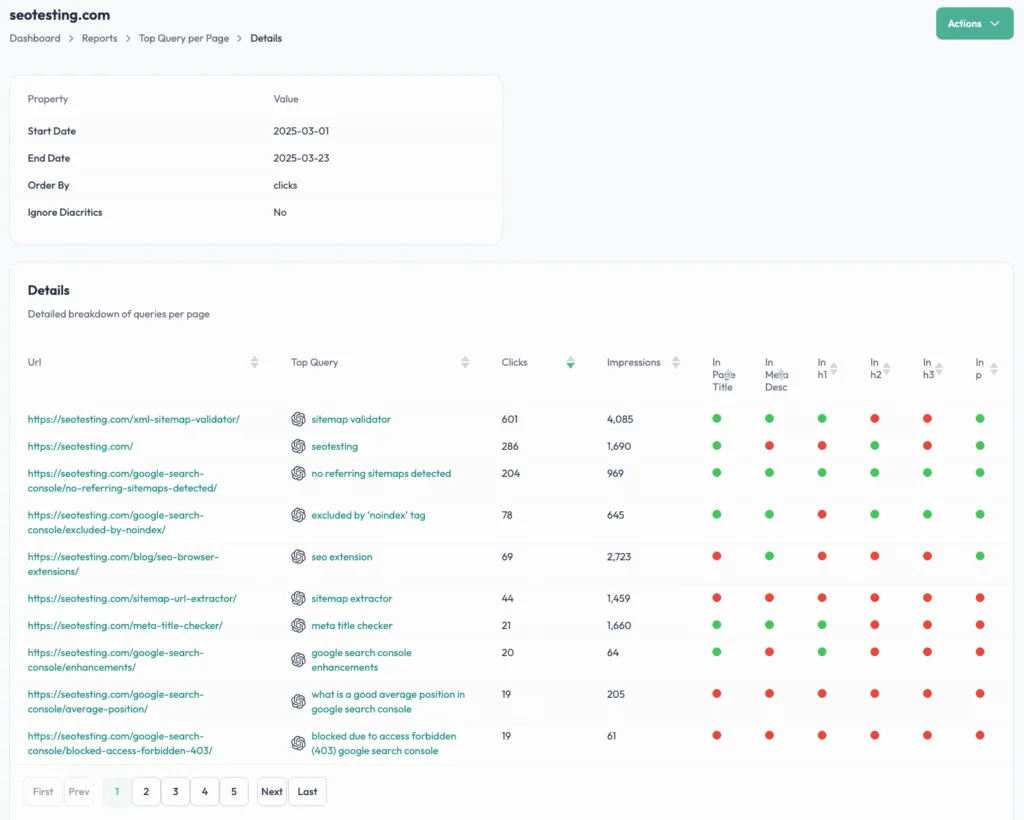
SEOTesting also includes a range of reports that identify opportunities to increase your site’s click-through rate. Reports such as the Top Query Per Page and CTR Curve reports will help you quickly spot issues and opportunities, rather than having to delve into raw GSC data.
Content-focused reports
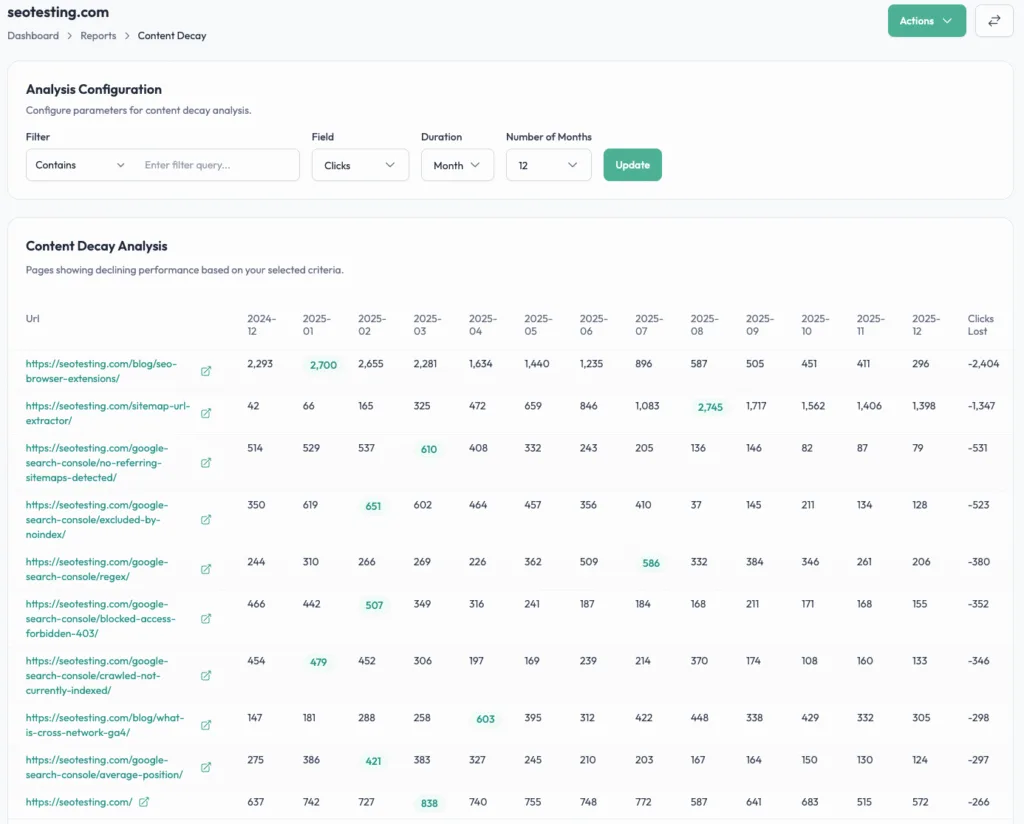
You can also prioritize content work by using the content-focused reports from SEOTesting. Reports such as the Content Decay report and the Striking Distance Keywords report will not only help you find new content opportunities but also opportunities to update and improve existing content.
Expanded GSC analysis
In our opinion, one of SEOTesting’s key features is its deeper page/query analysis and more flexible reporting, which allow you to go well beyond the standard Google Search Console views. This includes, of course, bypassing GSC’s 1,000 row limit and providing more granular filtering options.
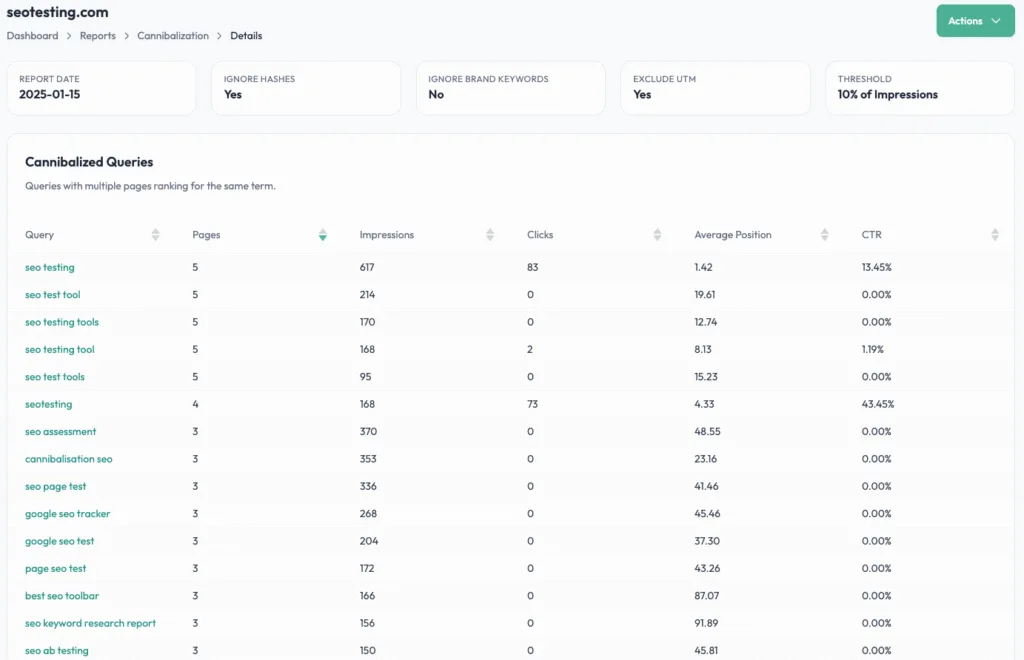
Keyword cannibalization reporting
SEOTesting makes it easy to identify keyword cannibalization by surfacing pages competing for the same queries. This is handled with a single report, rather than exporting data from GSC, entering it into a spreadsheet, and manually searching for instances of keyword cannibalization.
Content groups
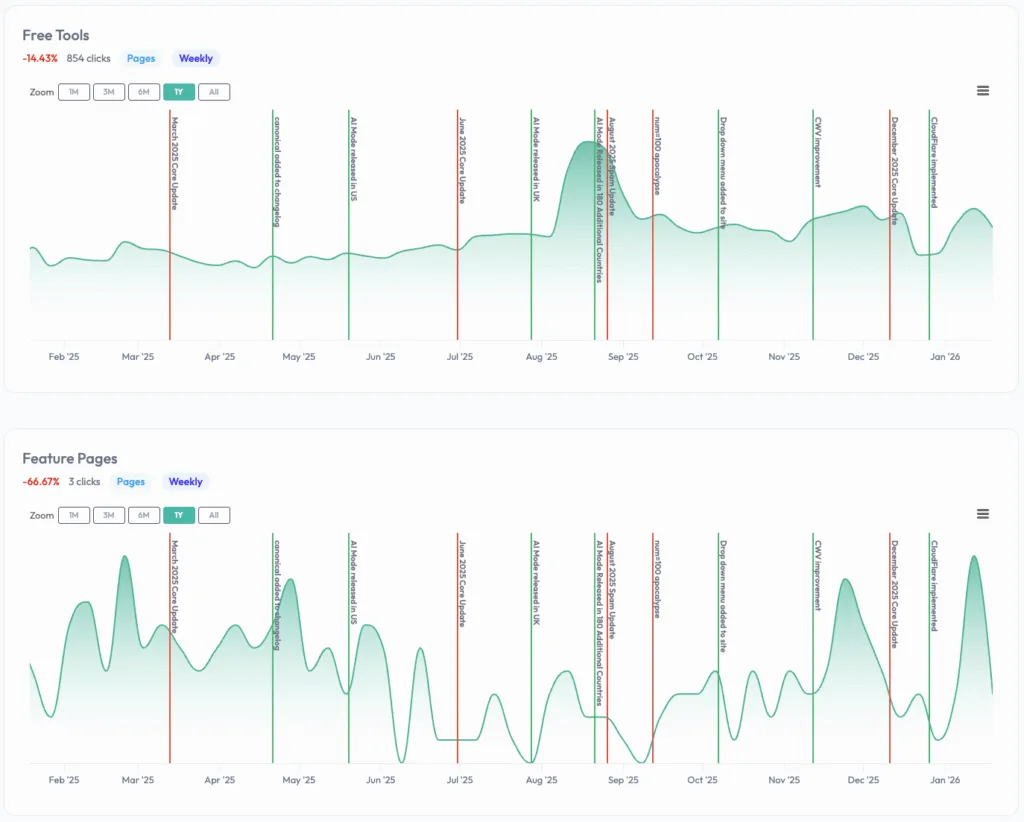
The Content Groups feature within SEOTesting lets you group pages/queries (including via RegEx) to monitor segmented performance over time. This is particularly useful for tracking performance across different:
- Site sections
- Product categories
- Content types
Site monitoring
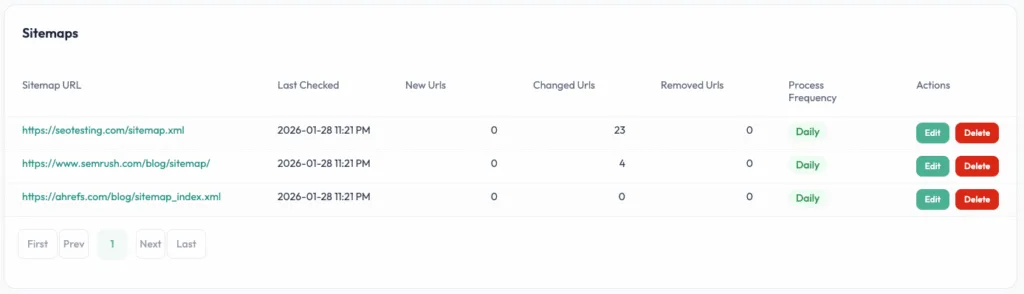
SEOTesting’s Sitemap Monitor tracks sitemap changes for you (and competitors) to spot new, removed, or altered URLs quickly. This helps you stay on top of site changes and understand competitor movements.
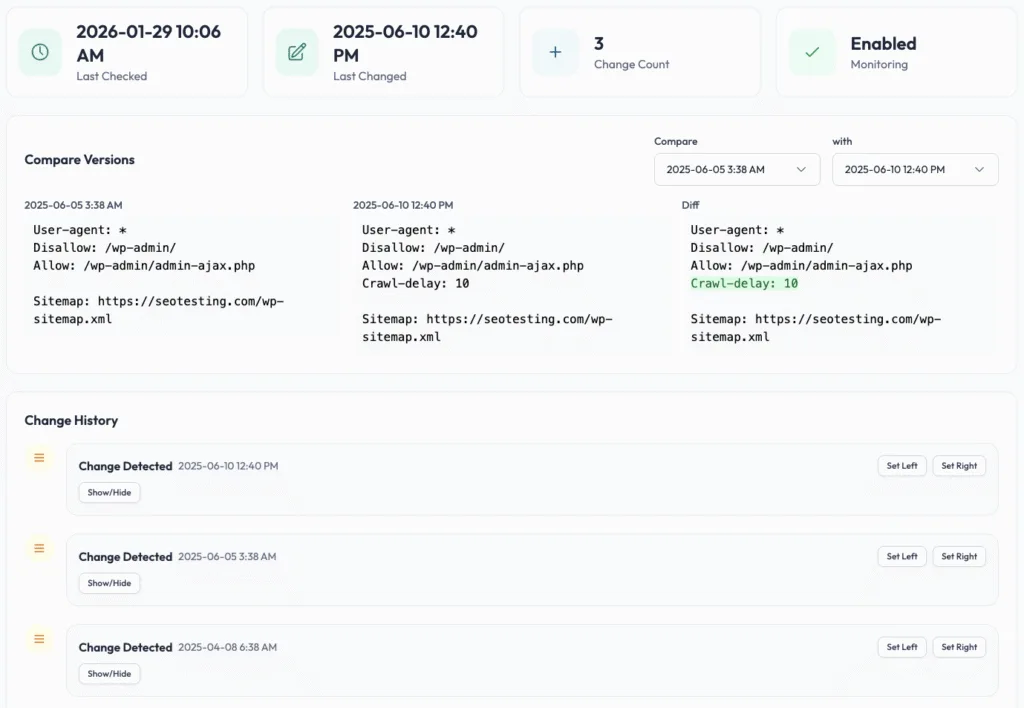
Along the same lines, SEOTesting also offers a robots.txt monitor that lets you track changes to your site’s robots.txt file, view a complete change history, and compare versions. This is incredibly helpful for ensuring no changes are made to your site’s robots.txt file that could affect search performance.
Chrome extension & Looker Studio connector
SEOTesting has a Chrome extension and a Looker Studio connector to streamline workflows and dashboard reporting. The Chrome extension surfaces GSC data while you’re browsing pages, and the Looker Studio connector makes it easy for you to build custom dashboards if needed.
Ease of use/setup
Google Search Console setup
Setting up Google Search Console is relatively straightforward but will require some technical support – especially if you’re trying to verify a domain property/root domain:
- Verify your site ownership (DNS/HTML/etc.)
- Submit your site’s sitemap
- Wait for performance and coverage data to populate within GSC
The verification step can (occasionally) be a little tricky depending on your site’s setup, but once verified, data starts flowing within a few days.
You can find more detailed instructions on Search Console’s Help Centre.
Google Analytics setup
Setting up Google Analytics is a little more involved than Google Search Console:
- Create a GA4 property
- Install the website’s tag (we’d recommend doing this via Google Tag Manager)
- Define your site’s key events (conversions)
- QA: filters, internal traffic, cross-domain if needed.
The initial setup isn’t too complicated, but configuring your GA4 properly for accurate tracking, especially for ecommerce sites or complex user journeys, can take a significant amount of effort.
SEOTesting setup
SEOTesting’s setup has been deliberately designed to be quick and easy:
- Connect to Google Search Console
- Select the site (or sites) you want to add **
- Run your first time-based test based on 1-3 high-impact pages
You’ll find that most teams can get up and running within an hour, and the platform provides automatic onboarding support to help you set up your first tests.
** There are two ways of adding sites to SEOTesting. You can quickly add sites to your GSC account without setting up custom filters, or you can set up a single site in SEOTesting with various filters, such as monitoring traffic from a single country or a single section of your site.
How to choose between Google Search Console, Google Analytics, and SEOTesting
If SEO is part of your job (and the chances are that’s the case if you’re reading this article), you’ll almost certainly use Google Search Console and GA4. If SEO outcomes are something you’re judged on, SEOTesting helps you repeatedly demonstrate what moved the needle.
Choose Google Search Console if you need:
- Indexing troubleshooting
- Query/page performance in Google Search
- Technical SEO alerts and visibility baselines
Choose Google Analytics if you need:
- To understand visitor behavior and conversion paths
- To attribute outcomes to channels and/or campaigns
- To unify web and app measurement
Choose SEOTesting if:
- You want to track what changes have been made to a site and the impact of them
- You’re constantly exporting and manipulating Google Search Console data
You want structured testing (time-based, split, and LLM) to prove your value - You manage multiple sites or need consistent reporting across clients/brands
Reviews
Google Search Console | Google Analytics | SEOTesting | |
G2 | 4.7/5 | 4.5/5 | 4.8/5 |
Capterra | 4.8/5 | N/A* | 4.9/5 |
Software Advice | 9/10 | 8.1/10 | 10/10 |
Reviews correct as of the 14th January, 2026.
* Capterra has a Google Analytics 360 review of 4.7, but no reviews currently for Google Analytics.
Google Search Console
Based on reviews from platforms like G2, Capterra, and Software Advice, most users have a positive experience with Google Search Console, citing clear first-party visibility into what’s happening in Google Search (such as what queries are driving traffic, how pages are performing, and where technical issues exist), with performance and coverage-style reporting used to spot drops, opportunities, and site health performance early.
However, some reviewers have concerns about data lag (given that GSC doesn’t provide real-time insights) and about reporting that can be unclear or lack next steps.
Google Analytics
Again, like Google Search Console, most users have a positive experience with Google Analytics thanks to them getting reliable insights into user behavior, traffic sources, and conversions (including being able to find funnel drop-offs), plus real-time visibility into what’s happening on their site, and strong integrations with other Google products like Google Ads and Search Console.
There are concerns, though. Some users have issues with GA4’s UI compared to the old Universal Analytics UI, with simple reports hidden deep in menus or requiring manual setup. Other users also report that the available data can feel overwhelming.
SEOTesting
Most reviewers have had a positive experience with SEOTesting and love the ability to track a wide range of SEO changes and prove impact through testing (including single, group, and split tests, plus time-based comparisons), alongside all of the pre-buolt reports such as the Content Decay, Keyword Cannibalization, and CTR opportunities reports.
Users also highlight the ease of implementation and day-to-day usability, a responsive support team, and daily sitemap updates to spot URL changes or removals. Substantial value for money is also a highlight (including unlimited user seats). Users also value rapid product iteration enabled by direct access to the team through SEOTesting’s Slack community.
Some reviews do, however, have minor improvement requests around test management (such as duplicating tests and selecting multiple timeframes, like 2- and 4-week windows, without recreating tasks), and note an initial learning curve due to the wide range of test types and reports available, which is offset by documentation and community support.
Which should you choose?
The likelihood is that almost every SEO team will need (if they don’t already have) access to Google Search Console and Google Analytics. The only exception here might be if you’re not using Google Analytics in your tech stack for legal reasons, or if you’re using a competitor such as Adobe Analytics.
However, these tools have their limitations:
Google Search Console is a valuable tool for organic visibility, but one major limitation is that the data only goes back 16 months. This makes longer-term YoY analysis almost impossible unless you’ve been actively exporting and storing your data elsewhere. This often leads people to look for Google Search Console alternatives.
Google Analytics is good for on-site behavior and conversions, but you’ll most likely find that deeper analysis within its Explorations section is often cumbersome and, for organic search, limited to only top-level SEO data, thanks to the limited amount of information Google Analytics gives you.
SEOTesting helps you bridge several of these gaps by automatically storing Google Search Console data long-term and, crucially, making the data more actionable. This is done through the ability to run structured time-based SEO tests and SEO split tests (so you can measure whether a change likely caused a performance improvement), alongside practical prioritization/reporting like:
- CTR optimization opportunities
- Content decay detection
- Keyword cannibalization reporting
It also supports more straightforward storytelling and diagnosis with built-in tools, including the Site Changelog and automatically displayed Google algorithm updates on performance charts.
Getting started with SEOTesting
If you’re ready to make better use of your Google Search Console and Google Analytics data, give SEOTesting a try today. You’ll get access to a 14-day free trial (with no need to add credit card information), and you can add up to 30 sites during your trial period. Sign up today, and get ready to prove your value as an SEO team and save huge amounts of time.
Frequently Asked Questions
Do I need Google Search Console if I have Google Analytics?
Strictly speaking, no. But in practice, yes!
Google Analytics focuses on on-site behavior, while GSC is a first-party data source for Google Search visibility and indexing diagnostics.
Can Google Analytics show the keywords/search queries people used to find my site?
Google Analytics can surface limited query insights, but for the most direct dataset for your site’s query/page data, you’ll need to use Google Search Console.
How do I connect Google Search Console to Google Analytics?
In Google Analytics, make sure:
- Your GA4 property and Search Console property cover the same website/pages.
- You have the “Editor” role in GA4.
- You’re a verified owner of the Search Console property.
Then, go to Google Analytics → Admin → Product links → Search Console Links → Link. Choose accounts to pick the right Search Console property, and then confirm → Next, select the correct web data stream, then Next → Submit.
After linking, the Search Console report collection may be unpublished by default. You can publish it from Reports → Library to see the Search Console Reports in Google Analytics.
How much does SEOTesting cost?
- Single Site: $50/month (flat rate) for 1 website, unlimited users, and 25 Internal Linking (IL) credits.
- Medium: $125/month for up to 5 websites, unlimited users, 75 IL credits, plus a 1:1 onboarding call.
- Large: $375/month for up to 20 websites, unlimited users, 300 IL credits, and quarterly training sessions.
- Enterprise: Custom pricing for higher site limits, with unlimited training and dedicated support.
All plans support unlimited users and include a 14-day free trial (no credit card required). Plans are billed monthly, with annual options available on request.
Testimonials
-

"Can totally recommend! It’s not only full of reports to easily identify low hanging fruit opportunities but also, the most straightforward platform to help run SEO tests"
Aleyda Solis, Intl SEO Consultant, Speaker & Author.
-

"SEOTesting.com has become one of my go-to SEO tools because it does so much with all the valuable data hidden in Google Search Console. It's the only thing that gives us the ability to use that data for keyword tracking, SEO tests, and quality testing."
Ruben Gamez, DocSketch