Running an SEO agency means having to juggle lots of client sites, each with different challenges and lots of monthly reporting deadlines. You and your team face constant pressure:
- Onboarding new clients without having a negative impact on workflows
- Standardizing processes across different clients in different niches
- Proving ROI to stakeholders who don’t “speak” SEO
Having the right tools is vital for an SEO agency.
This article cuts through the noise to show you the SEO tools that actually solve agency problems. We’re focusing on tools that scale across multiple clients, automate repetitive work, and produce client-ready reports so you don’t have to spend hours reviewing raw data. These are the tools that you, as an SEO lead or agency owner, can rely on to deliver consistent results while maintaining profit margins.
Table of Contents
- The Evolution of SEO Tools
- What to Look for in SEO Software Tools for Agencies
- Top Agency SEO Tools for 2026
- Conclusion: Best Picks, How to Choose, and Next Steps
- What Should You Do Now?
The Evolution of SEO Tools
I started my career in SEO over ten years ago. In that time, I’ve seen agency SEO shift from a lot of one-off work to a large-scale operation. Ten years ago, every client audit needed to be done manually by a member of the SEO team. Hours and hours gathering raw data, putting that data into reports that looked great, and finding bespoke recommendations for each individual client.
The SEO tool market was booming, but it was hard to find tools that suited agencies managing 10, 20, or 50 clients simultaneously.
For agency owners, success has never just been about having access to great tools. It’s always been about building repeatable systems around them. The difference now is scale and speed. Clients expect:
- Faster turnarounds
- Clearer insights
- Stronger proof of impact
And AI has only increased those expectations. It’s not enough to have the best data. You need workflows that allow you to audit 20 sites int eh time it once took to audit 5. And you also need standardized reporting so every client receives the same high-quality deliverables without you rebuilding reports from scratch. And you need automation for:
- Rank tracking
- Technical monitoring
- Performance changes
So your team can focus on strategy instead of data collection.
Today, agency tech stacks aren’t built around buzzwords. They’re built around practical questions:
- Does this make my team faster?
- Does this improve the quality of our work?
- Is it more cost-effective than what we’re using now?
- Can it clearly show ROI to clients?
Agency owners don’t care about features for the sake of features. I don’t think any of us do, in fact. They care about efficiency, margins, performance, and retention. The tools that win aren’t the ones with the longest feature lists, they’re the ones that help teams do better work, in less time, without increasing overhead.
What to Look for in SEO Software Tools for Agencies
Not every SEO tool is built with agencies in mind. The difference between a “good” agency tool and a “great” tool often comes down to whether it can handle multiple clients or projects without issue.
Here’s what actually matters when evaluating tools for agency use.
Keyword Research
Despite the current talk about GEO/AEO/AIO/LLMO or whatever acronym we choose for it in the end, keyword research (and, more importantly, topic research) is still incredibly important, especially for agencies researching keywords and topics across a range of clients and industries. So having a tool that can handle keyword research is vital.
Backlink Analysis
Links remain as important as ever. As a result, every agency needs an SEO tool in its stack to track and analyze backlinks pointing to its clients’ websites. Agencies need to monitor incoming backlinks, the pages they point to, and assess their quality.
Technical Auditing
Technical audits are, for most agencies, a crucial part of the job. Agencies need to run client audits, identify issues on sites, and prioritize them based on the potential impact of fixes. Ensuring agencies can access a tool that handles technical auditing at scale is also critical.
Multi-Client Management
The one thing all SEO agencies have in common is that they work with multiple clients. Because of this, the SEO tools they choose must allow them to serve multiple clients easily, without becoming too expensive or overwhelming their team.
Reporting
Given that most agencies report to clients monthly, it is important that the tools in their tech stacks also support this and streamline reporting, whether this is through the ability to export charts and graphs or by making the data easy to understand for stakeholders who might not “speak” SEO.
Usability
Usability is also crucial for SEO agencies when using tools. It’s uncommon for a single person to be responsible for a specific SEO tool, and users can range from SEO executives with limited experience to experienced SEO managers. Because of this, it’s important that the tools agencies use remain as uncomplicated as possible.
Integrations
Given that agencies use a wide range of SEO tools, software that integrates with any tools within an agency’s existing tech stack can become a key selling point. Given the need for integrations, agencies are more likely to choose tools with a readily available list of integrations.
Top Agency SEO Tools for 2026
We will now drill down into some of the best agency SEO tools that your teams can use in 2026 and beyond. You will likely already be using some of these tools, but others may still be off your radar, and we want to bring them to your attention.
Best for Proving SEO Impact & Reporting
SEOTesting
Okay, we’re obviously biased here (sorry!). But we genuinely believe there’s no better tool for proving SEO impact than SEOTesting. Experimentation is literally in the name, and there’s arguably no better way to demonstrate the value of your SEO work than running structured tests and showing clients exactly what moved the needle.
SEOTesting integrates directly with:
- Google Search Console
- Google Analytics
- Bing Webmaster Tools
Allowing agencies to set up tests across multiple client websites, track the impact of SEO changes on clicks, impressions, and average position, and present those findings in a clear, stakeholder-friendly format. You can also backdate tests, which is particularly useful when onboarding a new client and validating the impact of work that’s already been done.
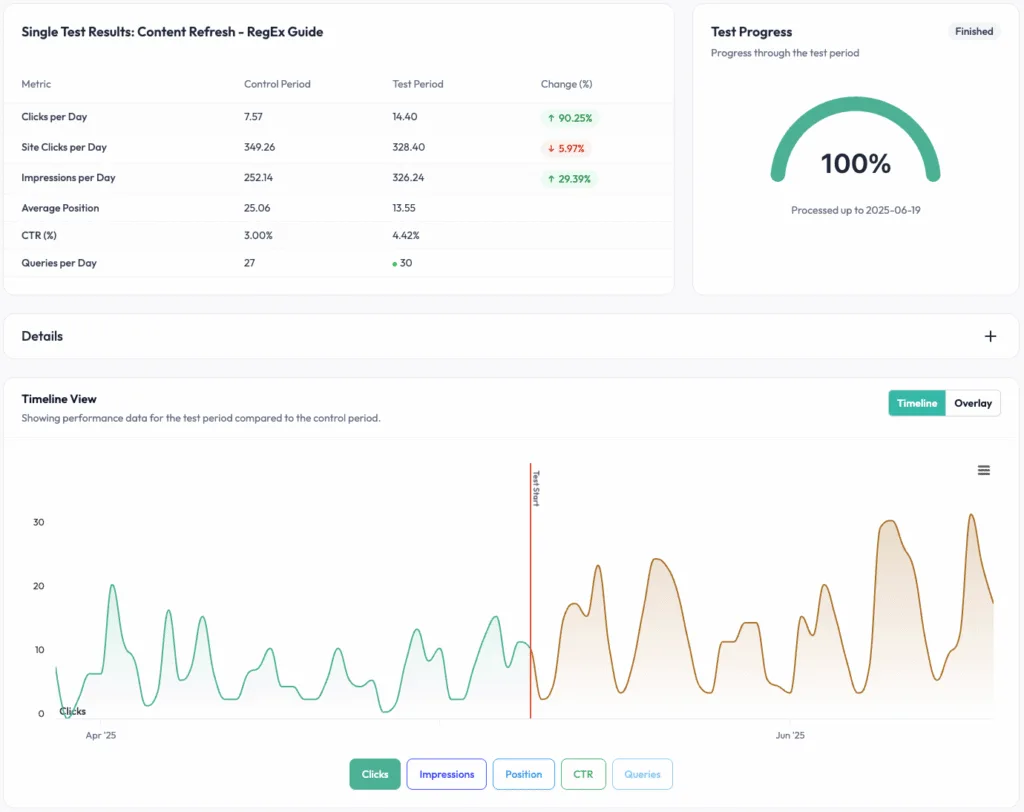
It won’t replace your keyword research or technical auditing tools. But for agencies that need a repeatable, client-ready way to prove their work is working and reduce churn, SEOTesting is the tool that fills the gap left by everything else.
Pricing
SEOTesting has four simple pricing plans:
- Single Site: $50 Per Month
- Medium Plan (5 Websites): $125 Per Month
- Large Plan (20 Websites): $375 Per Month
- Enterprise Plan (20+ Websites): Custom Pricing
All of our plans support unlimited user seats, meaning there’s no hidden cost for adding additional team members to your plan. And every plan includes a free 14-day trial.
Reviews
Platform | Rating |
G2 | 4.8/5 |
Capterra | 4.9/5 |
Software Advice | 4.9/5 |
Who is SEOTesting Best For?
Look, we are obviously biased, but we think that SEOTesting is best suited to agencies that are truly focused on proving the impact their work has on clients, decreasing customer churn, and increasing the number of people that renew their retainers. We do this through structured testing, so you can find (and show) what works, as well as making Google Search Console data more accessible to your stakeholders.
If you want to give SEOTesting a trial run, you can sign up to our free 14-day trial today. Sign up here.
Google Search Console
If you’re doing SEO for clients and aren’t fully using Google Search Console, it should (probably) be your first priority.
GSC provides direct, first-party data from Google on how your clients’ sites are performing in search:
- Which queries are driving clicks and impressions.
- Which pages are and aren’t indexed.
- Core Web Vitals data.
- Any manual actions or security issues Google has flagged.
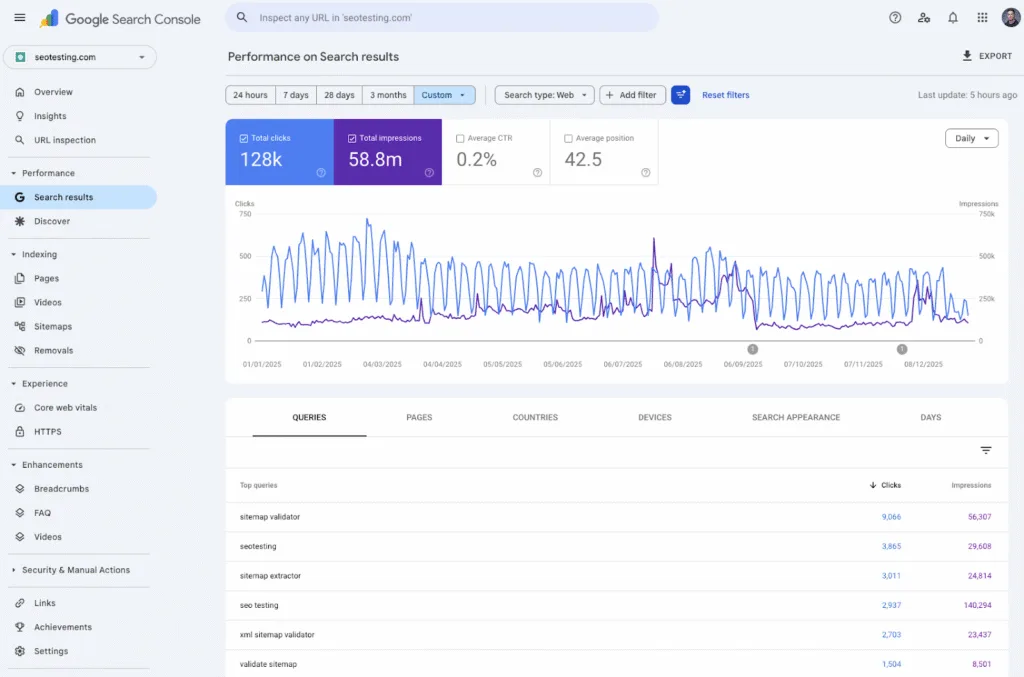
For agencies, it’s the foundation on which everything else is built. No third-party tool gives you a more accurate picture of how Google sees your clients’ sites.
But it does have several limitations.
- The 16-month data cap is frustrating.
- The interface isn’t designed for client reporting.
- Data is sampled at scale.
That’s why agencies tend to look for alternatives to GSC (or pair with a tool like SEOTesting), which makes the underlying data more actionable and easier to present to stakeholders who don’t want to live in a spreadsheet.
Pricing
Google Search Console is completely free to use.
Reviews
Platform | Rating |
G2 | 4.7/5 |
Capterra | 4.8/5 |
Software Advice | 4.8/5 |
Who is Google Search Console Best For?
If you are doing SEO, you should be using Google Search Console. Yes, it has usability and data-limit issues, but for first-party data, there really isn’t a better source.
Google Analytics (GA4)
No SEO tools article would be complete without mentioning GA4, and for agencies in particular, it’s one of the most important tools in the stack.
GA4 answers the question every client asks: “Is the organic traffic we’re getting actually doing anything for our business?” Whereas GSC tells you how clients are performing in search, GA4 tells you what happens after the click. By setting up conversion tracking properly, you can show clients not just how much organic traffic they’re receiving, but what that traffic is doing.
Whether it’s submitting enquiry forms, completing purchases, or any other action that matters to their business.
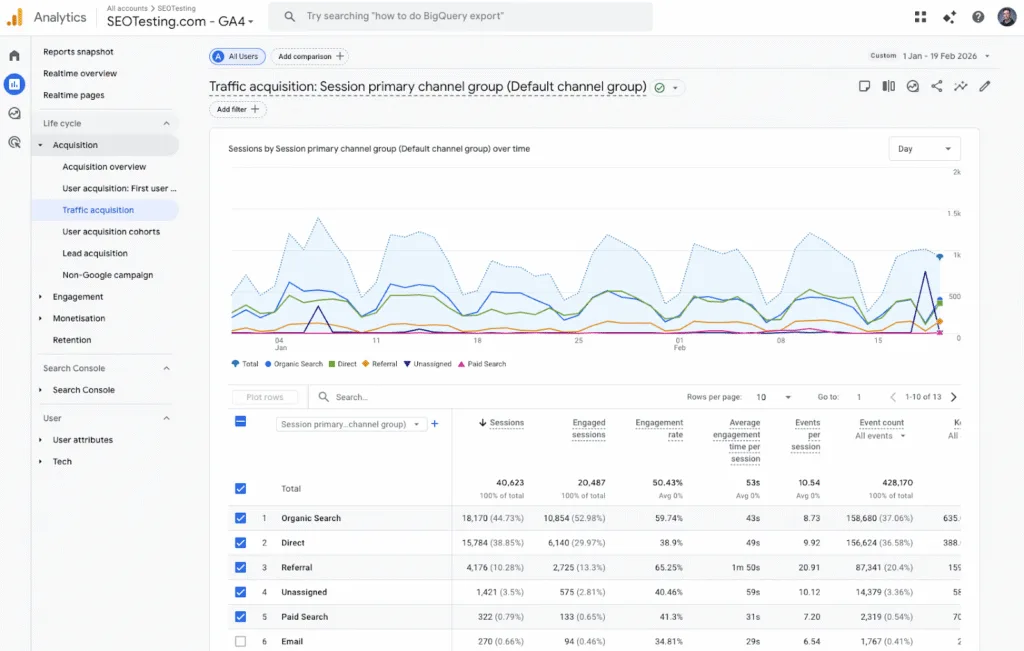
GA4’s event-based data model is more flexible than its predecessor, but it comes with a steeper learning curve, and meaningful conversion tracking requires some technical setup. Most agencies build Looker Studio dashboards on top of GA4 to make the data more client-friendly.
Pairing GA4 with a tool like SEOTesting also helps bridge the gap between raw analytics data and clear, attributable SEO outcomes. But as a free platform (unless you’re using Google Analytics 360), which most clients already have installed, it’s a core part of an agency analytics setup.
Pricing
Google Analytics is completely free, unless you’re using Google Analytics 360. If you are using Google Analytics 360, prices start from around $50,000 per year and scale up from there.
Reviews
Platform | Rating |
G2 | 4.5/5 |
Capterra | 4.7/5 |
Software Advice | 4.7/5 |
The Capterra and Software Advice ratings are for Google Analytics 360, not the standard version of Google Analytics.
Who is Google Analytics Best For?
Pretty much any agency that is doing SEO for clients and wants to prove the value of their work can get use from Google Analytics. The only exception here is if your clients are unable/banned from using Google Analytics for privacy reasons, or they have access to competitor products such as Adobe Analytics.
Bing Webmaster Tools
Bing Webmaster Tools tends to get overlooked a little by lots of agencies. But it’s a free tool that’s well worth you spending the few minutes it will take you to set up for your clients.
Bing Webmaster Tools gives you:
- Technical health data
- Crawl information
- Keyword performance reports
- Site scan recommendations
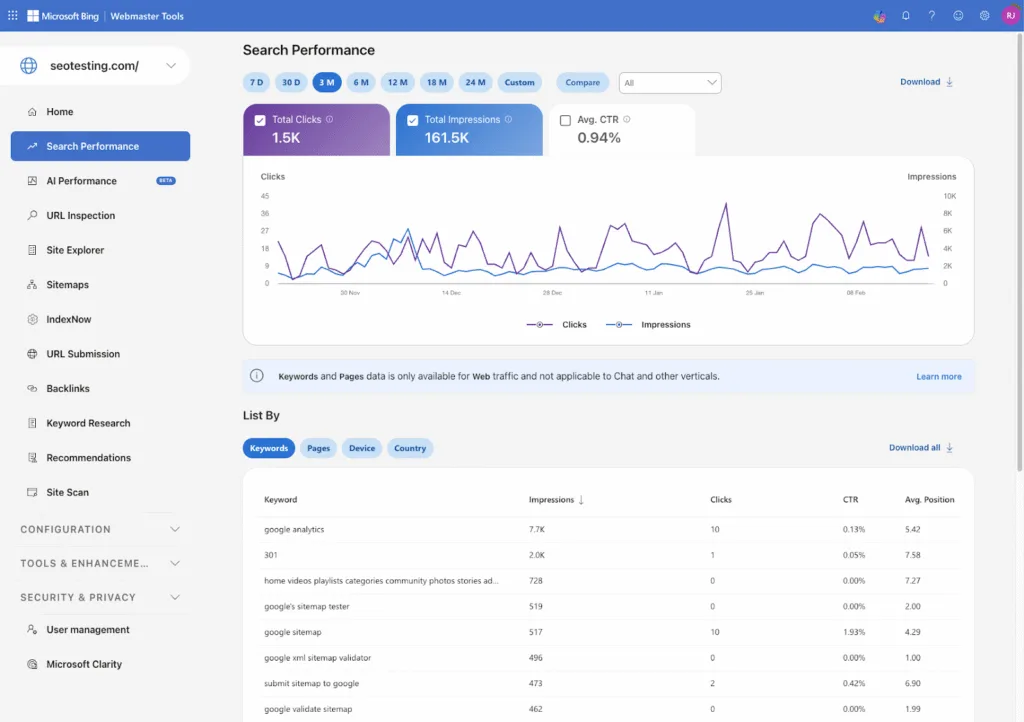
For most agency clients, Bing can still account for lots of meaningful search traffic, especially in B2B markets and among desktop users. If you ignore it, you risk missing technical issues that quietly harm your performance on a platform that is used by lots of your clients’ target audience!
From a workflow perspective, setup is quick (especially since it lets you import your GSC verification to save time), and the SEO reports and site scan features give you a useful supplementary audit layer on top of what you’re already getting from GSC. It’s not a replacement for GSC, but as a free, low-effort addition that gives you a more complete picture of your clients’ search presence, it’s hard to argue against.
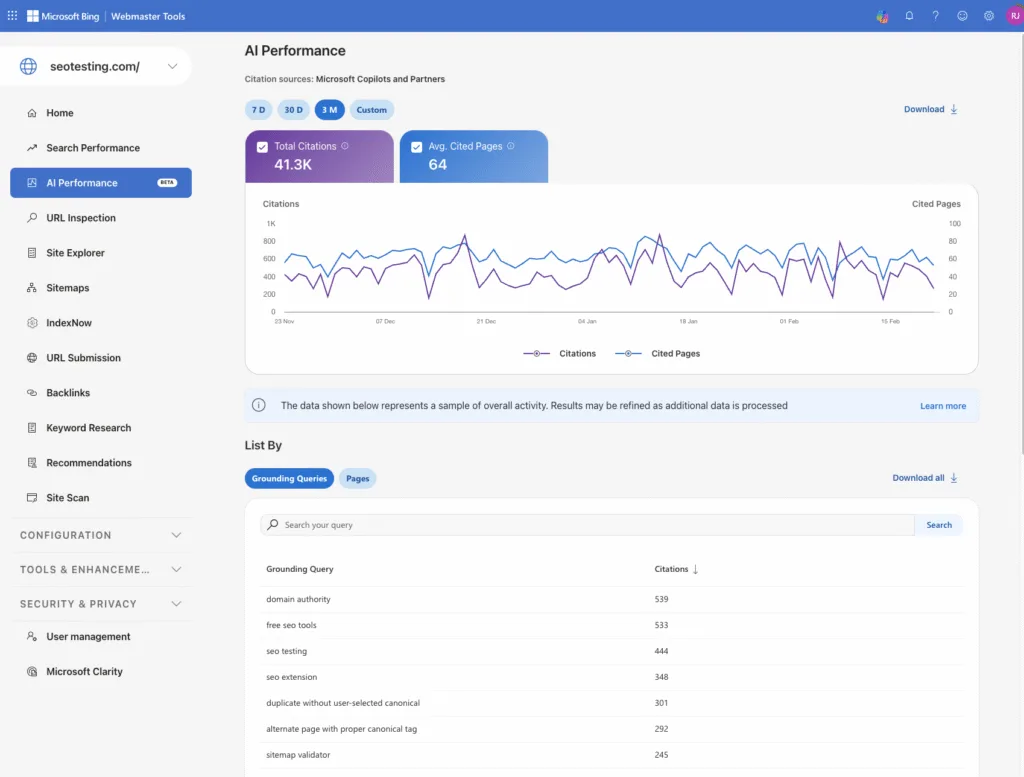
And that’s before we mention Bing Webmaster Tool’s latest innovation, an AI Performance Report! This is the first update of its kind coming from a first-party data provider, and allows webmasters to see the mentions they’re getting from Bing-powered LLMs (Copilot, mainly) as well as the citations they’re getting too.
Pricing
Bing Webmaster Tools is free to use.
Reviews
Platform | Rating |
G2 | 4.3/5 |
Capterra | 4.4/5 |
Software Advice | 4.4/5 |
Who is Bing Webmaster Tools Best For?
Bing Webmaster Tools will be a good fit for agencies that want insights into their client’s website health and technical insights beyond just the recommendations and data from Google Search Console. This becomes increasingly important if your client sites receive significant traffic from Bing or other Microsoft-owned search engines.
All-In-One SEO Suites
Ahrefs
Ahrefs is one of the most widely used SEO platforms for agency teams, and it’s easy to see why. It covers the core workflows agencies run repeatedly:
- Backlink analysis
- Keyword research
- Rank tracking
- Site auditing
- Competitor intelligence
All within a single platform that can be used with multiple clients.
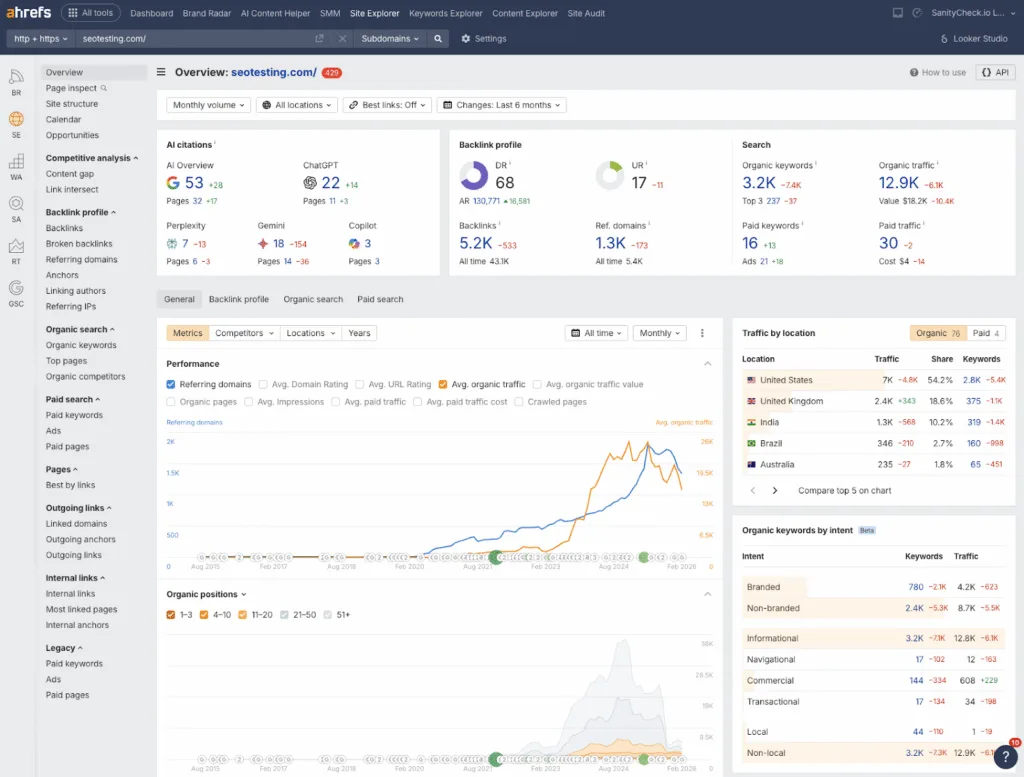
Its backlink data is widely regarded as among the most comprehensive available, making it a strong choice for agencies where link building and competitive research are core services. The Keyword Explorer is also useful, with detailed data across a large index and useful metrics like Keyword Difficulty and Traffic Potential that help agencies prioritize content and link opportunities effectively. The site audit tool gives a solid technical health check across multiple client projects, and rank tracking lets you monitor performance at scale.
For agencies specifically, the ability to manage multiple client projects within a single account and apply the same workflows across different accounts is where (in my opinion) Ahrefs genuinely earns its place.
Pricing
You can access a limited version of Ahrefs for free. But you can only view data for sites you own and can verify.
Monthly pricing for Ahrefs is as follows:
- Lite: $129 Per Month
- Standard: $249 Per Month
- Advanced: $449 Per Month
- Enterprise: $1,499 Per Month
Reviews
Platform | Rating |
G2 | 4.5/5 |
Capterra | 4.7/5 |
Software Advice | 4.7/5 |
Who is Ahrefs Best For?
Ahrefs is best suited for agency SEO teams that need deep competitor and backlink intelligence, along with site auditing and rank tracking, all in a single tool, especially when you can operationalize it across multiple clients.
Semrush
Semrush is an all-in-one digital marketing platform covering:
- SEO
- Content marketing
- PPC
- Social media
All alongside each other. For agencies delivering services across multiple disciplines, it can often do the job of multiple tools (and subscriptions) in a single platform and a single payment.
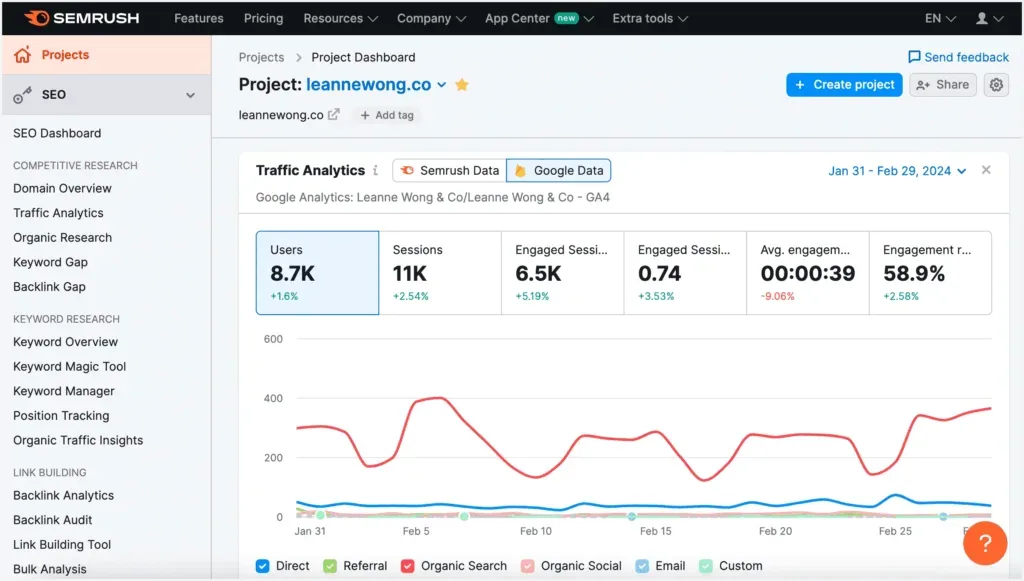
On the SEO side, Semrush includes keyword research via the Keyword Magic Tool (also one of the largest keyword databases on the market), rank tracking across multiple locations and devices, site auditing, backlink analysis, competitor intelligence, and (increasingly) AI search visibility tracking. Its reporting suite and Looker Studio integration make it relatively easy to produce client-facing reports with minimal manual work, which matters when you’re reporting across a large number of accounts each month.
Where Semrush differentiates itself from tools like Ahrefs (and Moz Pro, which we’ll move onto next) is in breadth rather than depth. If your agency needs to move across:
- SEO
- Paid media
- Content analytics
Within a single platform, Semrush handles that in a way most tools in this list don’t. The trade-off is that the platform can feel overwhelming for newer team members, and pricing is on the higher end once you factor in the number of users and the tracked keywords most agencies need.
It’s a great choice for SEO agencies, but there are a handful of competitors to Semrush that also might be worth considering.
Pricing
Semrush offers a range of free tools that serve as an entry point to its platform. This includes:
- SEO Checker
- Website Authority Checker
- AI Search Visibility Checker
But these are only free tools. To access the full Semrush platform, you’ll need a monthly subscription. Here are the monthly prices for Semrush One:
- Starter: $199 Per Month
- Pro+: $299 Per Month
- Advanced: $549 Per Month
And here are Semrush’s SEO Classic plans:
- Pro: $139.95 Per Month
- Guru: $249.95 Per Month
- Business: $499.95 Per Month
Reviews
Platform | Rating |
G2 | 4.5/5 |
Capterra | 4.6/5 |
Software Advice | 4.6/5 |
Who is Semrush Best For?
Semrush is best suited for agencies that want a single tool that covers nearly everything across SEO and digital marketing. So if you’re not just looking for an SEO tool, but also want a tool to help with social media marketing and paid advertising, you might choose Semrush as one subscription over a combination of other tools.
Moz Pro
Moz Pro is an all-in-one SEO platform covering:
- Keyword research
- Rank tracking
- Site auditing
- Backlink analysis
- On-page optimization
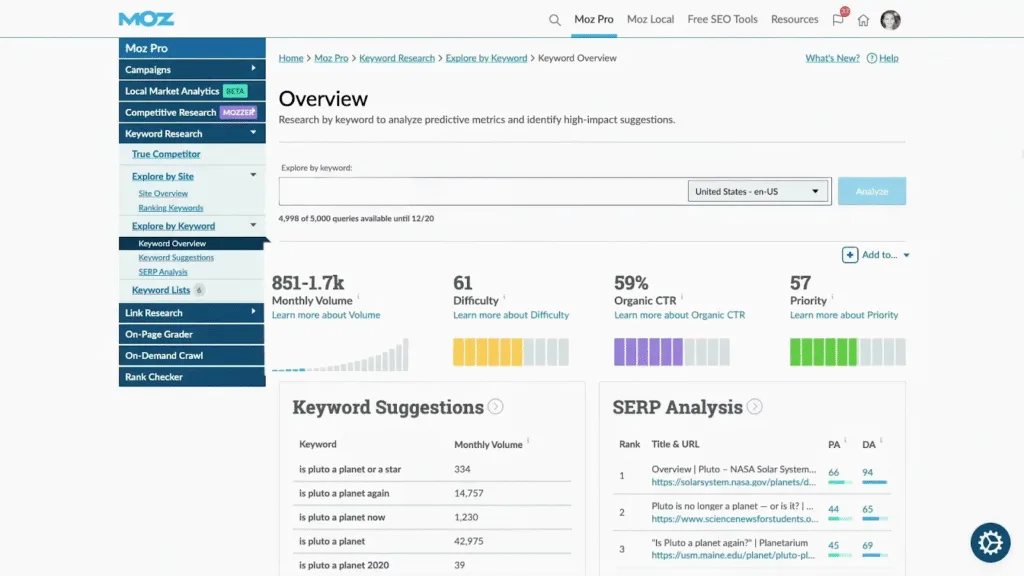
It’s not trying to “out-feature” Ahrefs or Semrush, and that’s actually part of its appeal to certain agencies.
What Moz does particularly well is make SEO data understandable. Domain Authority and Page Authority have become widely recognized benchmarks for communicating site strength to clients who don’t have a huge amount of technical expertise. The Keyword Explorer is clear and structured. The site audit functionality is accessible without being overwhelming. And the reporting and dashboard features are solid for agencies that need to regularly present clean, easy-to-understand performance updates to clients.
For agencies onboarding less experienced team members, or those whose clients like to stay closely involved in the process, Moz Pro’s approachability is a genuine advantage. Its limitations are in the raw data. Agencies that rely heavily on backlink analysis or granular keyword research may find Moz less comprehensive than Ahrefs or Semrush.
Pricing
There is a free tier for Moz Pro, but it won’t be appropriate for most agencies unless you’re 3-5 people or fewer.
Here are the monthly subscription prices for Moz Pro:
- Starter: $49 Per Month
- Standard: $99 Per Month
- Medium: $179 Per Month
- Large: $299 Per Month
Reviews
Platform | Rating |
G2 | 4.3/5 |
Capterra | 4.5/5 |
Software Advice | 4.5/5 |
Who is Moz Pro Best For?
Moz Pro is best for agencies that want a trustworthy, understandable SEO foundation, rather than a huge all-in-one growth or automation engine, if you need great foundational SEO data but don’t need full “powerhouse” tools like Ahrefs or Semrush.
Technical Audits & Crawling
Screaming Frog SEO Spider
Screaming Frog is the crawler that most technical SEOs will have encountered at some point in their careers, and it’s still one of the most capable tools in the category. For agencies where technical auditing is a regular part of work for clients, it’s close to non-negotiable.
The core workflow is straightforward:
- Point it at a client’s URL
- Run a crawl
- Get a detailed breakdown of every technical issue it finds
These issues could be anything from:
- Broken links
- Redirect chains
- Missing or duplicate meta tags
- Canonicalization problems
- Thin content flags
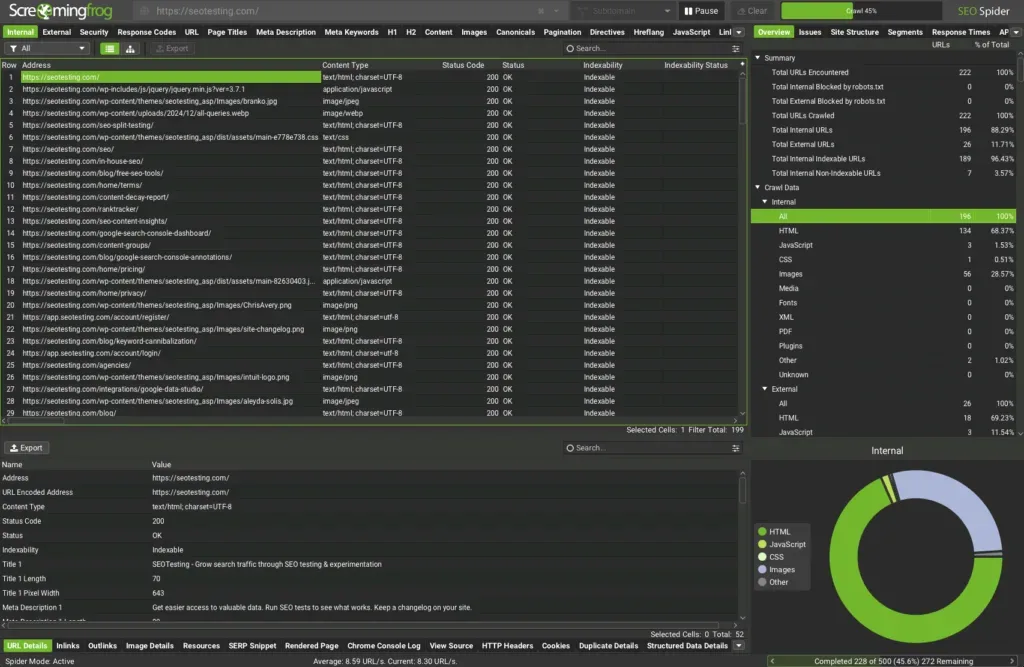
It also integrates with GSC, GA4, and PageSpeed Insights, so you can layer performance data on top of your crawl results without manually cross-referencing everything. For agencies, it’s most commonly used during onboarding (to establish a technical baseline) and periodically through a retainer to catch issues before they become problems.
The main practical consideration for agencies is that it’s a desktop application, running on individual machines rather than in the cloud. Licenses are also per-user, so costs scale with your team size. Screaming Frog has a learning curve for newer team members, but once you’re comfortable with it, it’s one of the most efficient and cost-effective tools available.
Pricing
Screaming Frog offers a free version that lets you crawl up to 500 URLs per website. While it might be appropriate for individual SEO professionals or small agencies working on small sites, it won’t be well-suited for larger agencies that work on bigger websites.
Screaming Frog’s paid license costs $279 per year and is offered on a one-license-per-user model.
Reviews
Platform | Rating |
G2 | 4.7/5 |
Capterra | 4.9/5 |
Software Advice | 4.9/5 |
Who is Screaming Frog Best For?
Screaming Frog is the go-to choice for agencies that need a “hands-on” crawler for repeated technical audits. If one of your main onboarding and ongoing processes is to run audits with your technical SEO staff at the helm, this is the tool we recommend.
Sitebulb
Sitebulb is a technical SEO auditing tool that crawls websites and presents findings in a visual, prioritized format. Rather than returning a flat, spreadsheet-like summary of data, it organizes issues into actionable hints with clear explanations of why each one matters. This makes it significantly faster to build audits from and much easier to present to clients who aren’t deep in technical SEO.
For agencies, Sitebulb’s Cloud version gives you a huge advantage over desktop-only alternatives. You can schedule crawls to run automatically across lots of client sites, monitor changes between crawls, and give your different team members access without all needing to be on the same machine. That kind of capability is hugely useful for agencies who have to manage lots of client’s websites from a technical perspective.
Given that Sitebulb offers both desktop and cloud-based solutions, you might find that Sitebulb Desktop works perfectly for you if you’re a smaller agency. Whereas if you’re a larger agency, especially if you’re dealing with lots of massive client sites, then it might be worth upgrading to Sitebulb Cloud.
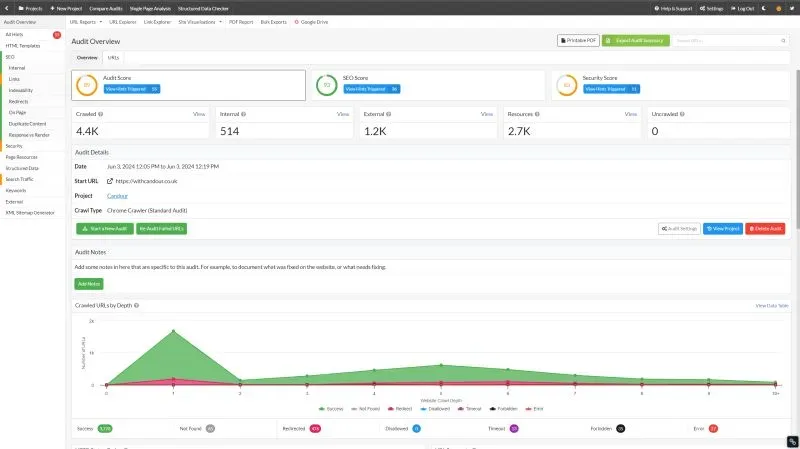
It’s a specialist auditing tool rather than an all-in-one platform, so you’ll still want keyword research and rank tracking from another tool in your stack. But for agencies that want best-in-class technical auditing with reporting that’s genuinely easy to communicate to clients, Sitebulb is one of the better options available.
Pricing
Sitebulb’s pricing is split into two tiers, depending on which version of Sitebulb you choose.
Sitebulb Desktop Pricing:
- Lite: $18 Per Month
- Pro: $42 Per Month
Sitebulb Cloud Pricing:
- Mini: $125 Per Month
- Small: $245 Per Month
- Medium: $495 Per Month
- Enterprise: Custom Pricing
Reviews
Platform | Rating |
G2 | 4.5/5 |
Capterra | 4.9/5 |
Software Advice | 4.9/5 |
Who is Sitebulb Best For?
Sitebulb is best suited for agencies seeking a truly best-in-class technical SEO auditing tool, not an all-in-one suite. It’s also a tool if you need “simpler” data to present to your stakeholders, and it offers more visual options than the closest competitor, Screaming Frog.
Google PageSpeed Insights
Page speed is something most clients understand, mostly because nobody likes a slow website. But translating that into actionable fixes is often where an agency will need to step in.
Google PageSpeed Insights analyzes any URL and gives you back a performance score for both desktop and mobile, alongside a breakdown of the specific factors that are impacting load time:
- Unoptimized images
- Render-blocking scripts
- Poor caching
- Excessive third-party code
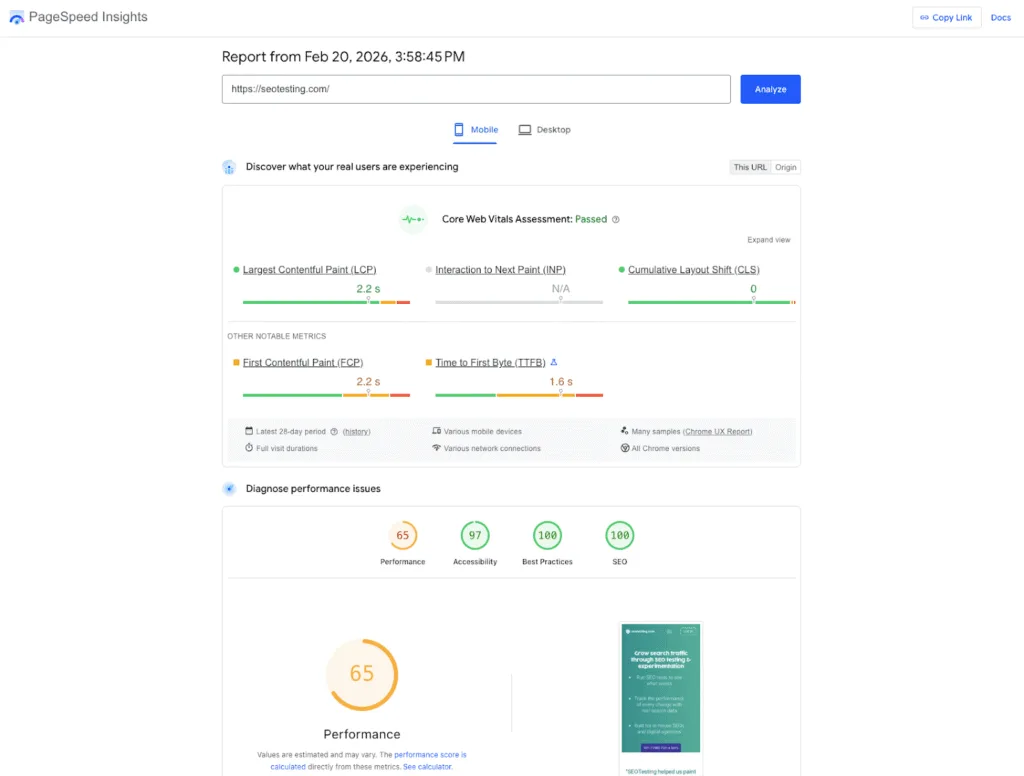
Crucially, the recommendations are tied to real-world Chrome user data rather than just lab scores, giving you a more honest picture of what your clients’ visitors are actually experiencing.
For agencies, it works best as a quick diagnostic and client communication tool. Run it at the start of a client engagement to find a baseline, use the scores to make the case for page speed work to clients who might otherwise not think it’s a value-adding task, and track improvements over time as fixes get implemented.
Author’s Note: You can use SEOTesting to see the impact of page speed fixes using our range of SEO tests!
Pricing
Google PageSpeed Insights is free to use.
Reviews
Given that Google PageSpeed Insights isn’t really a standalone software tool and is more of an add-on to Google’s existing set of SEO tools, it does not feature on major review platforms at the time of writing.
Who is Google PageSpeed Insights Best For?
Google PageSpeed Insights is a great tool for any agency that wants to see client website page speed data at a glance and turn it into actionable items for their SEO and development teams.
Keyword Research & Content Optimization
Keyword Insights
If your agency does content work at scale, you’ll know the pain of taking a large list of keyword ideas and trying to figure out how to organize them into a strategy that actually makes sense. Keyword Insights was built specifically to solve that problem.
You upload a list of keywords, and the tool automatically clusters them by SERP similarity and search intent, grouping keywords that Google treats as interchangeable (suitable for a single page) and separating those that need their own content.
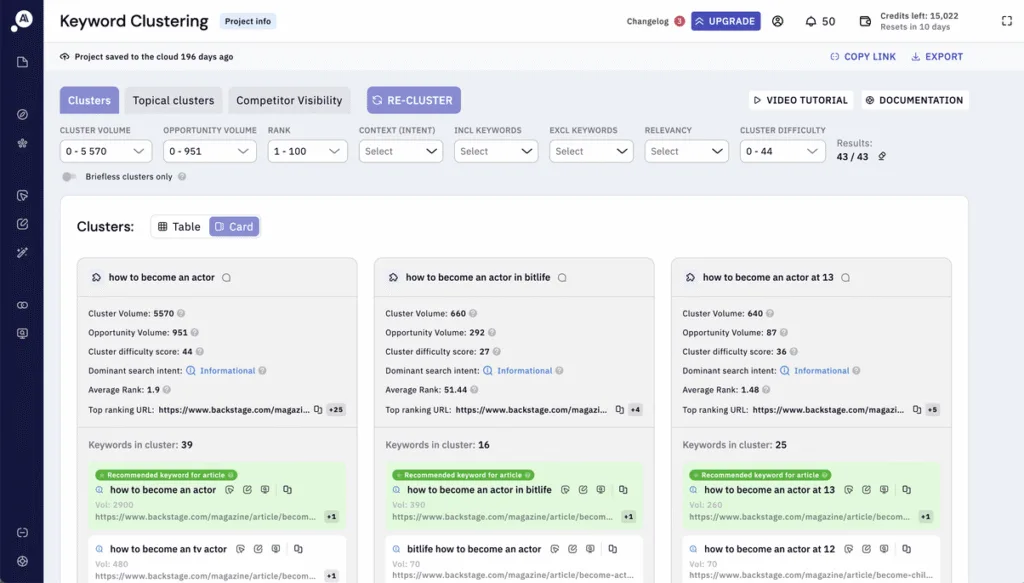
It also generates content briefs, which are valuable for agencies that brief writers or manage content production across multiple clients simultaneously.
For agencies handling keyword research and content planning across a range of clients and industries, the time savings are significant.
Rather than building keyword maps manually in spreadsheets, you can turn a raw keyword export into a structured content plan in a fraction of the time. It does require a solid understanding of search intent and content strategy to interpret the output effectively. Still, for agencies that regularly do this kind of work, it’s one of the most efficient tools in its category.
Pricing
Here is the pricing information for Keyword Insights:
- Trial: $1 for 7 Days
- Basic: $58 Per Month
- Professional: $99 Per Month
- Premium: $299 Per Month
There is also a “Pay as you Go” option for agencies that want to make use of Keyword Insights’ features, but won’t get enough use out of it to justify signing up for one of the monthly plans.
Reviews
Platform | Rating |
G2 | 4.9/5 |
Capterra | 4.7/5 |
Software Advice | 4.7/5 |
Who is Keyword Insights Best For?
Keyword Insights will be a great fit for agencies that want/need to conduct keyword research, mapping, and content briefing at scale across their clients.
AlsoAsked
AlsoAsked pulls People Also Ask data directly from Google and visualizes it as branching question trees, showing the questions that appear as users interact with PAA results for any given topic. It’s a genuinely useful tool for agencies doing content work, and one I use regularly for topic research and content refreshes.
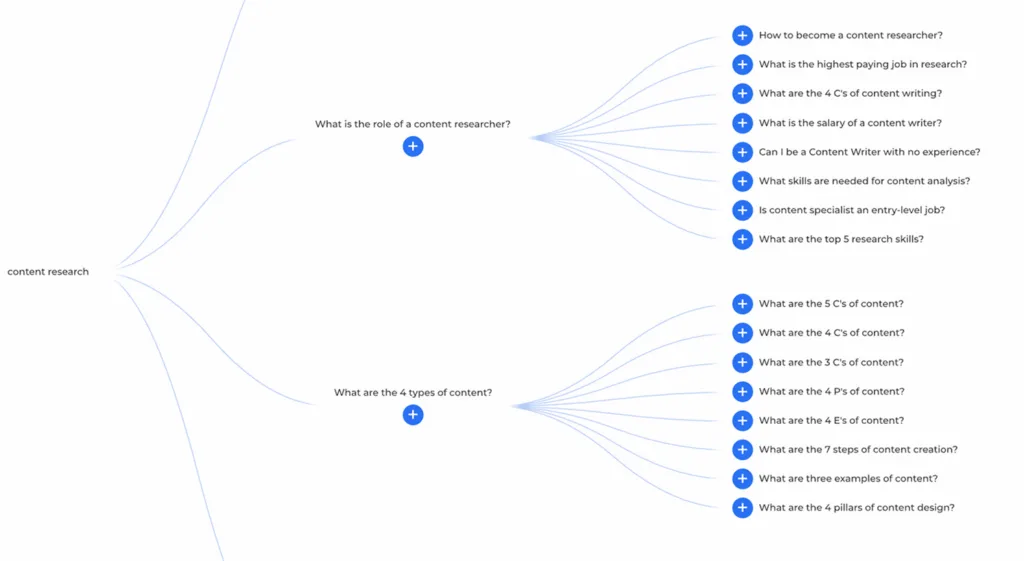
For agencies, there are lots of ways it can be used:
- Mapping the question landscape around a topic
- Structuring FAQ sections
- Building content outlines that reflect real user intent rather than guesswork
The “Bulk Search” feature is particularly useful at the scale an agency might want to use AlsoAsked, allowing you to upload a CSV of queries and get question maps back for all of them at once, rather than running searches individually.
It works best as a complement to your primary keyword research tool rather than a standalone solution. But for agencies producing high volumes of content, or those working in niches where PAA and featured snippet visibility matter, it’s a low-cost addition that adds real value to the content planning process.
Pricing
Here is the pricing for AlsoAsked:
- Free: 3 Free Credits Per Day
- Basic: $15 Per Month
- Lite: $29 Per Month
- Pro: $59 Per Month
You can also choose to pay for your subscription annually and save 20%.
Reviews
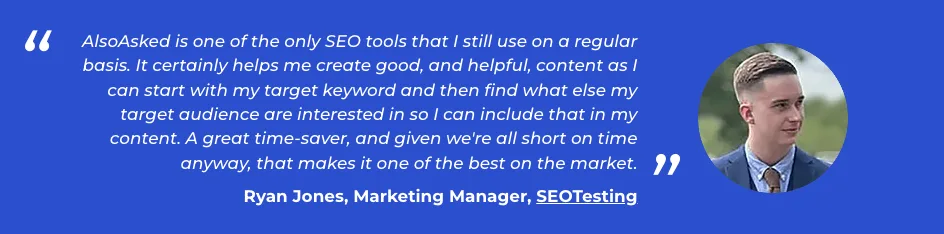
As it stands, AlsoAsked is not listed on the three major review platforms we are using for this article. However, based on social media comments, it is widely regarded as a highly popular SEO tool. And given that I use AlsoAsked regularly for my own topic research and content refreshes, I can certainly say I echo the positive feedback that can be seen across social media:
Who is AlsoAsked Best For?
AlsoAsked is best for agencies that do a lot of content-based work for their clients, meaning they need to map People Also Ask answers for content outlines and FAQs on a regular basis.
Backlink Analysis
It’s also important to mention all-in-one SEO tools here, such as Ahrefs, since they all include backlink analysis features. However, we’ve not mentioned them specifically below because they’re covered above.
Majestic
Majestic is built entirely around link intelligence, using its own crawler indexes (Fresh and Historic) alongside proprietary metrics, including:
- Trust Flow
- Citation Flow
- Topical Trust Flow
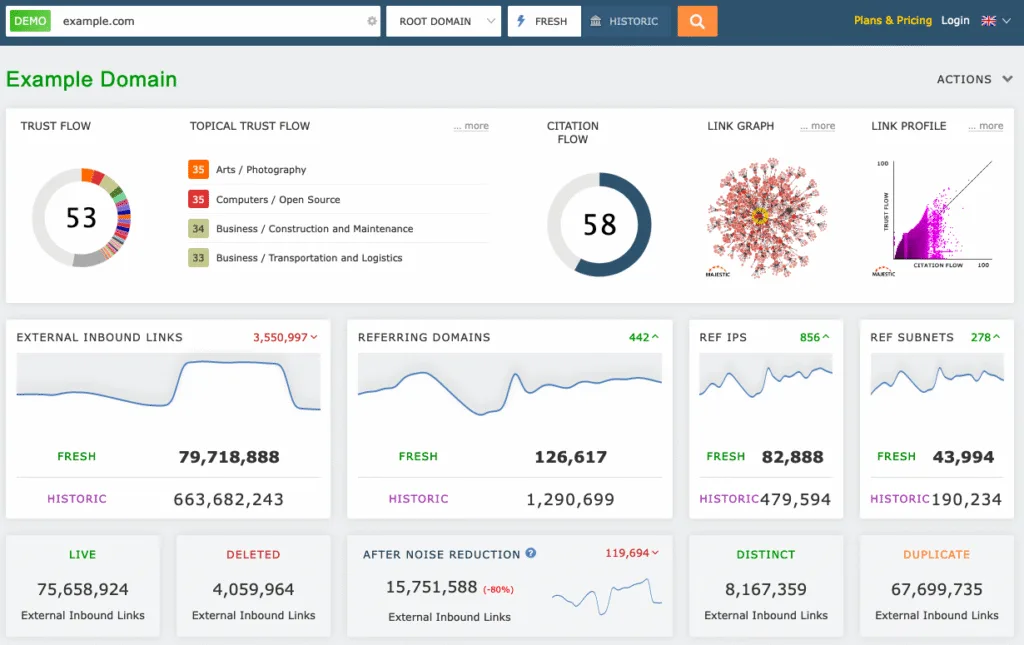
That last one is particularly useful for agencies, rather than assessing a link purely on authority, Topical Trust Flow categorises it by topic relevance, helping you evaluate whether a link is actually meaningful for your client’s niche. For link audits, prospecting, and competitive link gap analysis, that additional context makes a real difference.
It’s worth being clear about what Majestic isn’t…
It doesn’t do keyword research, rank tracking, or site auditing. If you need that breadth, you need one of the all-in-ones covered earlier in this article. But for agencies where backlink intelligence is central to client work, Majestic sits comfortably alongside your primary platform and fills in the gaps where link data depth really matters.
Pricing
Here are the pricing details for Majestic:
- Lite: $49.99 Per Month (Includes 1 User)
- Pro: $99.99 Per Month (Includes 1 User)
- API: $399.99 Per Month (Includes 5 Users)
Guarantee: Lite and Pro subscription levels include a 7-day money-back guarantee for new customers.
Reviews
Platform | Rating |
G2 | 4.3/5 |
Capterra | 4.4/5 |
Software Advice | 4.4/5 |
Who is Majestic Best For?
Majestic will best serve agencies that want a higher level of backlink data that is traditionally offered by the all-in-one tools. Especially if you want backlink data focused around “topics” rather than just traditional authority scores.
WordPress SEO
There is a very high chance that you, as an agency, have come across WordPress before. According to WordPress’ own data from April 2025, WordPress powers over 43% of the internet!
Because of this, WordPress is a critical CMS that most agencies need to be aware of. So it makes sense for us to include some WordPress-specific agency SEO tools in this guide.
Yoast SEO’s WordPress Plugin
Given how many agency clients run their websites on WordPress, having a reliable on-page SEO plugin is a practical necessity. Yoast has been the default choice for a long time, and it’s earned that position.
The core functionality covers everything agencies need to manage on-page SEO across client sites:
- Meta title and description management
- XML sitemap generation
- Canonical tags
- Open Graph settings
- Breadcrumb configuration
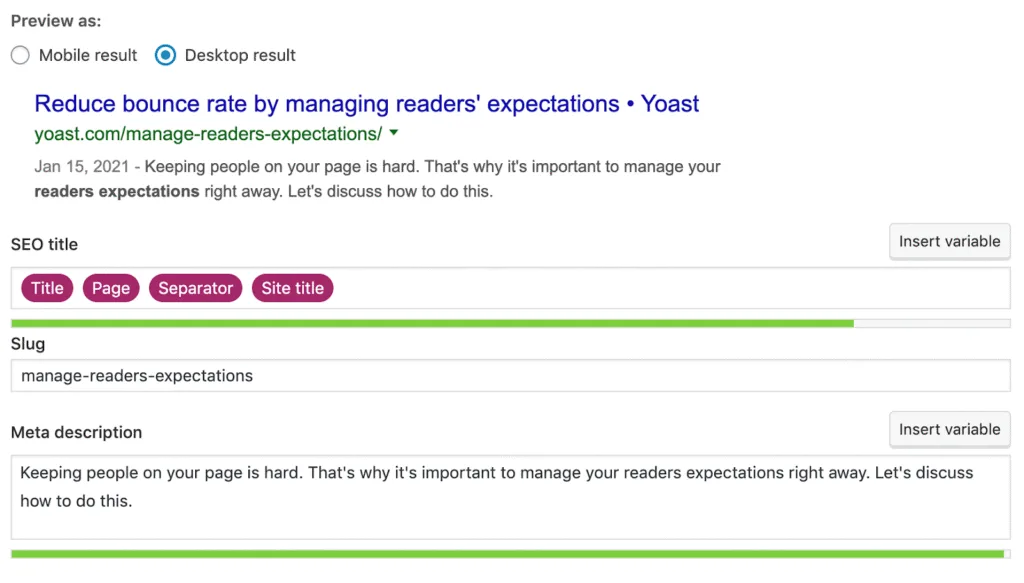
For agencies that work closely with clients’ content teams, the real-time feedback on readability and keyword usage built into the WordPress editor is particularly useful, as it allows editors to publish SEO-friendly content without needing to understand the technical rationale behind every recommendation.
Pricing
Yoast SEO has a free WordPress plugin available for smaller websites, and their paid plans are listed below:
- Yoast SEO Premium: $9.90 Per Month for 1 Site/Domain*.
- Yoast WooCommerce SEO: $14.90 Per Month Billed Annually
*Bulk discounts are available if you buy multiple.
Reviews
Platform | Rating |
G2 | 4.5/5 |
Capterra | 4.6/5 |
Software Advice | 4.6/5 |
Who is Yoast SEO’s WordPress Plugin Best For?
Yoast SEO will suit agencies that have many clients who use WordPress to power their websites and want a reliable, editor-friendly on-page SEO system to help them create SEO-friendly pages for their clients’ websites.
Rank Math
Rank Math is a direct alternative to Yoast, and for agencies managing a large number of WordPress client sites, it often makes more financial sense.
The feature set is comparable to Yoast’s core on-page requirements:
- Meta management
- Sitemaps
- Canonical tags
- Schema markup
And goes further in some areas, particularly in schema implementation and the built-in GSC integration that surfaces keyword and performance data directly within the WordPress dashboard, without leaving the CMS.
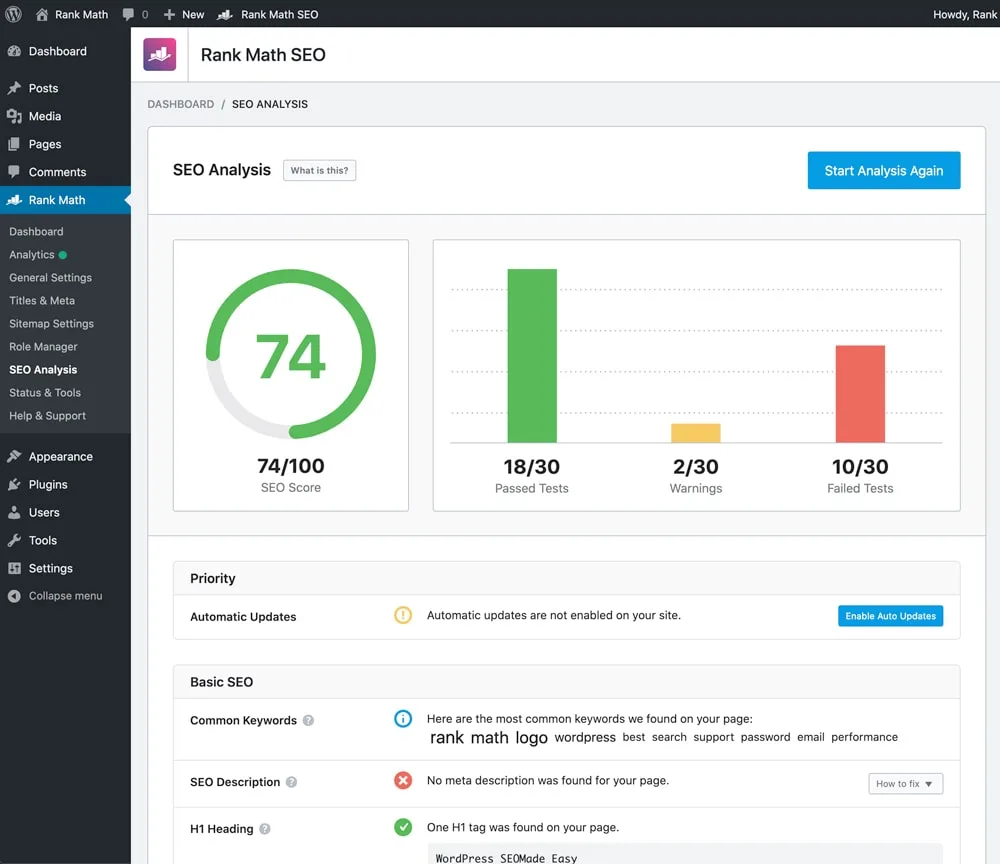
The main reason agencies choose Rank Math over Yoast is the licensing model. The Business and Agency plans let you manage a large number of client sites under a single subscription at a significantly lower per-site cost than buying individual Yoast Premium licenses. If you’re managing twenty, fifty, or a hundred WordPress sites across your client base, that cost difference adds up quickly.
Rank Math has more settings than Yoast, which can feel complex for hands-on clients or less experienced team members. Still, for agencies configuring the plugin themselves across a large roster, Rank Math is the more scalable and cost-effective choice.
Pricing
Like Yoast, Rank Math offers a free plugin, and then the monthly costs for paid subscriptions are:
- Pro: $7.99 Per Month Billed Annually (Unlimited Personal Sites, 500 Tracked Keywords)
- Business: $24.99 Per Month Billed Annually (Supports 100 Client Sites, 10,000 Tracked Keywords)
- Agency: $54.99 Per Month Billed Annually (Supports 500 Client Sites, 50,000 Tracked Keywords)
Reviews
Platform | Rating |
G2 | 4.7/5 |
Capterra | 4.5/5 |
Software Advice | 4.5/5 |
Who is Rank Math Best For?
Rank Math will best suit agencies that want a scalable license for many client sites when Yoast becomes too expensive or simply doesn’t fit the bill for client needs.
Local SEO
Local SEO is a common service offered by many SEO agencies, so it makes sense for us to include some local SEO-specific tools in this section. We’ve covered the main three:
- BrightLocal
- Whitespark
- Moz Local
BrightLocal
BrightLocal was purpose-built for local SEO. The platform brings:
- Local rank tracking
- Citation management
- Google Business Profile management
- Review monitoring
Together in a single dashboard designed around multi-location, multi-client operations. The white-label reporting is one of its strongest features for agencies, enabling you to produce professional, branded local SEO reports that are easy for clients to understand with minimal manual effort.
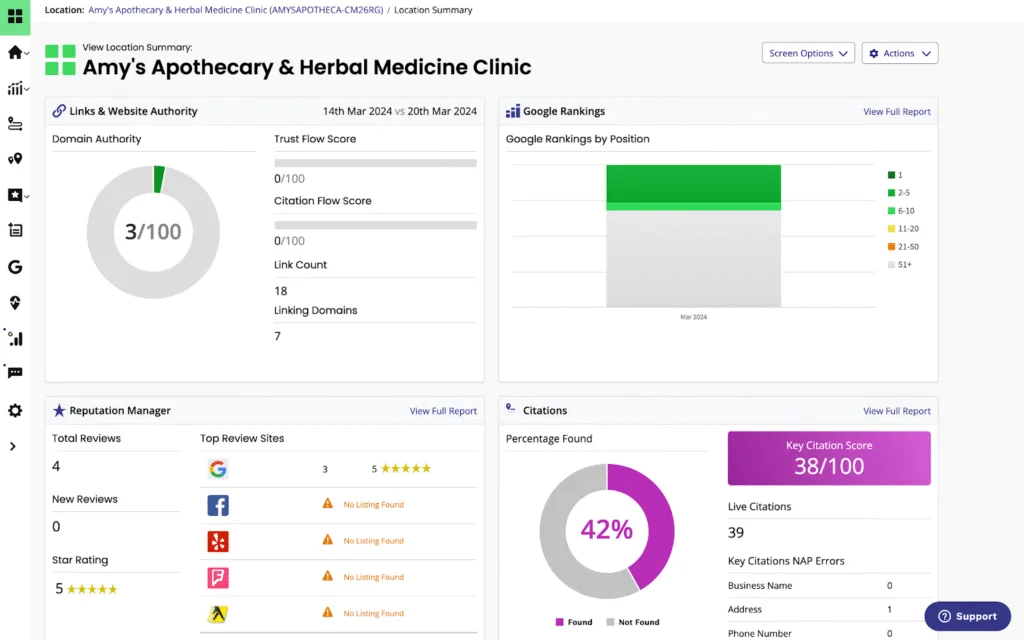
BrightLocal also offers managed citation building as a service alongside its software, which is a useful option for agencies that want to outsource that work rather than build an in-house process. If local SEO is a meaningful part of your agency’s service offering and you’re managing clients with multiple locations, BrightLocal is the most purpose-built tool available for that workflow.
Pricing
BrightLocal’s pricing breaks down into two different “paths” on their website:
- Software
- Services
Here are the prices for their software packages:
- Track: $29 Per Month
- Manage: $49 Per Month
- Grow: $59 Per Month
You can save 25% by paying annually.
And here are the prices for BrightLocal’s service packages:
- Local SEO Services: Starting from $799 Per Month
- Citation Builder: From $2 Per Citation
- Yext Replacement Services: Starting at $250 Per Location
Reviews
Platform | Rating |
G2 | 4.6/5 |
Capterra | 4.8/5 |
Software Advice | 4.8/5 |
Who is BrightLocal Best For?
BrightLocal will be best suited to agencies doing ongoing local SEO work with a lot of multi-location management. Essentially, if you have lots of local SEO clients who have multiple locations, BrightLocal should be on your radar.
Whitespark
Where BrightLocal bundles its local SEO features into a tiered platform, Whitespark, instead, takes a more modular approach where it sells its products separately so agencies can pay for only the stuff they need, rather than paying for a full suite of tools.
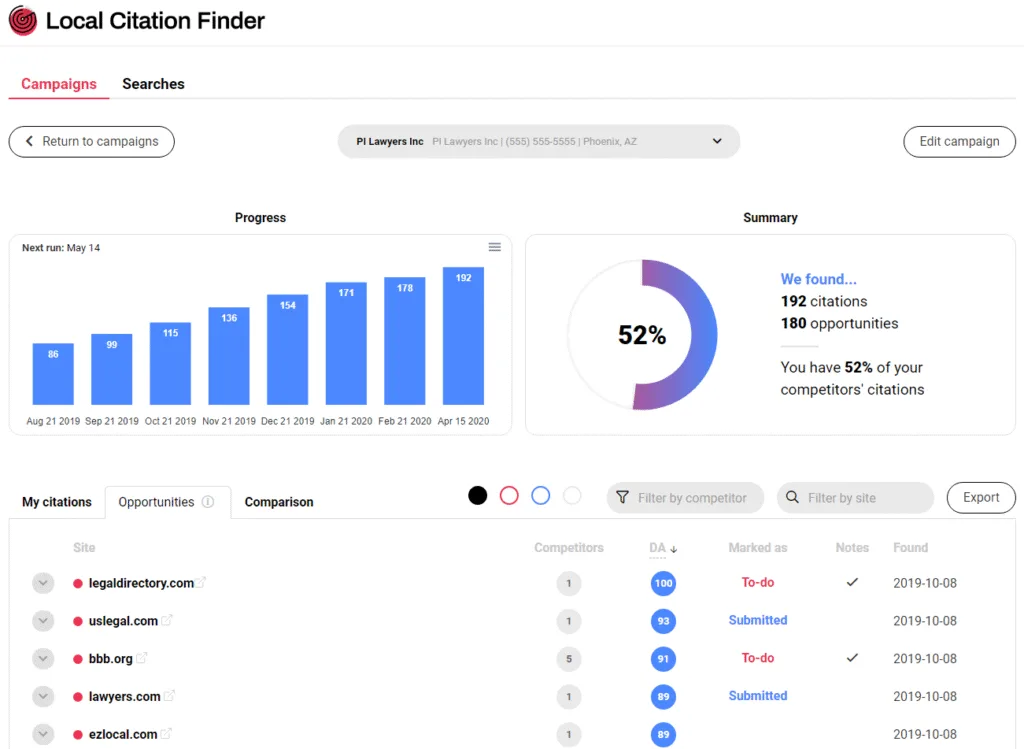
That flexibility is the main selling point for agencies. If you mainly need a local rank tracker and a citation finder, you pay for those two products. If you later need reputation management or GBP management, you can add them. That means you’re not paying for features you’re not using, which matters when you’re trying to keep tooling costs under control across a growing client base. The Local Ranking Grids feature is particularly effective for client reporting, visualizing local pack rankings across a geographic grid in a way that’s easy to present and genuinely lands well with clients.
Whitespark also offers managed citation-building services alongside its software, making it practical for agencies that want citation data visibility alongside the option to outsource the actual citation work through the same provider.
Pricing
Whitespark’s monthly pricing options are as follows:
- Local Platform (GBP Management): $1 Per Location Per Month
- Local Ranking Grids: $10-$300 Per Month (Monitor Local Rankings Across Up To 225 Geographical Points)
- Local Rank Tracker: $14-$200 Per Month
- Local Citation Finder: $33-$149 Per Month
- Reputation Builder: $79 Per Location Per Month (Custom Multi-Location Pricing Available)
- Managed Services Also Offered
Reviews
Platform | Rating |
G2 | 4.5/5* & 4.6/5** |
Capterra | None Found |
Software Advice | None Found |
*Whitespark Local Rank Tracker
**Whitespark Local Citation Finder
Who is Whitespark Best For?
Whitespark is best suited for agencies that want to build the tools and features they need into their local SEO software. Many agencies might want local citation building done alongside as an outsourced service, and Whitespark is perfect for that.
Moz Local
Moz Local focuses on two core problems:
- Ensuring your clients’ business information is accurate and consistent across online directories.
- Giving you visibility into their review activity across platforms, all from a dashboard that’s straightforward to use without a lot of onboarding.
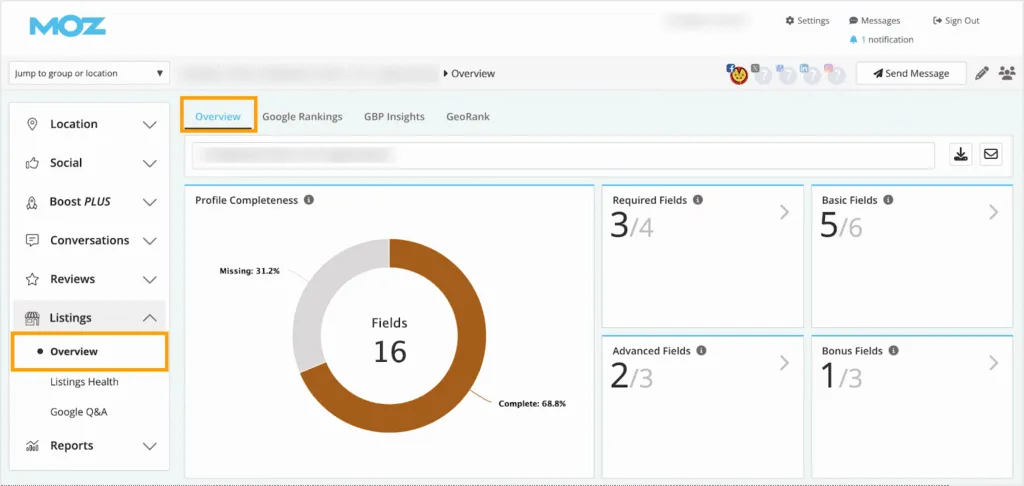
The listings distribution network pushes NAP (name, address, phone number) data out to a wide range of directories and keeps it automatically in sync. For agencies, this removes the manual overhead of managing listing consistency across multiple directories for multiple clients, a task that sounds simple but becomes a real time drain at scale. The review monitoring and response features add a useful layer for agencies that offer reputation management as part of their local SEO services.
It’s a focused tool rather than a full local SEO suite. For deeper rank tracking or competitive local analysis, BrightLocal or Whitespark would be the stronger choice. But for agencies whose clients primarily need their listings managed accurately and their reviews monitored cleanly, Moz Local covers those fundamentals well at a price point that’s hard to argue with.
Pricing
Here are the monthly pricing options for Moz Local:
- Lite: $20 Per Month – Includes GeoRank Local Map Pack Ranking, 90+ Listing Directories, Review Monitoring & Data Health Analytics
- Listings AI Add-On Available ($14 Per Month)
- Preferred: $30 Per Month: Everything in Lite Plus Review Responding, Review Sentiment Analysis, Social posting to Google & Facebook, Social Analytics & More
- Listings AI Add-On ($14 Per Month) & Reviews AI Add-On ($10 Per Month)
- Elite: $40 Per Month – Everything in Preferred Plus Listings AI Add-On Included, Additional Social Posting to Instagram, LinkedIn, and TikTok, Social Ad Boosting to Facebook, Social Responding to Linked Inboxes and More
- Reviews AI Add-On ($10 Per Month)
- Enterprise: Custom Pricing – Add-Ons Both Included Plus Dedicated Account Manager, Training Resources, Additional Directories, and More
Reviews
Platform | Rating |
G2 | 4.2/5 |
Capterra | 4.4/5 |
Software Advice | 4.4/5 |
Who is Moz Local Best For?
Moz Local will be a great fit for agencies managing multi-location clients who mainly need information about the distribution and consistency of their listings, as well as review monitoring, all within a straightforward tool.
Conclusion: Best Picks, How to Choose, and Next Steps
Best Picks for Agencies (2026)
If you’re in the middle of building your agency’s SEO toolstack, then here are our strongest picks:
- If you’re looking to demonstrate your agency’s impact through structured testing and experimentation, we recommend SEOTesting.
- If you’re looking for the undisputed “best” tools for analytics foundations and first-party data, then your agency needs to be using the combination of Google Search Console and Google Analytics.
- If, like most agencies, you run many technical audits, you need to use either Screaming Frog or Sitebulb. However, it’s incredibly difficult to determine which tool would be right for you and your agency.
- And if you’re looking for the best “all-in-one” software suites to help with competitor analysis, backlink management, and keyword research, then you should choose either Ahrefs or Semrush.
How to Choose the Right Tools (Without Overspending)
The goal here isn’t to have “more tools”; it’s to have fewer manual steps and clearer reporting. Not only will this help you and your team work on client sites, but it will also help you come reporting time, too! Clearer workflows and “cleaner” client results will help when you’re in those end-of-month or end-of-contract reports, and could help you reduce churn.
When deciding what tools to keep in your stack, pressure test every single tool you’re using against these questions:
- Does it scale across multiple clients and sites?
- Does it reduce manual work with automation, templates, and scheduled reporting?
- Can it produce outputs that are easily communicated to stakeholders?
- Does it help prove impact? Think what changed, what happened, and what’s next.
What Should You Do Now?
If you, as an agency, want to get more from your Google Search Console data and run controlled experiments to both find what works and prove your agency’s impact on clients, then start your free 14-day trial of SEOTesting today.
Testimonials
-

"Can totally recommend! It’s not only full of reports to easily identify low hanging fruit opportunities but also, the most straightforward platform to help run SEO tests"
Aleyda Solis, Intl SEO Consultant, Speaker & Author.
-

"SEOTesting.com has become one of my go-to SEO tools because it does so much with all the valuable data hidden in Google Search Console. It's the only thing that gives us the ability to use that data for keyword tracking, SEO tests, and quality testing."
Ruben Gamez, DocSketch